Updated on
September 24, 2026
AI Diamond 9: A Ready-to-Run CPD Lesson on AI Use
Rank the classroom uses of AI that matter most with this ready-to-run Diamond 9 CPD lesson: nine AI applications, structured staff discussion, and next steps.

Updated on
September 24, 2026
Rank the classroom uses of AI that matter most with this ready-to-run Diamond 9 CPD lesson: nine AI applications, structured staff discussion, and next steps.
The question isn't whether to use AI in classrooms, it's which uses matter most for your learners. Nine different AI applications are competing for staff time and attention. You can't implement them all at once. The Diamond 9 ranking technique forces your team to prioritise, debate, and agree.
This lesson plan takes 45 minutes in a staff meeting. Your team emerges with: a ranked list of AI use cases specific to your school, a shared language for talking about AI, and a realistic implementation plan that doesn't overwhelm anyone.
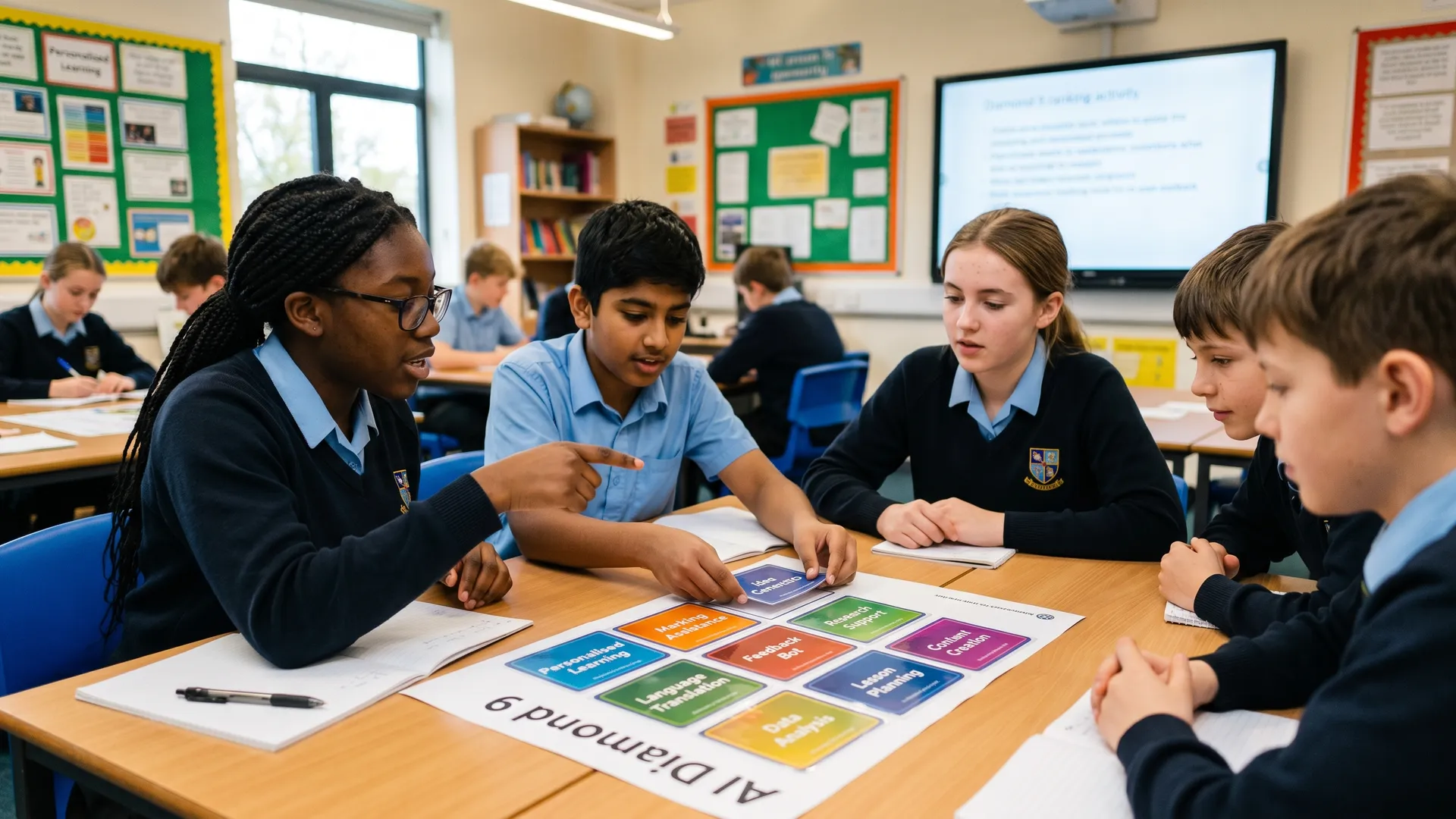
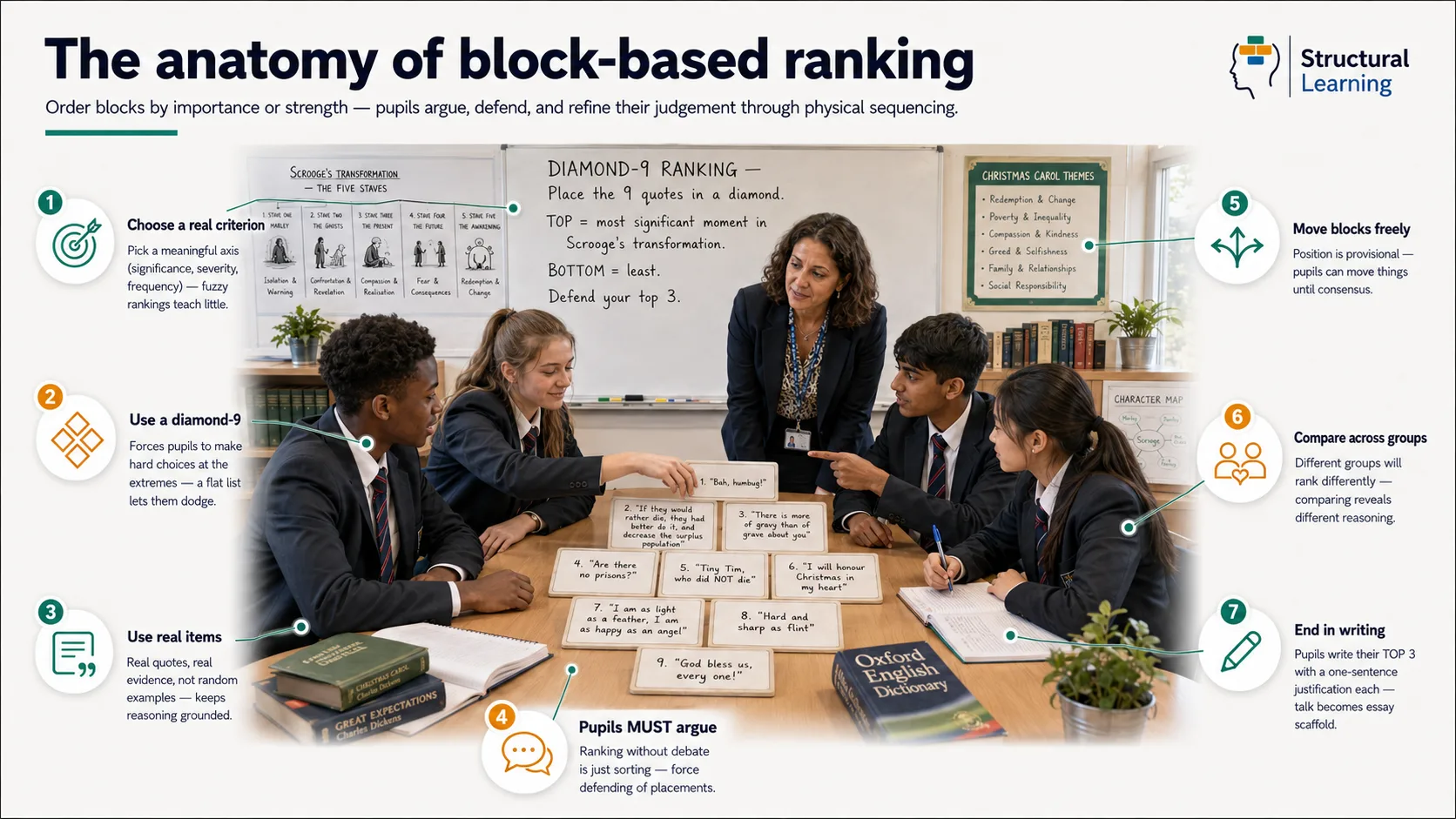
The Diamond 9 is a well-researched prioritisation technique from the Thinking Framework Map It tool. Here's what happens when your staff use it:
Instead of discussing AI in the abstract ("Should we use AI?"), you're arranging nine concrete items in a diamond shape. One at the top (most valuable), two in the next row, three in the middle, two below, one at the bottom (least valuable). The conversation shifts from opinion to evidence. Why does formative feedback go at the top but research assistance at the bottom? Because of what we know about how learners learn.
The ranking also serves as a permission structure. A SENCO can say: "We've agreed that AI for scaffolding is a priority. Yes, some teachers find it technical. But we've chosen it as a team." Disagreement becomes legitimate because there's no single "right" answer, there's your school's priority.
Teachers today face constant pressure to adopt new tools. The hype cycle is relentless. What changed in education when AI launched wasn't pedagogy, it was anxiety about keeping up.
Ranking forces a different conversation: What are we trying to solve? For which learners? At what cost to other priorities?
The science here is straightforward. Cognitive offloading (using external tools instead of your brain) saves time but carries a hidden cost. Sparrow et al. (2011) found that people who could access information externally invested less mental effort in remembering information themselves. Your brain adapted: why encode what you can look up? This is useful for facts, but dangerous for skills.
When AI generates a differentiated worksheet instantly, your learners don't see the thinking. When AI writes feedback on an essay, learners miss the cognitive demand of processing a human teacher's written response. We're not arguing AI shouldn't generate these things. We're arguing you should know the trade-off you're making and decide it's worth it.
Risko and Gilbert (2016) quantified the effect. When tools are available, people use them, even when using them actually hurts performance later. This is automatic, not deliberate. The lesson: choose your AI use cases carefully. Select them for impact, not convenience.
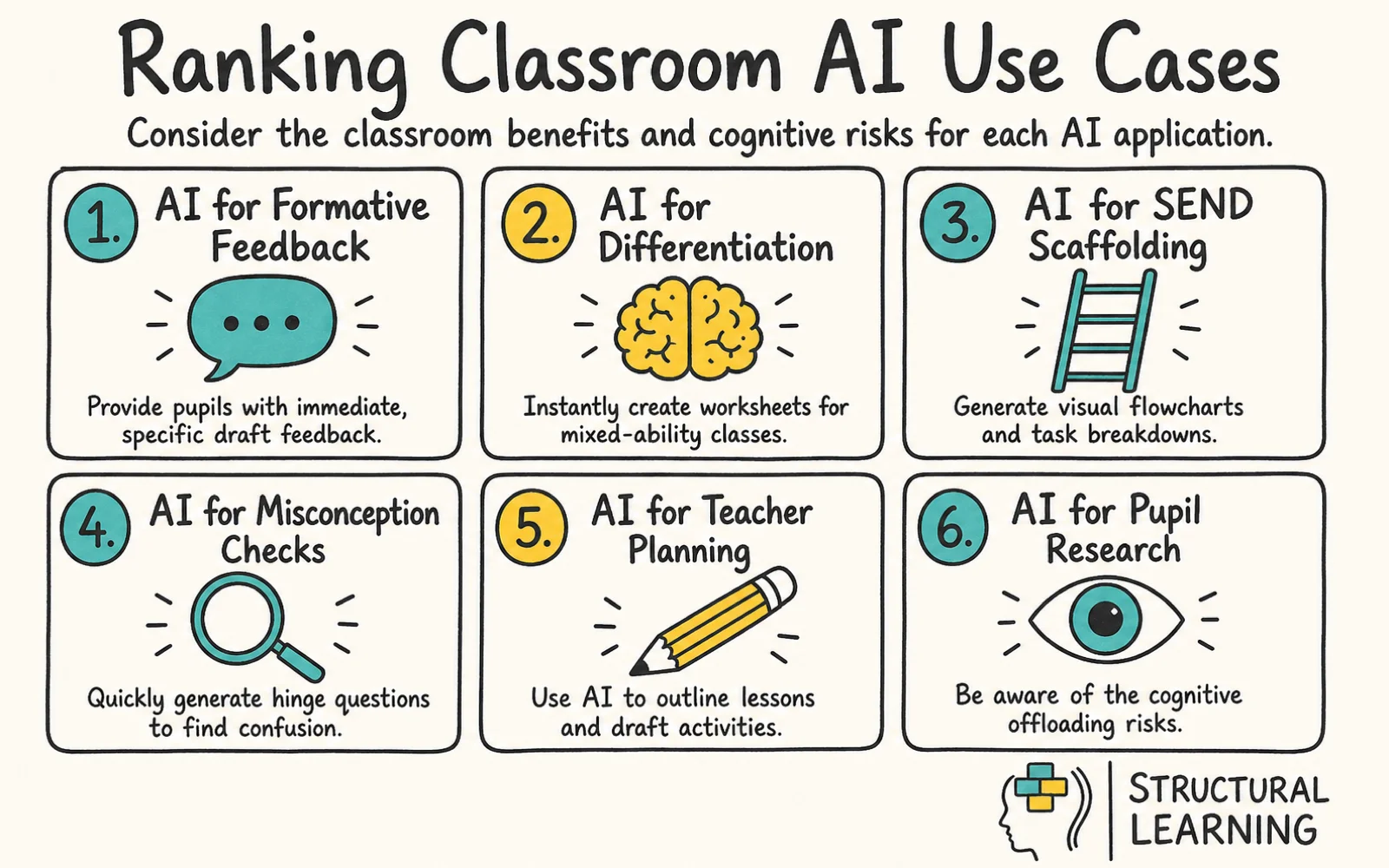
Here are the nine AI applications your staff will rank. Notice each is specific, not "AI for instruction" but "AI for generating hinge questions." Specificity creates clarity.
| AI use case | Classroom benefit | Cognitive risk |
|---|---|---|
| AI for low-stakes formative feedback on learner writing | Learners get immediate, specific feedback on drafts. Reduces marking time by 50%. Works well alongside peer feedback and teacher feedback. | AI feedback can be generic. Learners learn less from surface-level comments. Must be paired with human feedback on final drafts. |
| AI for generating differentiated worksheets | Instantly create three versions (below, at, above level) for mixed-ability classes. Supports SEND without separate intervention. | Speed can mask poor design. AI versions may look more polished than the thinking underneath. Teacher review is non-optional. |
| AI for staff marking time savings | Mark fewer papers, faster. Reclaim 5 hours per week for planning and wellbeing. Straight cost-benefit for teacher workload. | Deprioritises written feedback, learners miss the most personalised learning signal. Teaching time (not marking time) is what moves progress. |
| AI for generating hinge questions and misconception diagnostics | Rapidly identify where learners are confused, adjust instruction mid-lesson. Paired with formative assessment, this is high-impact. | AI generates plausible wrong answers but sometimes misses genuine misconceptions. Requires subject knowledge to validate. |
| AI for teacher lesson prep and planning | Outline a lesson in 10 minutes instead of 45. Draft sequences and activities. A time-saving tool that preserves teacher agency. | Easy to over-rely on AI plans when you're under time pressure. Quality varies. Good for scaffolding thinking, not a substitute for planning. |
| AI for learner research and information retrieval | Learners ask AI for background information instead of hunting through Wikipedia. Faster fact-finding. Lower cognitive load during research lessons. | Information without effort is forgotten faster. Retrieval practice builds memory. Easy access to facts can weaken encoding. |
| AI for SEND-specific scaffolding (visual flowcharts, checklists, breakdowns) | Learners with processing difficulties get task breakdowns and visual supports instantly. Removes barriers without labelling. Inclusive and fast. | Scaffolds can become permanent if not gradually withdrawn. Scaffolding is a bridge, not a destination. |
| AI for curriculum mapping and sequencing | Map knowledge progression across a unit. Identify prerequisite knowledge gaps. Supports whole-school coherence and curriculum design. | AI doesn't know your learners' prior learning. Curriculum sequencing requires local knowledge. Use AI to prompt thinking, not decide it. |
| AI for reading comprehension support (simplification, summaries, glossaries) | Learners with reading difficulties access full curriculum texts. Summaries don't skip key ideas. Removes access barriers without reducing challenge. | Summaries skip the productive struggle. Close reading builds comprehension; AI shortcuts can weaken it. Use for access, not replacement. |
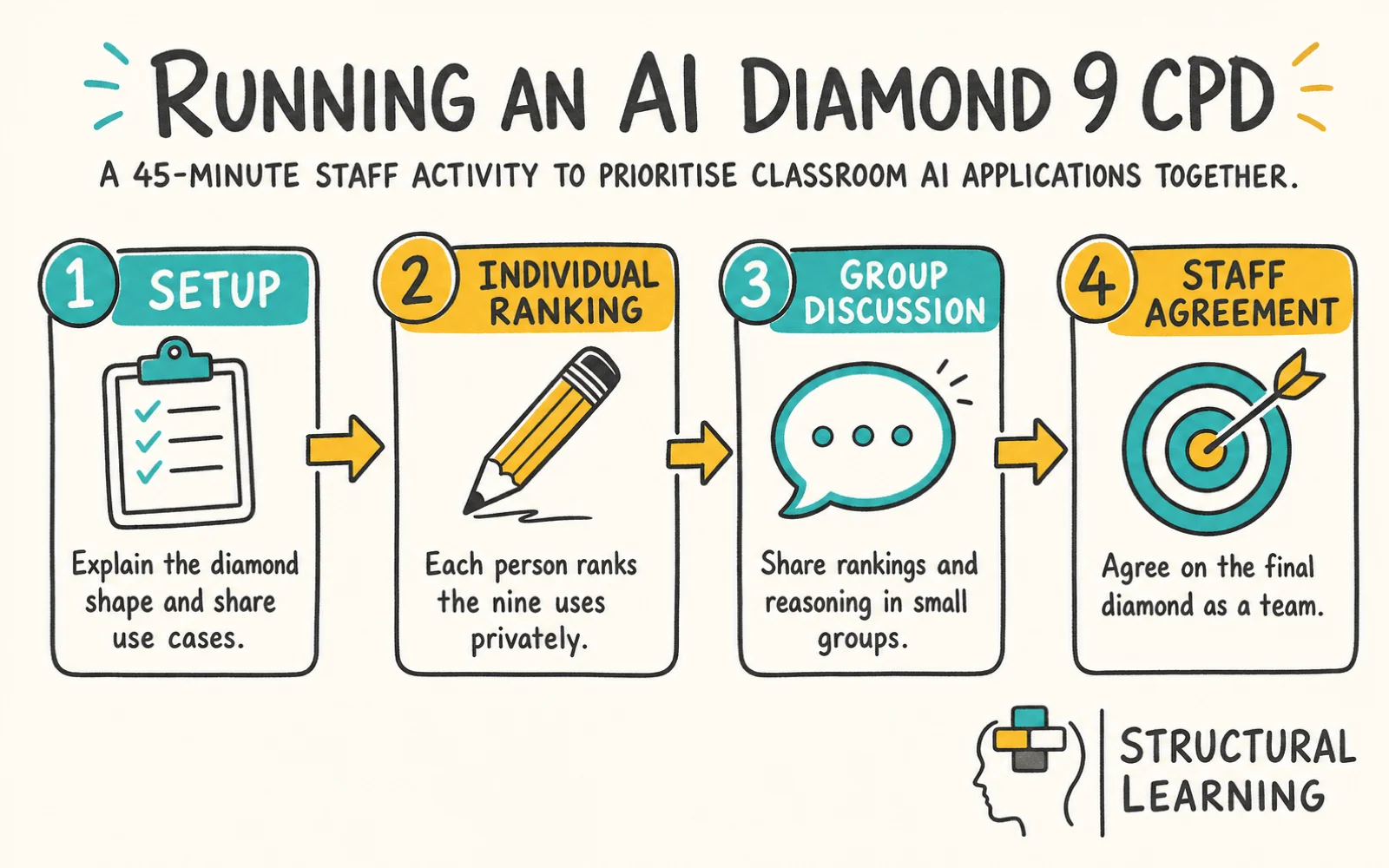
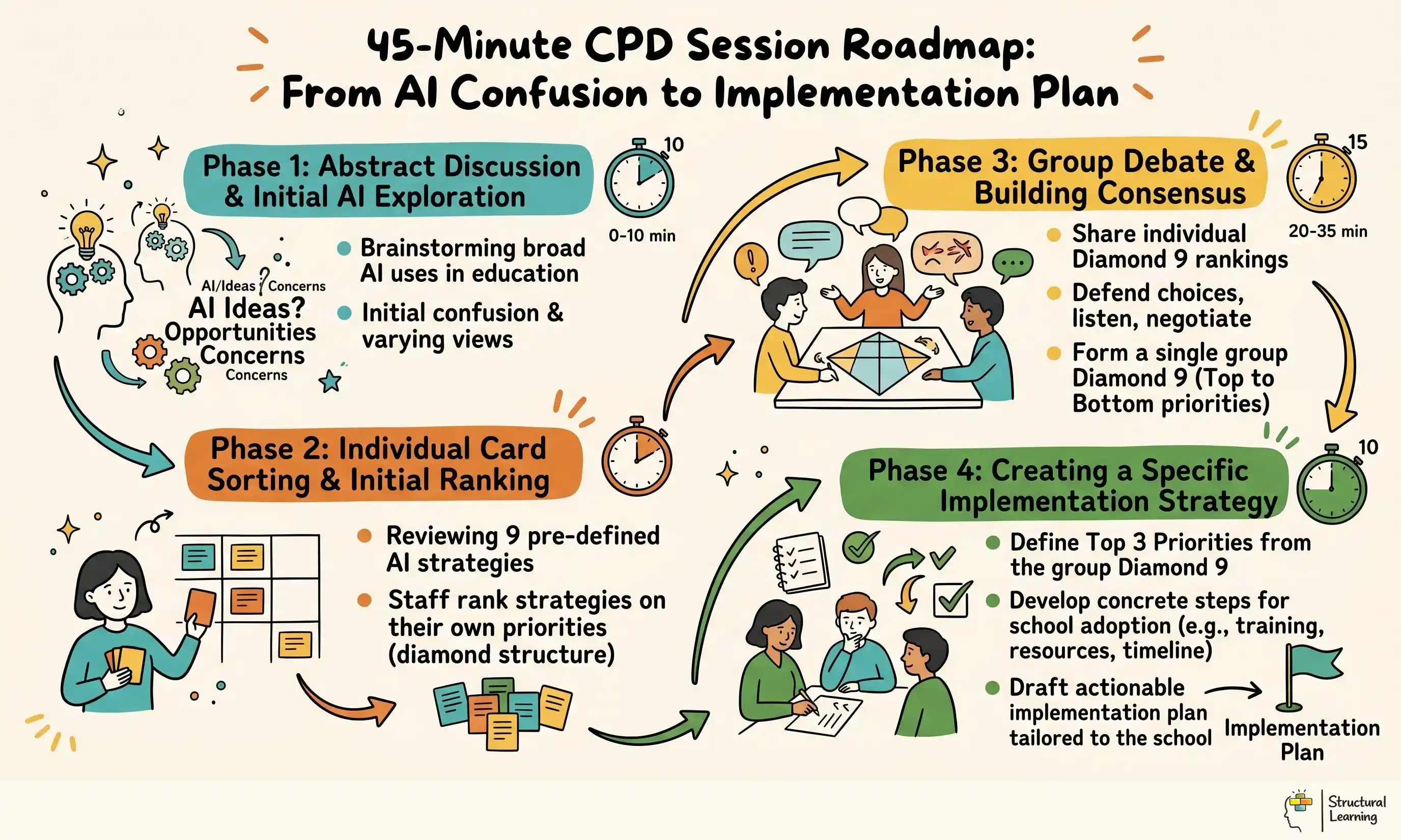
Setup (5 minutes):
Print or project the nine use cases on cards. Give every staff member a set (digital or physical). Explain the diamond shape: 1 card at top, 2 in row 2, 3 in the middle, 2 in row 4, 1 at the bottom. The constraint forces trade-offs. You can't put everything at the top.
Individual ranking (10 minutes):
Each person ranks the nine uses privately. No discussion yet. This prevents groupthink. Encourage people to read the benefits and risks carefully. What does your school actually need?
Small-group discussion (15 minutes):
Break staff into groups of 4–5. Share rankings. Why did you put formative feedback at the top? Why did research retrieval go to the bottom? Listen for the reasoning. Groups aim for consensus but don't force it. Capture the biggest disagreements on a flipchart.
Whole-staff agreement (15 minutes):
Share group rankings and scan for patterns. Usually, formative feedback, differentiation, and scaffolding cluster near the top. Research assistance and planning support cluster lower. When there's a disagreement, say, marking time savings, dig into the assumptions. Is marking what's limiting your impact?
Agree on the final diamond as a staff. It doesn't have to be unanimous. It has to be explicit. This is your team's priority.
Action (not in the 45 minutes, but schedule it):
Assign each high-priority use case to a champion. They own the first pilot. No more than three pilots in the first term.
Across dozens of schools using this exercise, a pattern emerges.
Formative feedback sits at the top more often than anything else. Teachers say: "We're drowning in marking. AI feedback on drafts frees time for real feedback on final work. Learners get more total feedback, not less."
Differentiated worksheets usually rank second. Mixed-ability teaching is hard. AI can generate three versions instantly. Teachers have time to teach instead of hunt for resources.
Misconception diagnosis and hinge questions also trend high because they connect directly to formative assessment, which every staff meeting claims to prioritise. If you mean it, AI here earns its place at the top of the diamond.
SEND scaffolding surprises people. It's usually not a top-three choice initially, but once discussed, it moves up. Teachers say: "We've been asking SENCOs to create individualised resources manually. AI can do this in seconds. It feels like it should be a priority."
The Ofsted Research Review series emphasises the importance of a well-sequenced, knowledge-rich curriculum, where teachers' expert decisions about what to teach and how to teach it are central to learner progress. That means your staff's expert reading of the classroom matters more than any tool. Ranking AI uses forces you to keep that lens: What does our team see that AI should enable?
Research assistance (finding information) rarely makes the top five. Teachers say: "Learners need to struggle a bit with finding information. Too easy and they don't retain it." The cognitive science backs this. Agarwal's work on retrieval practice shows that the struggle of retrieving information is what cements it in memory. Make it effortless, and encoding weakens.
Planning support also tends lower. Teachers reason: "I need AI to speed up my workload, but my planning is where I think. If I let AI do that, I'm outsourcing my expertise." This is wise caution. Cognitive load theory suggests that AI planning support works best as a scaffold (generating outlines you then develop), not a replacement.
Curriculum sequencing often sits low because it requires too much local knowledge. One teacher said: "AI doesn't know that 12 of my year 9s still can't do long division. It would sequence something logical but not right for us." Fair point.
The pattern is clear: Schools value AI where it removes drudgery but preserves expert thinking. AI for feedback, differentiation, and scaffolding. Caution on AI for retrieval, planning authorship, and sequencing. Caution doesn't mean "don't use it", it means "use it with your eyes open."
The ranked diamond isn't the end. It's a map for your policy.
Translate it into action by assigning each tier to a term and a champion. Tier 1 (top-ranked uses) in Autumn. Tier 2 in Spring. Tier 3 in Summer. This staggers implementation so staff aren't drinking from a firehose.
Document what success looks like for each use case. If formative feedback is top-ranked, what does that pilot entail? Which year groups? Which subjects? What's your success metric? (Marking time saved? Learner feedback loops? Quality of revision?) Be specific.
Include guardrails. If you're using AI for marking support, staff still provide written feedback on final work. If you're using it for scaffolding, build in a fade-out phase. Metacognitive thinking comes from reducing support gradually, not removing it suddenly.
The DfE "Generative AI in Education" call for evidence report (2023) emphasises that schools using AI successfully treated it as part of their existing pedagogical strategy, not a separate initiative. The diamond technique anchors AI into your existing framework: What works for your learners? Build from there.
Pick the top three uses from your diamond. Identify one champion for each. They're not building a full implementation. They're scoping a pilot: Which year group? Which subject? What does week one look like? When do we review?
Announce it in a sentence: "We've ranked AI uses as a staff. We're piloting formative feedback in year 9 English starting next week. Sarah's leading it. Here's what success looks like."
That clarity transforms AI from a vague promise to a concrete action. Your team moves faster, stays aligned, and actually learns whether AI improves things. Download the interactive Diamond 9 ranker below and use it in your next meeting.
For the wider picture, explore our AI and EdTech tools hub, our home for evidence-based AI guidance across policy, lesson planning, and classroom practice.