Updated on
September 24, 2026
AI for Teacher Workload: What Actually Saves Time (2026)
See where AI genuinely cuts teacher workload across marking, planning and admin, and where it quietly adds work. Practical strategies you can use now.

Updated on
September 24, 2026
See where AI genuinely cuts teacher workload across marking, planning and admin, and where it quietly adds work. Practical strategies you can use now.
Teachers work 50+ hours per week. Only 43% of that time is spent teaching (DfE Workload Survey, 2024). The rest goes to marking, planning, admin, and paperwork. One in three teachers quit within five years. Workload is the reason. The harder you work, the more admin piles up.
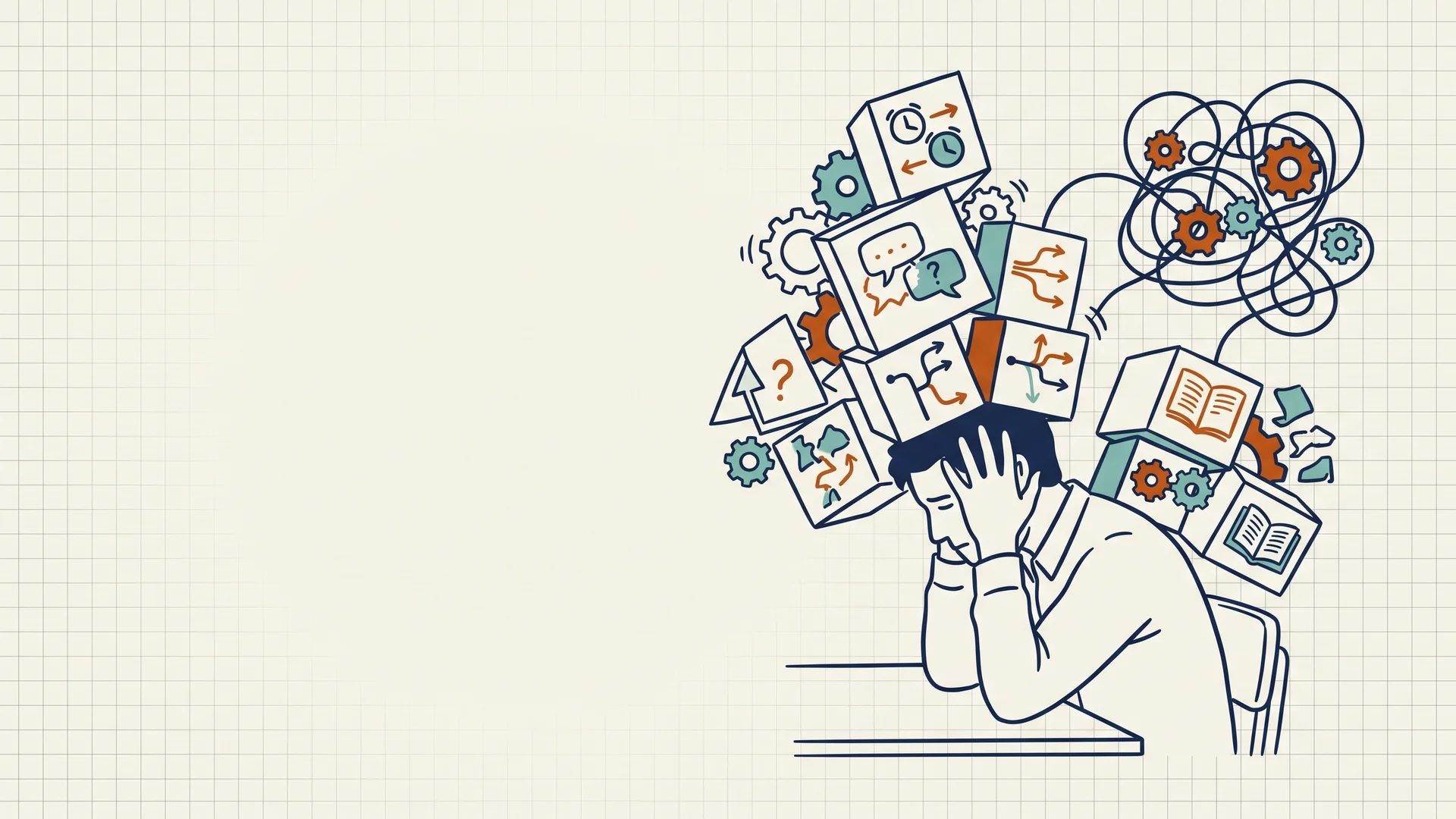
AI won't replace you. It can lighten your cognitive load. Think of it like this: some mental work is essential (designing lessons, understanding students). Other work is pure overhead (data entry, form-filling, routine feedback). AI removes the overhead so you can focus on the essential work. This is called Cognitive Load Theory. AI removes extraneous load (admin with no impact on learning) so you have mental space for germane load (teaching thinking that actually helps students).
This guide explores evidence-based AI tools and strategies that UK educators are using right now to reclaim their time, reduce stress, and focus on what matters: their learners.
The numbers are stark. Teachers in England work an average of 50.3 hours per week (Department for Education Workload Survey, 2024), compared with the standard 37.5-hour working week. This isn't just overtime, it's chronic, accumulated stress that compounds year after year.
Teacher workload links to retention problems. Early-career teachers leaving doubled from 2010 to 2024. Experienced educators leave because administrative tasks overwhelm them. Science, maths and English departments lose many teachers (Bettinger & Loeb, 2010; Kini & Podolsky, 2016). Marking impacts this (Kraft & Papay, 2014; Sims & Allen, 2020).
This allows educators to focus on instructional design and individualized learner support. Research by Kirschner, Sweller, and Clark (2006) highlighted cognitive load theory. AI can reduce unnecessary tasks that drain mental energy. This gives teachers more time for planning lessons and supporting each learner.
Cognitive Load Theory (CLT) helps us understand how AI can reduce stress. It identifies three types of mental load:
The key insight: your brain has limited capacity. When admin work fills all your mental space, nothing is left for real teaching.
Example: Marking 150 essays and entering grades into the system = overhead work. Planning a lesson that teaches energy transfer to students at different levels = real teaching work. If you spend all day on data entry, you have no energy left to plan good lessons.
Research shows AI works in three ways: planning (lesson design), implementation (teaching), and assessment (marking) (Zawacki-Richter et al., 2022). In all three cases, AI does the admin work so you can focus on teaching.
Specific examples: AI dashboards show you which learners are struggling, no manual spreadsheet checking needed. AI gives feedback comments to all students at once, no handwriting 30 pages of comments. AI tracks attendance and behaviour, no manual record sheets (Kamalov et al., 2022).
The result should be tested locally: AI is helpful only when it demonstrably reduces low-value workload without increasing checking, compliance or correction time.
AI is most defensible for administrative drafting, routine feedback support and resource adaptation. Teachers should keep control of learning goals, assessment decisions and relationships with learners.
Marking and feedback can be a major time sink, especially in subjects with extended writing. The useful question is not whether AI can replace assessment, but whether it can reduce the repetitive drafting and sorting work around feedback.
AI may reduce marking time when it drafts rubric comments, groups common errors or prepares feedback templates, but schools should treat any time-saving claim as tool-specific until it has been tested locally. Keep the teacher as the final assessor and audit samples of AI-supported feedback for accuracy, bias and usefulness.
Tools like Gradescope use rubrics to score essays automatically. You set the rubric (for example: "Evidence from text: 5 points; Understanding: 5 points"). The AI applies it consistently to all 150 papers and adds feedback comments.
The benefit is consistency and speed with routine feedback patterns. You still review the output, correct mistakes and decide whether the feedback is appropriate for the learner and task.
Tools like Magic School AI add feedback directly into student work: spelling errors, clarity issues, missing evidence. You review it rather than annotate it from scratch.
For draft feedback, the useful workflow is to let AI suggest common language points or missing evidence, then have the teacher review the output and decide what learners actually need next.
UK schools must check GDPR and safeguarding before using any AI marking tool:
Your school's data protection officer (DPO) should review any new marking platform. The NAACE AI in Education Guidance (2024) provides a useful framework for schools evaluating AI tools.
Start with low-stakes work: Use AI feedback tools first on draft submissions or formative quizzes before rolling out to high-stakes assessments. This lets you calibrate the AI's output and build confidence.
Detailed rubrics with exemplars boost learner outcomes (Sadler, 2014). Allocate 30 minutes to writing clear rubrics. The quality of AI feedback hinges on precise rubric language (Jonsson & Svingby, 2007). Vague rubrics generate unhelpful feedback (Brookhart, 2018).
(Williamson, 2023) found teacher oversight crucial. Review AI scores and feedback before sharing them. This protects learners and maintains professional standards (Holmes, 2024). Do this to ensure fairness and accuracy (Lee, 2022).
AI marking tools can reduce some routine marking effort when they are used for draft feedback, rubric comments or common-error grouping. The gain is only useful if teachers maintain human oversight and use any time saved for higher-value interactions with learners.
Lesson planning is creative, high-stakes work that should be teachers' priority. Yet many spend more time formatting lesson plans, generating differentiated worksheets, and finding levelled reading materials than they spend on the core pedagogical thinking: What misconceptions will learners hold? How will I surface and address them?
Generative AI can help with planning when it produces draft task ideas, vocabulary support, misconception questions or differentiated versions of a text. The time-saving and wellbeing effect depends on the quality of the prompt, the teacher review process and the school's expectations for AI use.
Generic prompts ("Write a lesson on fractions") produce generic results. Instead, use task-specific prompting:
For misconception-focused planning:
Year 8 photosynthesis lessons can be tricky. Assess learners for soil-eating beliefs with diagnostic questions. Do they think plants make oxygen only for themselves? Check if they see photosynthesis as respiration reversed. Plan activities tackling each misconception directly.
For differentiation:
"I'm teaching the water cycle to a Year 4 class. I have three learners on SEND support with speech and language needs. Generate: (1) core vocabulary with definitions, (2) sentence starters for verbal explanations, (3) visual scaffolds I could use, (4) a simplified task and an extended challenge task."
For scaffolding:
"I'm teaching essay writing to Year 10 GCSE English. Generate a 'scaffolding fade' sequence, a series of writing tasks that gradually remove supports, from heavily structured (fill-in-the-blank paragraph frames) to fully independent (free essay). Span it across six weeks."
Magic School AI has a "text leveller" to adjust reading. The tool changes sentence complexity and vocabulary for learners. You paste text and it makes three versions.
Teachers can use prompts to make resources quickly. For instance, prompts create sentence starters in seconds. This saves time spent crafting them manually. A prompt like this works: "Generate 12 sentence starters for a Year 7 history essay comparing Roman and Anglo-Saxon governance". The prompt can specify paragraph types.
AI scaffolding tools may reduce drafting time for SEND or EAL resources, but teachers still need to check accessibility, curriculum accuracy and whether the support preserves the learner's access to important subject ideas.
There's a warning here. If teachers outsource all planning to AI, they lose the opportunity to develop deep subject knowledge, anticipate learner responses, and refine their craft. Use AI as a planning accelerator, not a replacement. The teacher's role is to evaluate, adapt, and make professional judgment calls on what AI suggests.
AI tools help busy teachers with lesson planning tasks. Focus on learning objectives and needs of learners (SEND) first. Use AI to speed up routine tasks, but your teaching expertise is key (Holmes et al, 2023).
Marking creates a huge workload, with administration a close second. Teachers spend hours on reports, data entry and tracking progress. They also use templates for parents and ensure compliance. This takes time away from actual teaching, according to research.
AI can draft reports, emails and summaries from teacher-provided notes. The teacher should then check accuracy, tone, safeguarding implications and whether the final message genuinely reflects the learner.
In practice, AI-drafted reports should be treated as first drafts rather than finished communication. Schools should agree what data can be entered, what must stay out of prompts and how staff will check final wording before anything is sent to families.
AI dashboards in school systems such as Arbor can flag at-risk learners. These tools identify assessment trends and reveal patterns in data. Teachers get alerts instead of checking spreadsheets, such as a learner's reading dip. The alerts can also show cohort gaps in understanding.
Learning analytics dashboards can help teachers notice patterns in assessment or attendance data, but their value depends on transparency, accuracy and whether staff can challenge or override automated recommendations.
AI tools like Outlook "Designer" help you draft parent emails. Input key points and the purpose; the AI respects context and tone. These tools save time, enabling personalised communication.
Administrative AI is useful for repetitive tasks like reports (Brynjolfsson & McAfee, 2017). Review and tailor the AI's output to save time and maintain your voice (Ford, 2015). Learners benefit from your professional input (Holmes et al., 2021).
Workload affects teacher wellbeing. AI may support wellbeing only when it genuinely removes low-value workload and does not create extra checking, policy or accountability burdens.
AI must boost teacher skills, not replace core relational roles. This frees up time for work that matters (Holmes et al., 2023). The framework helps learners develop essential reflective skills.
Over-reliance on AI can lessen teacher judgement. Outsourcing feedback, planning and learner relations to AI may reduce expertise. Reflective practice and decisions build teacher skill (Holmes, 2024).
To avoid this:
AI wellbeing gains are real when tools reduce extraneous load and preserve human judgment. Teachers who use AI thoughtfully report lower stress, more job satisfaction, and more time for the relational aspects of teaching that make the job sustainable.
Starting with AI needn't be a whole-school transformation. You can begin with low-risk, high-impact tools that fit into your existing workflow.
1. ChatGPT Plus or Claude for Lesson Planning
Cost: £15–20/month (personal subscription)
Use this for lesson planning. Open a document and write objectives. List target misconceptions. Ask ChatGPT for differentiated tasks, diagnostic questions, and scaffolds. It saves time!
Safety: Do not enter student data or school systems data. Use only anonymised examples. ChatGPT's free version retains conversation data; the paid version doesn't.
2. Gradescope or Turnitin AI Feedback
Cost: Usually bundled with existing LMS or £2–5 per student per year
Workflow: Upload student work. Define a rubric. AI scores and generates feedback. You review and adjust.
Many platforms offer UK server options. Check your school's data protection policy. Ensure you sign data processing agreements (DPAs).
3. Learning Analytics from Your MIS
Cost: Often included in your school's MIS subscription (Arbor, Edulink, ScholarPack)
Check your school's dashboard; it likely has AI risk alerts. Many systems now include trend analysis. You might find useful insights in the analytics menu.
Safety: No new data to share, it uses existing school data.
Staff shouldn't adopt AI tools in isolation. Effective AI adoption requires:
AI literacy training, offered by bodies like the Chartered College of Teaching, is key. Unsupported tool use causes frustration; invest in training..
Your school should have clear guidance on: See also our guide on Herzberg's motivation theory.
Department for Education. Generative artificial intelligence (AI) in education. GOV.UK guidance on safe and effective AI use in schools and colleges.
DfE guidance frames AI adoption as a governance and professional judgement issue. Schools should train staff, protect data and show that AI use supports teaching rather than replacing teacher decision-making.
Researchers suggest a measured AI approach is vital (Holmes et al., 2021). Schools should show thoughtful AI planning, not automatic adoption. Think about your learners and their needs first.
Start small with low-risk tools, invest in training, and establish clear policies. AI adoption is a staffing and cultural change, not just a technology implementation.
AI's power is strong, but it cannot solve every problem. Teachers must know its limits for proper use. (Holmes et al., 2023; Chen & Li, 2024)
UK schools must comply with GDPR and the Data Protection Act 2018. Before inputting any data into an AI tool:
If your school's DPO hasn't approved a tool, don't use it, no matter how convenient. GDPR violations carry significant fines and reputational damage.
If you're using AI tools in assessment, be explicit with learners about what's permitted. Can they use AI to brainstorm? Can they use it to generate a first draft? Can they use it in open-ended problem-solving?
Most exam boards and assessment specifications now include guidance on AI use in coursework. Check with your exam board or curriculum authority before allowing AI in any assessed task.
AI systems are trained on vast datasets, which often reflect historical biases. An AI marking tool trained on essays from predominantly white, middle-class learner populations may penalise different writing styles or cultural references. An AI prompt that asks "Write about a businessperson" may default to male pronouns.
Research on AI in education has found biases in: For related guidance, see our article on CPOMS safeguarding guide.
Mitigation strategies:
AI should inform decision-making, not determine it. A learner flagged by an AI learning analytics system as "at risk" needs human investigation: Why is this learner struggling? Are there personal, social, or pedagogical factors the algorithm doesn't capture? What does this specific learner need?
Researchers like Hargreaves (2000) and Fullan (2007) show teacher judgement matters. AI gives data. Teachers understand each learner's needs (Timperley, 2011). They offer crucial insights, not just information (Schön, 1983).
Teachers must consider privacy and bias when using AI. Assessment integrity and human oversight are also vital (Holmes et al., 2023). Even appealing tools have hidden limits (Kasneci et al., 2023; Luckin et al., 2016).
Don't wait for a whole-school initiative. You can start using AI today:
Related reading: A Diamond 9 CPD lesson for ranking classroom AI uses
For the wider picture, explore our AI and EdTech tools hub, our home for evidence-based AI guidance across policy, lesson planning, and classroom practice.
The research cited in this article is drawn from peer-reviewed education journals and rigorous systematic reviews. If you want to explore the evidence in depth:
Zawacki-Richter, O., Marín, V. I., Bond, M., & Gouverneur, F. (2022). Systematic review of research on artificial intelligence applications in higher education: Detection of trends and a look into the future. TechTrends, 66, 695–714.
Kamalov, Rajpukar, and Denisov (2022) reviewed AI use in educational assessment. They published their systematic review in Sustainability. You can find it online (doi:10.3390/su13126782). This review may help you understand AI's role in assessing learners.
Sallam, M. H., Turan, Z., & Dinçer, S. (2023). Exploring the potential of ChatGPT in developing teacher competencies: A systematic review and suggestions for future research. Research on Education and Media, 15(1), 1–18.
Evidence on AI marking in school settings is still developing. Prefer peer-reviewed assessment research, official guidance and local evaluation over unsupported claims about fixed time savings.
When using commercial AI tools for inclusive language or text adaptation, treat vendor features as product functionality rather than peer-reviewed evidence. Check accessibility, accuracy, data processing and safeguarding before use.
For teacher wellbeing, cite workload and wellbeing research directly rather than unsupported AI-specific wellbeing claims. The safest editorial position is that AI may help only when it reduces low-value workload in a controlled, well-governed way.
Department for Education. Generative artificial intelligence (AI) in education. GOV.UK guidance on safe and effective AI use in schools and colleges.
NAACE (2024). AI in education: A practical guide for school leaders. NAACE Digital Competence Framework.
Information Commissioner's Office (2024). GDPR guidance for schools. ICO. https://ico.org.uk/for-organisations/education/
Chartered College of Teaching (2024). AI literacy for educators: Professional development framework.