Updated on
September 9, 2026
Computer Aided Learning: Benefits & Classroom Uses
What is computer aided learning (CAL)? See the main benefits, the limitations, and the types of CAL, with classroom examples teachers can use right away.


Updated on
September 9, 2026
What is computer aided learning (CAL)? See the main benefits, the limitations, and the types of CAL, with classroom examples teachers can use right away.
CAL shifts teaching from chalkboards to digital methods. This change helps learners in our digital world (Clark & Mayer, 2016). Traditional schooling struggles to meet all learners' needs (Laurillard, 2002; Prensky, 2001).
Teachers used textbooks and blackboards in the past. Now, digital technology brings fresh chances for teaching. CAL uses digital tools to change learning. These tools create adaptable, interactive lessons (Bates, 2015; Siemens, 2005). Educators can make learning more inclusive with these activities (Laurillard, 2002).
Computer-assisted learning (CAL) makes learning more accessible. It uses multimedia, simulations, and feedback to enrich learning. This boosts learner engagement and helps understand complex topics (Clark & Mayer, 2016).
Mobile devices are changing education; learning happens everywhere now. Learners can access interactive learning at any time, any place (Kukulska-Hulme, 2012). This supports lifelong learning practices (Traxler, 2018; Sharples et al., 2022).
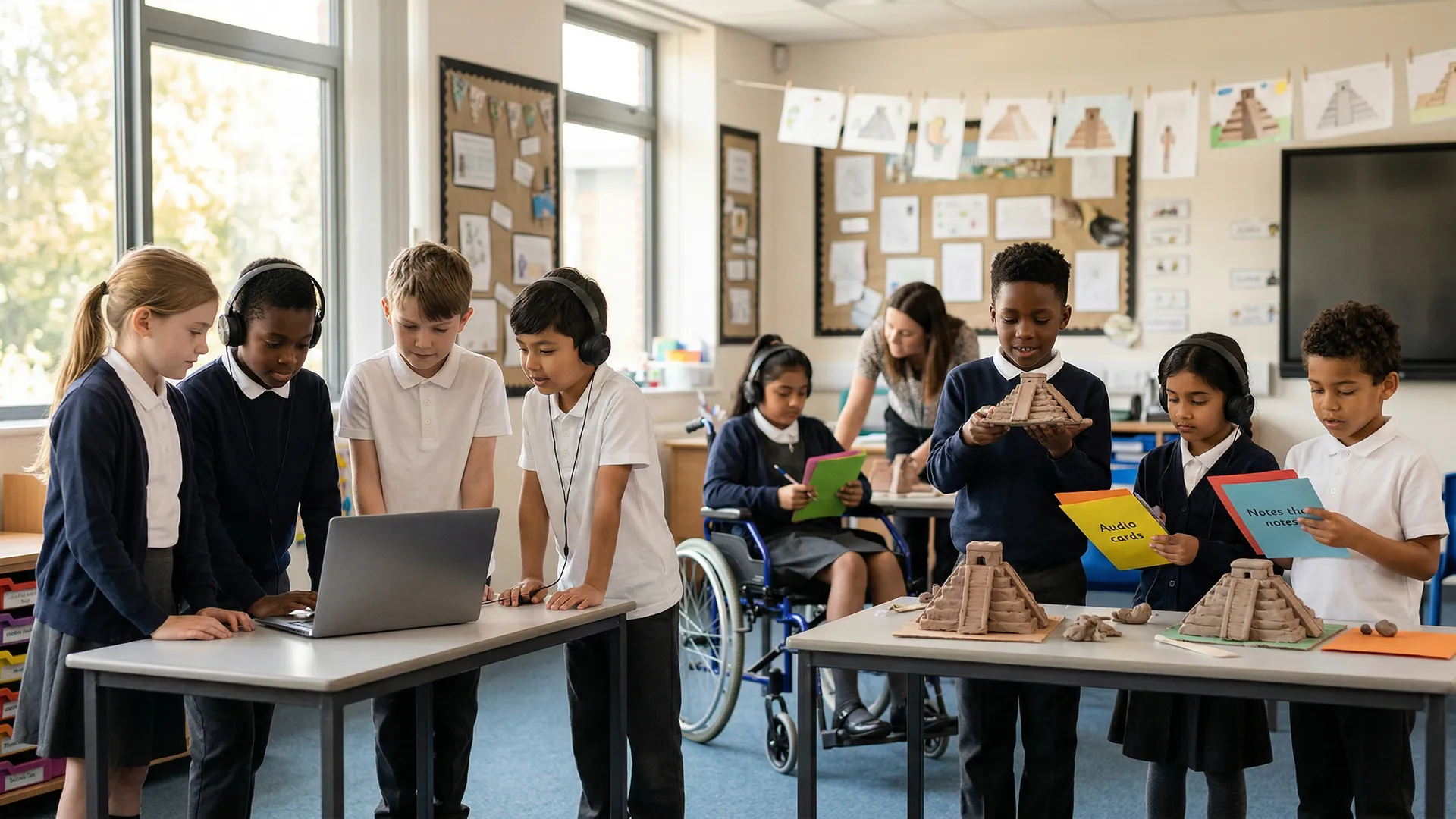
Computer-assisted learning has changed classrooms. Teachers now use technology to make lessons engaging and informative. This mix of methods enriches the learning environment. Learners benefit from this diverse approach.
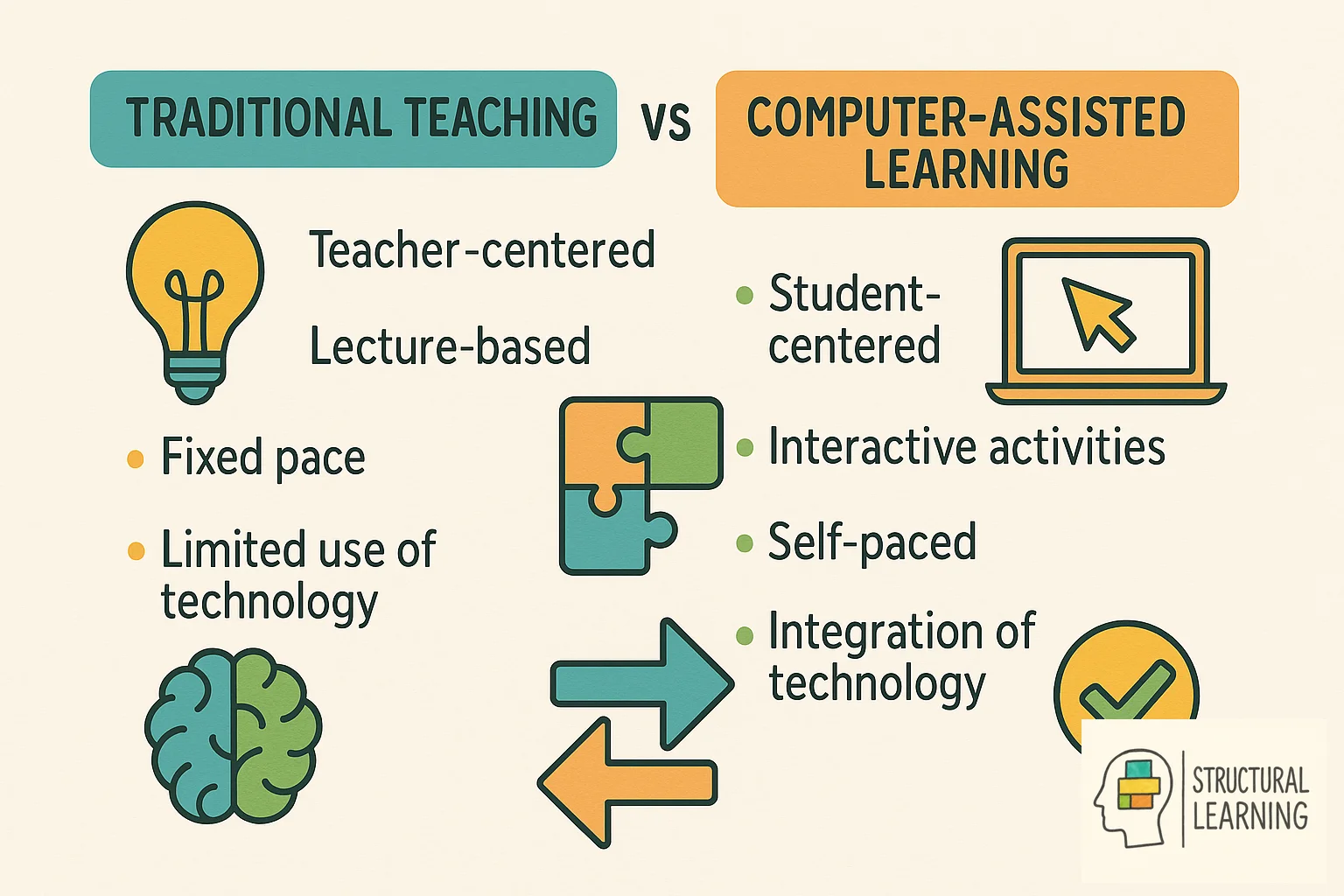
Interactive software offers learners hands-on experience beyond traditional methods. Well-designed programs guide learners comprehensively (Clark & Mayer, 2016). Tech tools support thinking skills and expand learning (Jonassen & Reeves, 1996). This boosts teaching, not just replaces it (Laurillard, 2002).
Technology offers learners varied digital tools for learning. Videos and simulations boost learning outside class (Vygotsky, 1978). Devices aid collaboration, breaking down classroom limits (Papert, 1980). This supports varied learning and keeps learners focused (Hattie, 2008).
Traditional teaching methods often present a significant hurdle in education due to their "one size fits all" approach. This methodology, while having stood the test of time, struggles to address the unique learning needs and capabilities of each student, particularly those with special educational needs. Such a broad-stroke strategy might cover the basics but often glosses ove r the nuances that cater to individualized hands-on tasks.
Traditional methods can limit scaffolding for diverse learners. Direct instruction alone may not develop critical thinking. Traditional teaching strains working memory, says Sweller (1988). This affects learner motivation and outcomes. Educators explore ways to reduce marking and tailor learning, according to Wiliam (2011) and Hattie (2012).
Traditional assessments often delay feedback. This creates learning gaps for the learner (Vygotsky, 1978). Classrooms can struggle with varying learning speeds (Piaget, 1936). Some learners may fall behind (Bruner, 1966). Others are not challenged enough (Bloom, 1956).
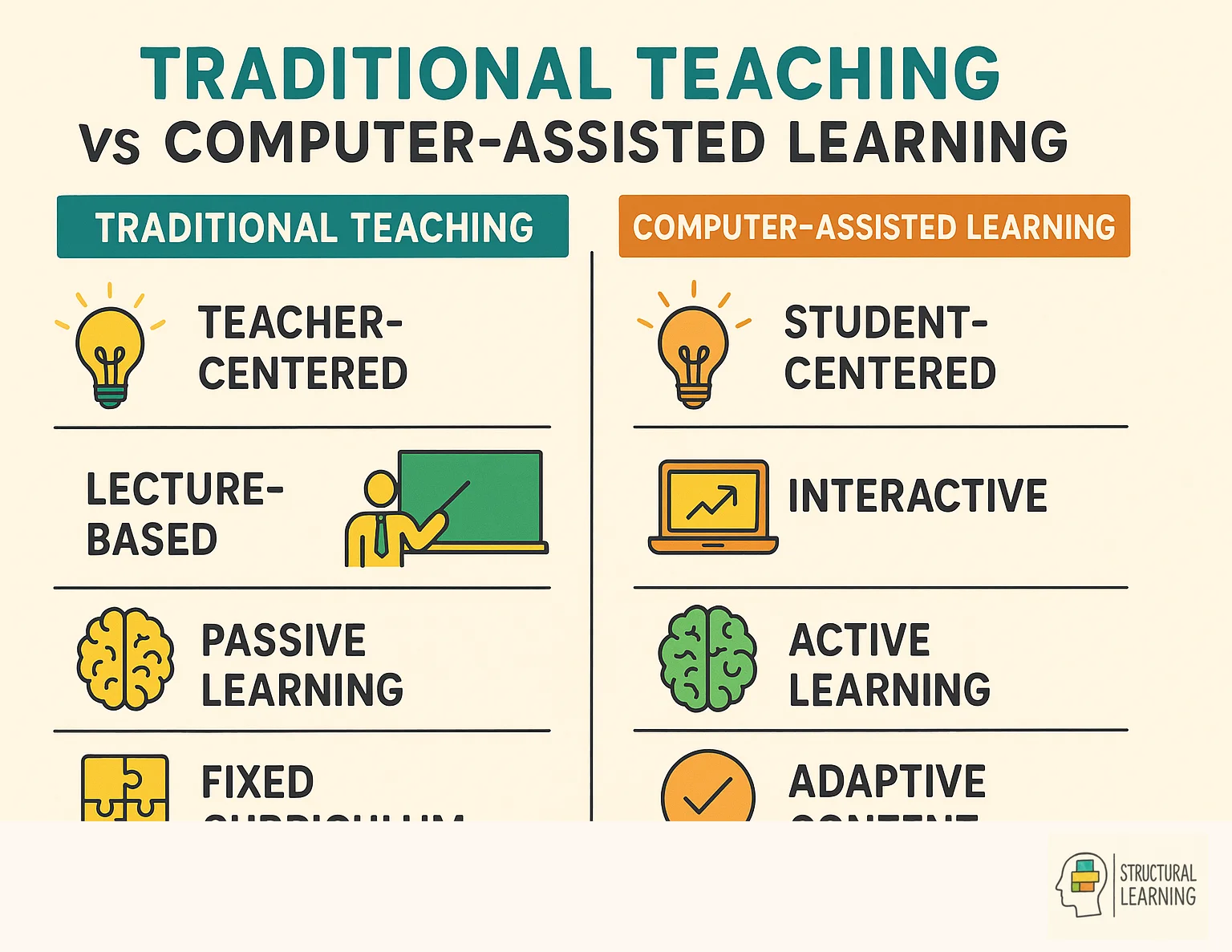
Traditional teaching may limit how well teachers adapt to learners. Incorporating current learning ideas is often hard (Fullan, 2007). This may lead to learners being passive instead of active (Biggs, 2003; Hattie, 2009).
Computer-assisted learning offers real advantages over traditional methods. Learners gain knowledge and apply it in new ways (Clark, 1983). This goes further than just using digital tools in education (Kulik, 1994; Fletcher, 2003).
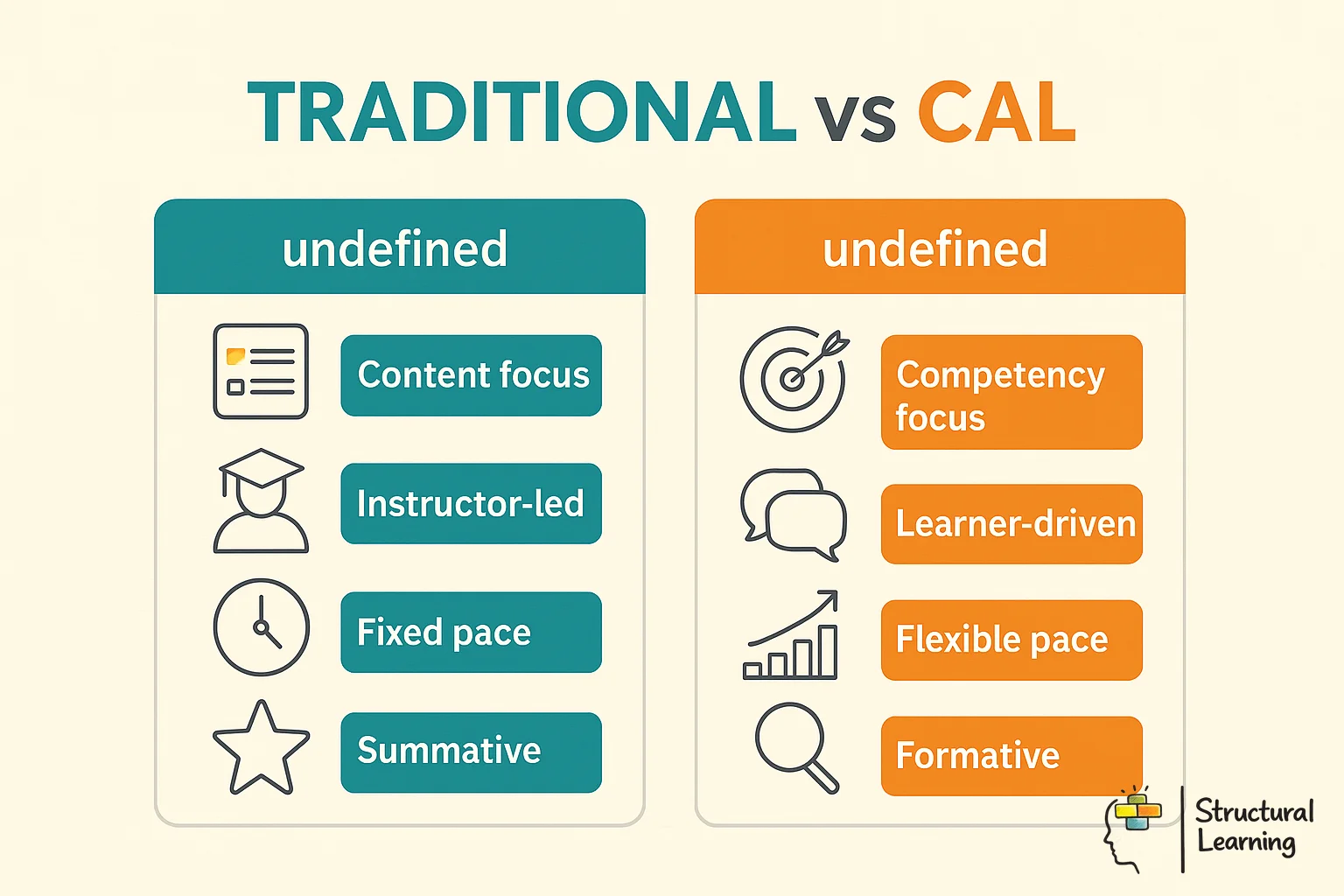
CAL offers personalised learning, adapting to each learner's pace. Traditional methods require teachers to address the whole class at once. CAL platforms tailor instruction to each learner's needs (Clark & Mayer, 2016). This helps learners needing support or advanced content (Alessi & Trollip, 2001).
CAL systems use algorithms to assess learner performance and change difficulty. This keeps learners challenged, preventing frustration (Clark & Mayer, 2016). Systems also stop high-achieving learners becoming bored by increasing challenge. Learners then progress at a suitable pace.
Computer-assisted learning makes learning interactive, engaging learners more. CAL platforms use games and multimedia to keep attention, unlike old methods. This taps into learners' curiosity, making learning feel like discovery.
CAL systems give learners quick feedback, motivating them (Skinner, 1954). Learners see success instantly and get support after errors (Thorndike, 1911). This builds confidence and encourages them to keep trying (Dweck, 2006). Quick feedback keeps learners engaged, reducing frustration (Bandura, 1977).
Computer-assisted learning can extend opportunities beyond the classroom (Means et al., 2009). Learners can access materials anywhere they have internet. This aids learning when learners are absent. Flexible learning supports learners with mobility issues and those in remote areas.
CAL platforms present content in different formats. This supports various learner learning styles. Visual learners use graphics and animations (Clark & Mayer, 2016). Auditory learners gain from narrated content (Atkinson, 1984). Kinesthetic learners benefit from simulations and tools (Johnson & Johnson, 2009).
Researchers suggest careful planning helps computer learning work (Lai & Wu, 2018). Teachers should think about their classes, learner needs, and resources. These factors guide choosing and using computer learning tools effectively.
Gradual integration works best, not replacing everything at once. Teachers should find areas where CAL helps with current issues. For example, use it for extra practice for struggling learners or extension work for advanced learners. This approach allows familiarity with new tech while keeping classroom stability.
CAL success needs teacher training. It covers both tools and teaching methods. Teachers learn to use data (Lai & Schildkamp, 2013). They blend tech with lessons. Teachers also build learner relationships online (Laurillard, 2002; Crook, 2002).
Computer-assisted learning changes teaching (Clark & Mayer, 2016). It addresses limits of traditional methods, and supports personalised, accessible education for a wider range of learners (Clark & Mayer, 2016; Means et al., 2009).
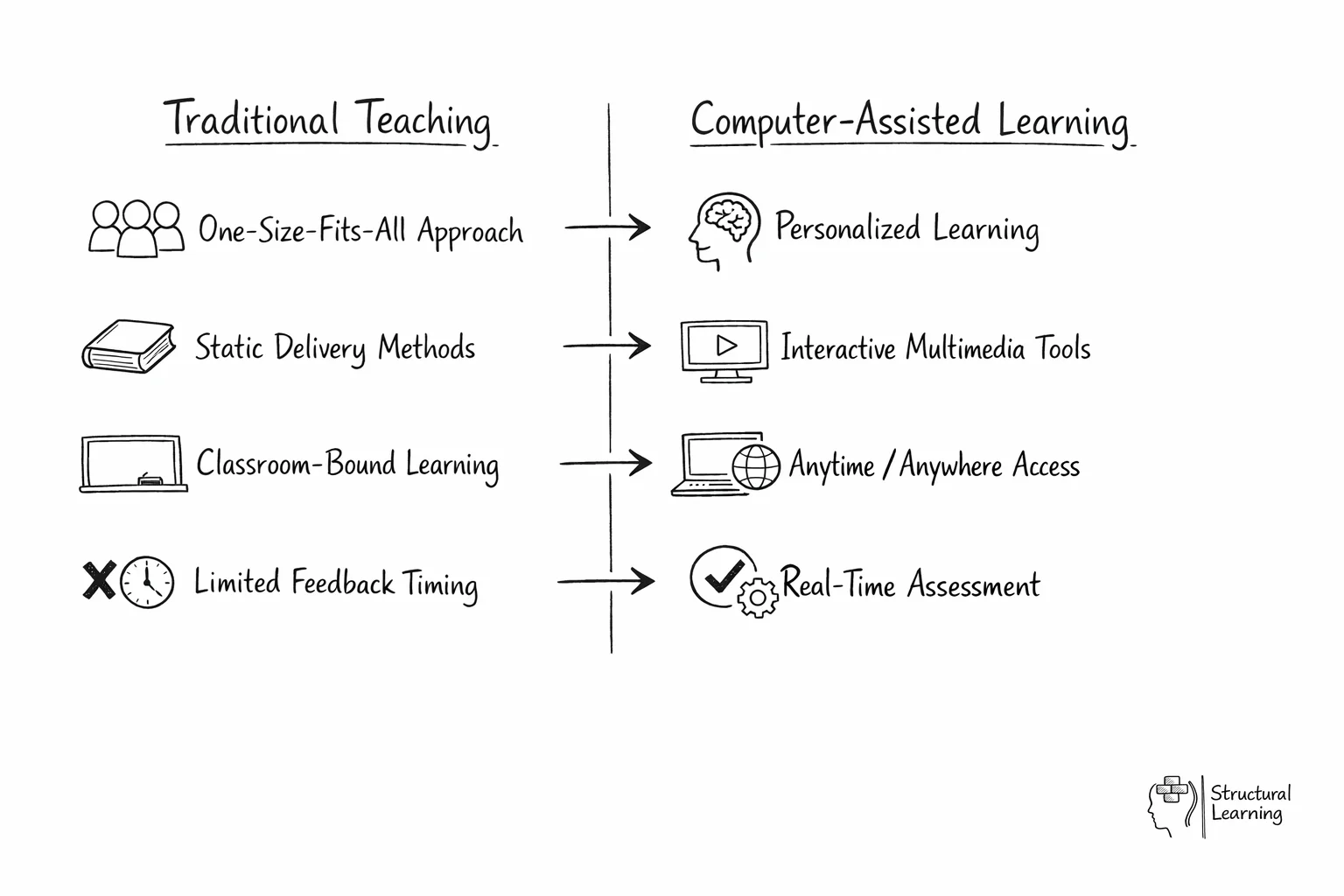
Computer-assisted learning improves education, research indicates. Tailored learning helps learners achieve better results. Automated assessment and feedback allows teachers to work more efficiently. Effective use with good teaching is vital for success.
Computer-assisted learning connects classic teaching and future education. Teachers using it can make learning better and fairer, preparing learners for a digital world. (Laurillard, 2002; Crook, 2012)
These peer-reviewed studies provide the evidence base for the approaches discussed in this article.
Researchers are increasingly interested in computer programming's cognitive effects. A meta-analysis explored how these skills transfer (Hedges & Bull, 1985; Barnett & Ceci, 2002). It builds upon prior work by Detterman (1993) and Perkins & Salomon (1992). Many want to know the cognitive advantages for each learner.
Ronny Scherer et al. (2019)
Meta-analysis examines if programming improves learners' thinking skills. This is relevant for UK teachers as it looks at boosting cognitive function. Improved cognition is a key advantage of computer assisted learning .
Cognitive behavioural intervention helps learners with test anxiety. Research by shows it also improves wellbeing. It can also reduce clinical anxiety related to school.
D. Putwain & Nathaniel P. von der Embse (2020)
Research looked at CBT for anxious teenagers taking tests. This study, while not about computers, showed wellbeing matters. Supportive computer learning may help learners' wellbeing indirectly.
Simulation based learning with Cisco Packet Tracer helps teachers explain computer networks. (Kreibich & Wilson, 2016) Learners can benefit from simulation-based approaches, and further research continues to clarify the contexts in which advantages are largest (VanLehn, 2006; Kreibich & Wilson, 2016).
J. Allison (2022)
Researchers have explored Cisco Packet Tracer for network learning (Allison, 2022). Simulation made abstract concepts easier for learners to grasp. This directly benefits UK teachers using technology, (name, date) found.
Brief classroom physical activity boosts enjoyment and wellbeing. Researchers (Biddle et al., 2011) found positive effects on primary learners. Donnelly et al. (2016) and Norris et al. (2015) support these findings. These interventions are practical for teachers.
Nicole Papadopoulos et al. (2022)
Researchers found classroom physical activity breaks improve learner enjoyment and wellbeing. Though unrelated to computers, these breaks highlight the importance of health alongside learning. Consider physical and mental health when using technology in classrooms .
School closures impacted learners during COVID-19 (View study ↗ 21 citations). Research by Holmes et al. (2020) shows both benefits and drawbacks from these interventions. Loades et al. (2020) found psychological impacts on learners. Viner et al. (2020) also explored wider effects of these strategies.
Buse Eylul Oruc et al. (2020)
We assess the COVID-19 pandemic's non-pharmaceutical interventions. This context informs the shift to remote learning, showing opportunities and issues for UK teachers. The research cited above helps inform classroom practice with computer-assisted learning.
Research shows computer-assisted learning uses technology to support teaching across a range of contexts (Kulik & Kulik, 1991; Means et al., 2009). It enhances traditional methods with resources and learner feedback. Educators create active environments where learners use tech to meet curriculum goals.
Interactive software fits lesson goals and shows learner progress quickly. Tablets or laptops boost activities like retrieval practice. Teachers see results and fix misunderstandings; this supports struggling learners.
Instant feedback helps learners fix errors quickly. Multimedia boosts engagement, making tricky ideas clearer for all. Learners can study independently, working at their own speed.
Digital tools improve learner outcomes and information retention if used purposefully. Studies show effectiveness relies on technology integration into teaching, not just devices. Education Endowment Foundation guidance on digital technology (EEF, 2019) emphasises that clear goals, teacher support, and pedagogical purpose matter more than the device itself.
A frequent error is treating digital tools as a direct replacement for the teacher rather than a way to support and enhance professional instruction. Some schools also struggle by focusing too much on the hardware instead of the quality of the educational software and its alignment with the curriculum. Without clear boundaries and guided tasks, students may become distracted by the technology rather than focusing on the intended learning outcomes.
Teachers can use these tools to set differentiated tasks for learners. Adaptive software adjusts question difficulty, keeping learners challenged (VanLehn, 2006). This simplifies classroom management and supports individual learner needs (Kulik & Kulik, 1991; Bloom, 1984).