Updated on
September 24, 2026
Teaching with an AI Co-Pilot: Smart Classroom Shortcuts
Use AI as a co-pilot for planning, differentiation and assessment while keeping the pedagogy yours. Learn what AI does well and where your expertise counts.


Updated on
September 24, 2026
Use AI as a co-pilot for planning, differentiation and assessment while keeping the pedagogy yours. Learn what AI does well and where your expertise counts.
AI tools help with lesson plans and tasks, saving time. Use AI to aid, not replace, your teaching skills. Wise educators use AI for first drafts and basic jobs. This frees time for personalised learning and learner connections. Know when to use AI and when your expertise matters.
For school use, education-specific products offer enhanced data protections:
Never input personal student data into consumer AI tools.
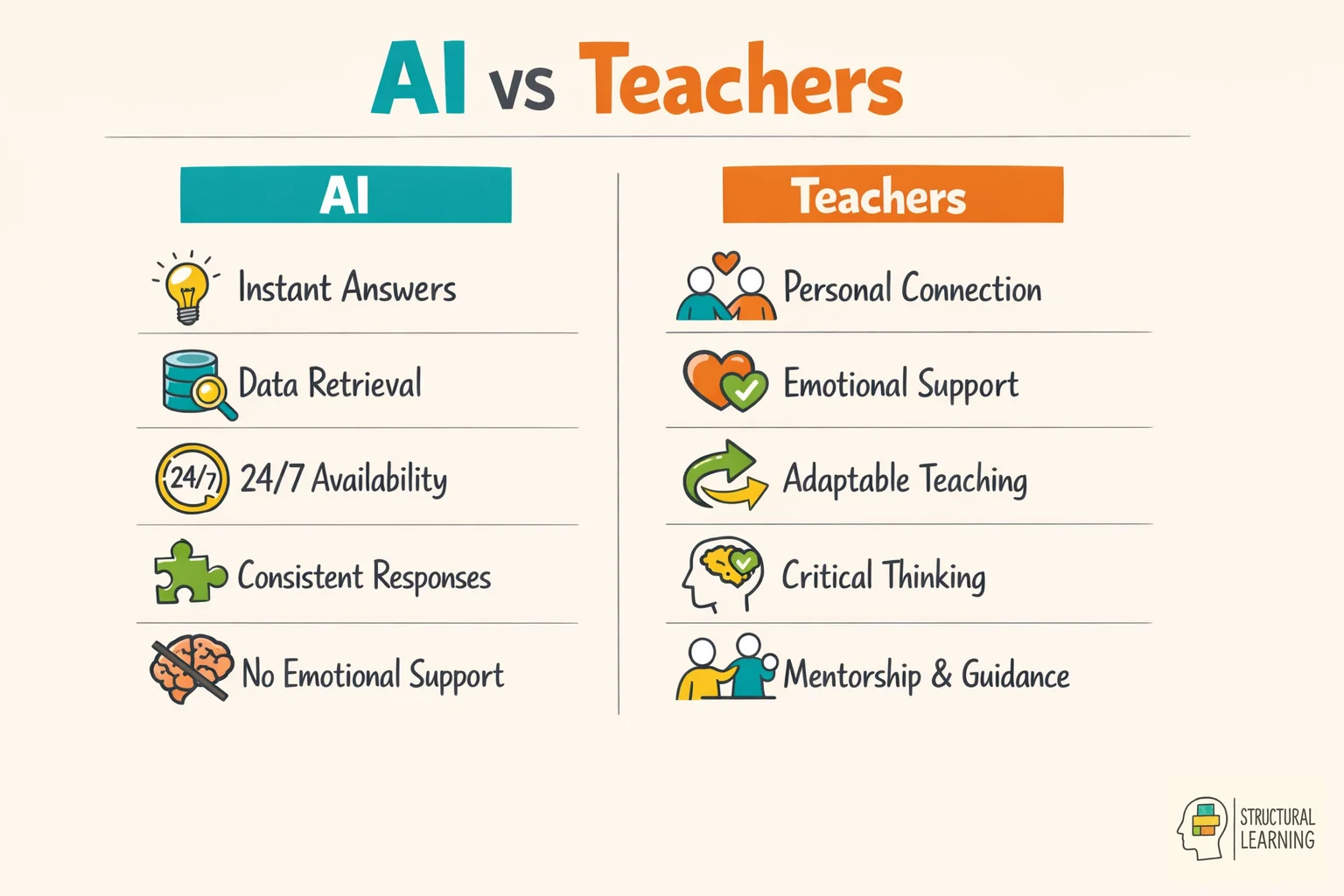
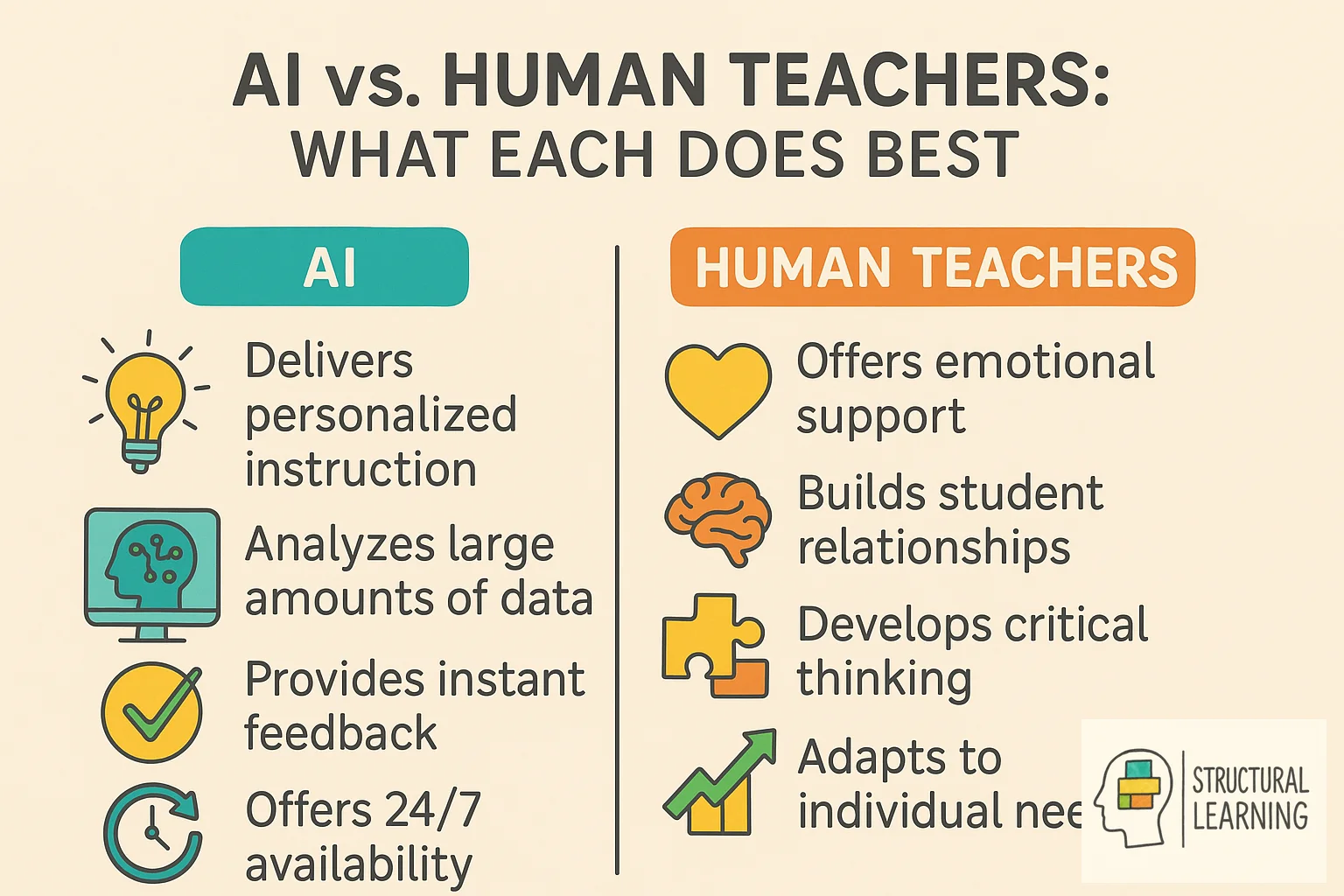
AI helps with tasks like lesson-plan drafts, resource ideas and some marking or administration. It cannot read classroom cues, provide emotional support or take professional responsibility for adapting a lesson in real time. DfE guidance says generative AI outputs can be inaccurate, biased, out of date or unsuitable, so any AI-generated content needs teacher review and final professional judgement. AI sees patterns and makes content but needs human judgement (Wiggins, 1998; McTighe & Tomlinson, 2006).
AI tools, like ChatGPT and intelligent tutors, can support planning, feedback drafting and administration. Teachers need to understand their limits: Zawacki-Richter et al. (2019) found that much AI-in-education research gave limited attention to educators, and current DfE guidance says teachers remain responsible for checking AI output.
What does the research say? The OECD (2019) TALIS report gives the working-time context for planning, marking and administration. DfE guidance says the evidence on generative AI benefits and risks is still emerging, while the EEF Teacher Choices trial found a specific time saving for KS3 science lesson and resource preparation when teachers used ChatGPT with guidance. Kasneci et al. (2023) emphasise that AI should augment rather than replace professional judgement: the strongest use is as a starting point for teacher refinement, not as a final product.
Teachers can use AI to generate lesson frameworks by inputting learning objectives and year group, but the evidence should be stated precisely. The EEF Teacher Choices trial found that KS3 science teachers using ChatGPT with implementation guidance spent 56.2 minutes per week on lesson and resource preparation, compared with 81.5 minutes in the comparison group. That is a 25.3 minute weekly saving and a 31% reduction for that specific task, not a blanket reduction in all planning or marking time.
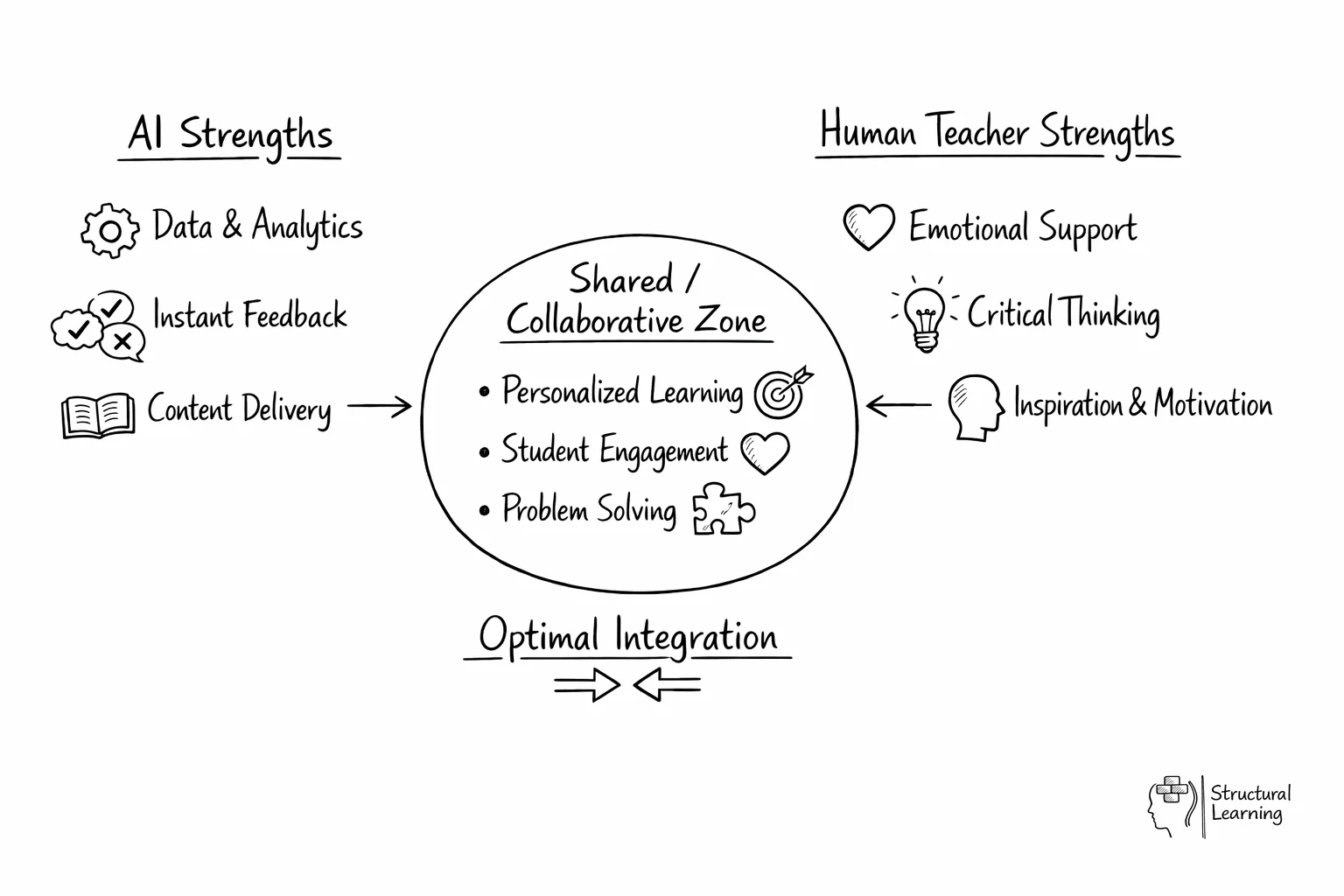
Research and official guidance support a cautious co-pilot model: use AI for drafts and pattern-finding, then rely on teachers for context, relationships, sequencing and final decisions (Kasneci et al., 2023; Department for Education, 2025). This balance uses AI where it is useful without treating it as a substitute for human educators.
AI helps plan lessons for diverse learners. Input objectives and learner details, then ask AI for activity versions. For example, request persuasive writing tasks on conservation (visual, kinaesthetic, scaffolding). This learner-centred method keeps practice inclusive (Vygotsky, 1978; Piaget, 1936). Core learning outcomes stay central (Bloom, 1956).
AI makes lesson-aligned marking schemes quickly. Give AI your plan, and it builds a detailed rubric. This saves time and matches teaching to assessment. Teachers refine the AI rubric for their class (Vygotsky, 1978). This creates useful tools for learning. (Bloom, 1956).
Brainstorm lesson ideas, then use AI to create activities. DfE guidance identifies lesson and curriculum planning, resource creation, tailored feedback and administration as possible teacher-facing uses, but teachers should check accuracy, bias, curriculum fit and age suitability before using outputs with learners.
The most effective AI co-pilot users build AI into specific, low-risk moments rather than using it ad hoc. The example below is an illustrative workflow, not a guaranteed time-saving model for every teacher.
| Time | AI Task | Teacher Task | Time Saved |
|---|---|---|---|
| 7:30am | Review AI-generated retrieval practice starter for Period 1 | Adjust 2 questions based on yesterday's lesson | 10 min |
| Break | AI marks set of 30 vocabulary quizzes | Review data, identify 4 learners needing intervention | 20 min |
| Lunch | AI generates 3 differentiated versions of afternoon worksheet | Match versions to specific learners, add names to copies | 15 min |
| After school | AI drafts 3 parent email templates for upcoming parents' evening | Personalise each email with learner-specific observations | 25 min |
| Evening | AI generates tomorrow's lesson framework from objectives | Refine activities, check pacing against class knowledge | 20 min |
The time figures in this table are illustrative estimates for workflow design. The evidence-backed workload claim in this article is narrower: EEF reported a 25.3 minute weekly saving for KS3 science lesson and resource preparation in its ChatGPT Teacher Choices trial, while OECD (2019) helps explain why reducing low-value non-teaching tasks matters.
The pattern across all these tasks is consistent: AI handles the generation and production work; the teacher handles the judgement and personalisation. This division of labour works because AI is fast at generating content but poor at understanding specific learners, whilst teachers are slow at production but excellent at professional judgement. The co-pilot model plays to each party's strengths.
Assessment shows where learners are. AI can help teachers, but not replace them. Wiliam's (2011) work shows good feedback is quick, clear and useful. AI tools can help summarise patterns in quiz data or rubric responses, but teachers need to check whether the pattern is meaningful, fair and instructionally useful.
Teachers should intentionally use AI's analysis skills. AI can help draft writing feedback or apply a teacher-designed rubric, and some platforms can summarise learner gaps. Teachers must use their judgement to understand this AI data and create helpful responses. Tailor these responses to each learner's needs and the class.
AI can show where learners struggle with maths. Teachers then create focused support using this data. Technology spots patterns, while teachers address misconceptions. This uses teaching methods based on research.
For further reading on this topic, explore our guide to Communication Theories.
AI works best when it boosts, not replaces, real learning connections. Ryan and Deci's self-determination theory links motivation with autonomy, competence and relatedness. AI tools should build on these needs rather than weakening them through over-automation.
AI may free time from routine drafting when used carefully. Use any saved time to probe, find errors and praise progress (Wiliam, 2011). Treat workload claims cautiously unless they match the same task and context studied by EEF.
Learners must keep control during AI use. Do not give AI work as final. Instead, let learners critique and improve it. DfE and UNESCO guidance both emphasise safe, human-centred use of generative AI, so AI should become a thinking prompt rather than a replacement for learner judgement.
AI adoption usually improves when teachers start with small, low-risk tasks, test the outputs, then keep only the workflows that survive professional review. This avoids stopping too soon or relying on AI too much.
Phase 1: Scepticism (weeks 1-2). The first outputs feel generic and require heavy editing. Many teachers conclude AI "isn't ready" at this stage. The issue is almost always prompt quality, not tool quality. Investing 30 minutes in learning to write specific prompts (including year group, prior knowledge, curriculum reference and desired output format) transforms the experience. Our guide to AI prompts anyone teaching should know provides the templates that bypass this frustration.
Weeks 3-8: Experiment. Teachers find what AI does well (resources, materials, comms). AI struggles with learner context, sequencing, and judging creative work. Find your AI "sweet spot" (3-4 tasks) for time saving at acceptable quality.
Phase 3: Selective adoption (ongoing). Confident AI co-pilot users do not use AI for everything. They use it for the specific tasks where they have verified it adds value, and they maintain full professional control over tasks where AI is unreliable. This selective approach produces the most sustained adoption and the greatest time savings. For a broader understanding of what AI can and cannot do across all aspects of teaching, see our complete guide to AI for teachers.
Integrating AI, teachers face ethical issues beyond cheating. Learner data privacy is key, as many AI tools collect information. DfE guidance says personal data should not be used in generative AI tools unless it is strictly necessary and protected by the school or college's procedures. Learner conversations may be stored, analysed or used to train models depending on the platform, so schools need local checks before use.
Algorithmic bias impacts fairness, so teachers must address this. AI uses data which may misrepresent some learners (O'Neil, 2016). This can reinforce stereotypes and marginalise learners (Noble, 2018). DfE and UNESCO guidance both warn that AI outputs can be biased or unreliable, so teachers should discuss limitations openly and check outputs before use.
Academic integrity needs clear boundaries for learner-centred work. Instead of banning AI, teach learners its proper uses. Use rubrics to show AI's role as a brainstorming tool, not a content creator. This keeps focus on learners' critical thinking and helps them build real understanding rather than relying on AI output alone (Winstone & Tait, 2022).
For a detailed breakdown of AI marking tools, bias risks, and a weekly feedback workflow, see our guide to AI marking and feedback.
For help choosing which AI platform suits your teaching context, see our independent comparison of AI tools for teachers.
Related AI in education guides: AI policy for schools, AI classroom implementation.
For the wider picture, explore our AI and EdTech tools hub, our home for evidence-based AI guidance across policy, lesson planning, and classroom practice.
AI can draft lesson plans, worksheets and differentiated versions of materials, including for learners who need additional scaffolds. It can also summarise learner data when the platform and data route are appropriate. It cannot read body language, offer emotional support or replace teacher judgement in a live classroom.
The strongest specific figure in this article should be read narrowly: the EEF Teacher Choices trial in KS3 science found a 31% reduction in lesson and resource preparation time for participating ChatGPT teachers compared with a non-generative-AI group. It does not prove that every school will save the same amount or that AI reduces marking time from hours to minutes.
AI can draft reports, templates and summaries, but schools should avoid entering identifiable learner data into open tools and should follow DfE data-protection and safeguarding guidance. Automation should support, not replace, professional review.
AI misses crucial cues like body language (O'Neil, 2016). Teachers spot struggling learners and adapt instantly (Hattie, 2012). They give motivational support and personalised advice that needs human insight (Willingham, 2009). Learners benefit from this approach.
Effective teachers use AI as one tool. They blend AI with human judgement and responsive teaching. This supports learner autonomy when learners are asked to critique, verify and improve AI output rather than submit it as finished work.
Use each source for the specific claim named below.
Department for Education (2025). Generative artificial intelligence (AI) in education.
Use this for teacher-facing generative AI opportunities, risks, data privacy, hallucination, bias, professional judgement and the statement that AI should not replace teacher-learner relationships.
Education Endowment Foundation (2026). ChatGPT in lesson preparation - Teacher Choices trial.
Use this only for the KS3 science lesson and resource preparation finding: participating ChatGPT teachers spent 56.2 minutes per week compared with 81.5 minutes in the comparison group, a 25.3 minute weekly saving and 31% reduction for that task.
OECD (2019). TALIS 2018 Results, Volume I.
Use this for teacher working-time context and TALIS findings. The correct citation year is 2019.
Use this for cautious claims about large language models as support tools in education, including opportunities, limitations and the need for human oversight.
Use this for the point that AI-in-education research has often under-represented educators and pedagogical context.
UNESCO (2023). Guidance for generative AI in education and research.
Use this for human-centred, age-appropriate, ethical and privacy-aware use of generative AI in education.
Use this for AI ethics, human rights, democracy and rule-of-law considerations in education. Do not use it as a generic source for time-saving or adoption-stage claims.
Use this for autonomy, competence and relatedness. It does not prove that AI tools increase engagement.