Widgit Symbols: A Teacher's Guide to Visual Communication SupportWidgit Symbols: A Teacher's Guide to Visual Communication Support - educational concept illustration

Updated on  

February 15, 2026

Widgit Symbols: A Teacher's Guide to Visual Communication Support

|

February 15, 2026

Widgit Symbols help teachers create visual resources for SEND pupils. This guide covers setup, classroom use, and alternatives for visual communication.

The Visual Advantage: 5 Benefits of Widgit Symbols for SEND Pupils infographic for teachers
The Visual Advantage: 5 Benefits of Widgit Symbols for SEND Pupils

Key Takeaways

  1. Widgit Symbols provide a structured visual language of over 20,000 images designed for educational settings. These symbols allow teachers to create accessible resources for pupils with diverse learning requirements.
  2. The system supports pupils with autism, speech and language needs, and English as an additional language. It provides a consistent visual framework that helps learners navigate the school day independently.
  3. Teachers create visual timetables, social stories, and communication boards using these graphical prompts. These tools support literacy and help pupils engage with subject-specific vocabulary across the curriculum.
  4. Consistency supports success across the school environment. Using the same symbols in every classroom helps pupils build a reliable mental lexicon for key concepts.
  5. Dual coding theory and cognitive load theory provide the evidence base for symbol use. Combining visual and verbal information improves retention while reducing the mental effort required to decode tasks (Sweller, 1988).
  6. Implementation requires a school-wide approach and a clear policy. Staff training ensures that resources remain effective and consistent for every pupil in the building.
  7. SENCOs should compare Widgit with alternatives like Boardmaker, PECS, or Makaton. Choosing the right system depends on the specific communication and literacy goals of the individual pupil.

What Is Widgit Symbols?

Widgit Symbols is a graphical database designed to support communication and literacy. Developed by a UK company, the system contains over 20,000 images representing both concrete and abstract concepts. The developers focus on helping pupils with learning disabilities access information through clear visual cues.

These symbols follow strict design rules to remain distinct. Verbs often include arrows to indicate action, while different parts of speech use specific colours to support grammar. This structured approach ensures that concepts like responsibility or metacognition have a clear visual representation.

A Year 2 teacher preparing for a literacy lesson uses Widgit Online to print word mats. As they type 'character' or 'setting', the software suggests the corresponding symbol. The teacher places these on tables for pupils with moderate learning difficulties. One child points to the symbol for 'conflict' to explain a story event without needing expressive language skills.

Who Is Widgit Symbols For?

Widgit Symbols support learners within the SEND categories defined by the UK SEND Code of Practise. Pupils with Autism Spectrum Condition often process visual information more effectively than auditory instructions. For these children, symbols provide a predictable structure that reduces anxiety during the school day.

The system helps pupils with Speech, Language, and Communication Needs, including those with Developmental Language Disorder. It also serves as a tool for pupils with English as an Additional Language. These learners follow classroom routines using visual prompts while they acquire English vocabulary.

A secondary geography teacher introduces the concept of urbanisation to a new arrival from a non-English speaking country. The teacher provides a worksheet where key terms feature Widgit Symbols. A city skyline represents 'urban' and a growing arrow indicates 'increase'. This support allows the pupil to understand the core concept while peers use text-heavy textbooks.

How Does Widgit Symbols Work?

The system uses symbol libraries and software applications such as Widgit Online and InPrint 3. Widgit Online is a cloud-based tool for creating resources from any device. InPrint 3 is a desktop application used for advanced layouts like booklets and signage.

The software matches symbols to text as a teacher types. It understands context to distinguish between different meanings of the same word. If a teacher types 'the boy saw a bat', the software offers symbols for either the animal or the sports equipment.

A teacher in a reception classroom models a communication board during snack time. The board contains symbols for 'more', 'finished', 'drink', and 'apple'. The teacher says 'I would like more apple' while pointing to the images. A pupil imitates this action to express their choice (Quill, 1995).

Decoding Widgit: The Logic of <a href=Visual Grammar infographic for teachers" loading="lazy">
Decoding Widgit: The Logic of Visual Grammar

Evidence Base and Research

Psychological research into information processing supports the use of symbols in education. Dual Coding Theory suggests that humans have separate channels for verbal and visual information (Paivio, 1971). Providing both a word and a symbol engages both channels and helps encode information into long-term memory.

Cognitive Load Theory also provides a rationale for this approach. Pupils with SEND often find decoding text or processing long verbal instructions overwhelming for their working memory. Symbols act as a scaffold to reduce the mental effort required to understand a task (Sweller, 1988).

A teacher in a Year 4 classroom observes a pupil with dyslexia struggling with a paragraph of instructions. The teacher replaces the text with a symbol-supported checklist. The pupil begins the task within thirty seconds because the visual prompts reduced the cognitive demand (Hurtado et al., 2014).

Implementing Widgit Symbols in Your School

Successful implementation requires building a culture where visual support is a standard part of quality first teaching. A SENCO should start by conducting a school-wide audit of current visual resources. This identifies gaps in provision and ensures that different symbol systems do not confuse pupils.

Staff training helps teachers create effective resources without cluttering the page. Training covers technical software use and pedagogical principles. Teachers learn to select only the most important words for support and use the colour-coding system for grammar.

A SENCO leads a staff meeting where teachers create visual timetables using a standardised template. The SENCO explains that PE must always use the same symbol of a child running across every year group. This consistency helps a pupil with an Education, Health and Care Plan feel secure as they move between different rooms.

Widgit Symbols vs Similar Approaches

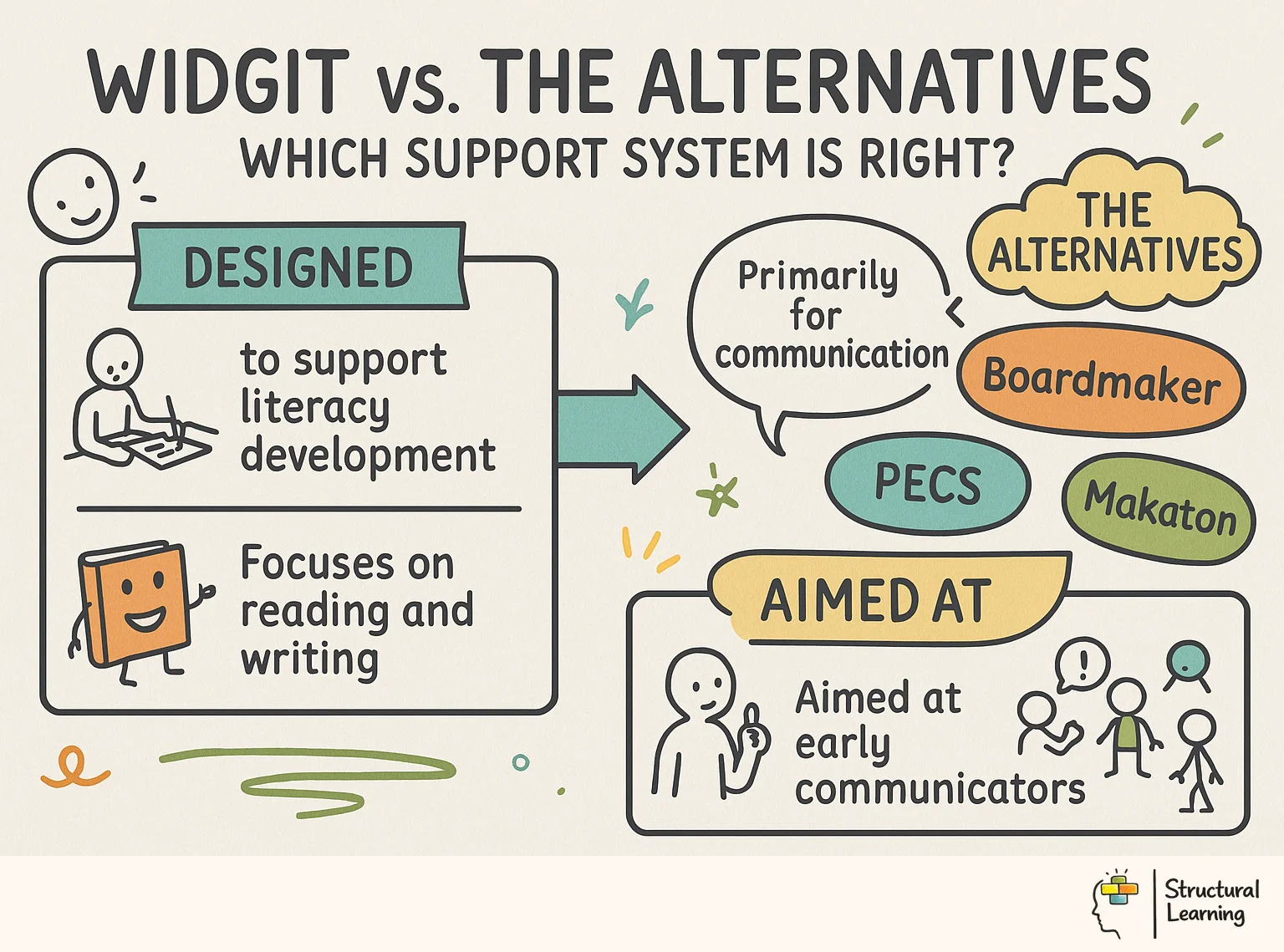
Schools often compare Widgit with other established programmes. Each system suits different types of learners and environments. A SENCO must match the right tool to the specific needs of each pupil.

| Feature | Widgit Symbols | Boardmaker (PCS) | PECS | Makaton |

| :--- | :--- | :--- | :--- | :--- |

| Primary Format | Digital and printed symbols | Digital and printed symbols | Physical picture exchange | Signs and symbols |

| Core Audience | Schools, literacy, general SEND | Special schools, complex AAC | Non-verbal, autistic pupils | SLCN, early years |

| Visual Style | Consistent line drawings | Variety of styles | High-contrast exchange | Simplified signs/symbols |

| Literacy Focus | High; supports writing | Moderate; communication focus | Low; functional intent focus | Moderate; sign support focus |

A resource base for pupils with profound and multiple learning difficulties uses Boardmaker for high-contrast symbols. In mainstream classrooms, the same school uses Widgit for timetables. The SENCO ensures a pupil's communication book contains Widgit versions of key terms for mainstream lessons. This prevents the pupil from needing to re-learn symbols for help or the toilet.

Practical Tips for SENCOs

  • Standardise signage. Use symbols for every room to help pupils navigate the building independently.
  • Create communication lanyards. Include symbols for 'stop' and 'wait' for clear instructions on the playground.
  • Use symbols in EHCP reviews. Provide symbols for likes and goals to help pupils share their views.
  • Audit timetables termly. Check that every classroom uses consistent symbols to maintain active support.
  • Share resources with parents. Create boards for home use to reduce anxiety during morning routines.
  • Support newsletters. Use symbols to make information accessible to parents with literacy difficulties.
  • Update display policies. Ensure learning walls include symbol-supported vocabulary for subject-specific terms.
  • Widgit vs. The Alternatives: Which Support System Is Right? infographic for teachers
    Widgit vs. The Alternatives: Which Support System Is Right?

    Common Questions About Widgit Symbols

    What are Widgit Symbols used for in schools?

    Widgit Symbols help pupils understand routines, access the curriculum, and communicate their needs. They appear on visual timetables, communication boards, and subject-specific word mats. By providing a visual anchor for verbal language, they help pupils who struggle with auditory processing remain engaged in learning.

    How much does Widgit cost for schools?

    Costs vary depending on the number of users and the software version. Schools typically pay a subscription for Widgit Online, ranging from £150 to over £500 per year. InPrint 3 is available as a perpetual licence per computer for schools that do not require cloud access.

    Is Widgit better than Makaton?

    Neither system is inherently superior; they serve different purposes. Makaton is a language programme using signs, symbols, and speech together for early communication. Widgit provides an extensive symbol library to support written resources and literacy across the entire curriculum.

    Can Widgit be used with autistic children?

    Widgit is highly effective for autistic children because it provides visual predictability. Autistic pupils benefit from having a 'now and next' board or a visual timetable that outlines the day. Using consistent symbols reduces the unpredictability of the school environment and improves focus.

    How do I get Widgit for free?

    Paid subscriptions are standard, but the company provides free ready-made resource packs for specific events. Some UK local authorities hold central licenses that allow schools to access the software at no cost. Check with your local SEND outreach service or speech and language therapy team for available arrangements.

    What is the difference between Widgit and PECS?

    PECS is a behavioural protocol used to teach non-verbal individuals how to initiate communication. Widgit is a symbol library used for broader educational purposes, including literacy and classroom organisation. A pupil might use Widgit symbols within their PECS folder to indicate desired items.

    Print out a Widgit 'Now and Next' board today and use it with a pupil during your next lesson to manage a transition.

    Loading audit...

    The Visual Advantage: 5 Benefits of Widgit Symbols for SEND Pupils infographic for teachers
    The Visual Advantage: 5 Benefits of Widgit Symbols for SEND Pupils

    Key Takeaways

    1. Widgit Symbols provide a structured visual language of over 20,000 images designed for educational settings. These symbols allow teachers to create accessible resources for pupils with diverse learning requirements.
    2. The system supports pupils with autism, speech and language needs, and English as an additional language. It provides a consistent visual framework that helps learners navigate the school day independently.
    3. Teachers create visual timetables, social stories, and communication boards using these graphical prompts. These tools support literacy and help pupils engage with subject-specific vocabulary across the curriculum.
    4. Consistency supports success across the school environment. Using the same symbols in every classroom helps pupils build a reliable mental lexicon for key concepts.
    5. Dual coding theory and cognitive load theory provide the evidence base for symbol use. Combining visual and verbal information improves retention while reducing the mental effort required to decode tasks (Sweller, 1988).
    6. Implementation requires a school-wide approach and a clear policy. Staff training ensures that resources remain effective and consistent for every pupil in the building.
    7. SENCOs should compare Widgit with alternatives like Boardmaker, PECS, or Makaton. Choosing the right system depends on the specific communication and literacy goals of the individual pupil.

    What Is Widgit Symbols?

    Widgit Symbols is a graphical database designed to support communication and literacy. Developed by a UK company, the system contains over 20,000 images representing both concrete and abstract concepts. The developers focus on helping pupils with learning disabilities access information through clear visual cues.

    These symbols follow strict design rules to remain distinct. Verbs often include arrows to indicate action, while different parts of speech use specific colours to support grammar. This structured approach ensures that concepts like responsibility or metacognition have a clear visual representation.

    A Year 2 teacher preparing for a literacy lesson uses Widgit Online to print word mats. As they type 'character' or 'setting', the software suggests the corresponding symbol. The teacher places these on tables for pupils with moderate learning difficulties. One child points to the symbol for 'conflict' to explain a story event without needing expressive language skills.

    Who Is Widgit Symbols For?

    Widgit Symbols support learners within the SEND categories defined by the UK SEND Code of Practise. Pupils with Autism Spectrum Condition often process visual information more effectively than auditory instructions. For these children, symbols provide a predictable structure that reduces anxiety during the school day.

    The system helps pupils with Speech, Language, and Communication Needs, including those with Developmental Language Disorder. It also serves as a tool for pupils with English as an Additional Language. These learners follow classroom routines using visual prompts while they acquire English vocabulary.

    A secondary geography teacher introduces the concept of urbanisation to a new arrival from a non-English speaking country. The teacher provides a worksheet where key terms feature Widgit Symbols. A city skyline represents 'urban' and a growing arrow indicates 'increase'. This support allows the pupil to understand the core concept while peers use text-heavy textbooks.

    How Does Widgit Symbols Work?

    The system uses symbol libraries and software applications such as Widgit Online and InPrint 3. Widgit Online is a cloud-based tool for creating resources from any device. InPrint 3 is a desktop application used for advanced layouts like booklets and signage.

    The software matches symbols to text as a teacher types. It understands context to distinguish between different meanings of the same word. If a teacher types 'the boy saw a bat', the software offers symbols for either the animal or the sports equipment.

    A teacher in a reception classroom models a communication board during snack time. The board contains symbols for 'more', 'finished', 'drink', and 'apple'. The teacher says 'I would like more apple' while pointing to the images. A pupil imitates this action to express their choice (Quill, 1995).

    Decoding Widgit: The Logic of <a href=Visual Grammar infographic for teachers" loading="lazy">
    Decoding Widgit: The Logic of Visual Grammar

    Evidence Base and Research

    Psychological research into information processing supports the use of symbols in education. Dual Coding Theory suggests that humans have separate channels for verbal and visual information (Paivio, 1971). Providing both a word and a symbol engages both channels and helps encode information into long-term memory.

    Cognitive Load Theory also provides a rationale for this approach. Pupils with SEND often find decoding text or processing long verbal instructions overwhelming for their working memory. Symbols act as a scaffold to reduce the mental effort required to understand a task (Sweller, 1988).

    A teacher in a Year 4 classroom observes a pupil with dyslexia struggling with a paragraph of instructions. The teacher replaces the text with a symbol-supported checklist. The pupil begins the task within thirty seconds because the visual prompts reduced the cognitive demand (Hurtado et al., 2014).

    Implementing Widgit Symbols in Your School

    Successful implementation requires building a culture where visual support is a standard part of quality first teaching. A SENCO should start by conducting a school-wide audit of current visual resources. This identifies gaps in provision and ensures that different symbol systems do not confuse pupils.

    Staff training helps teachers create effective resources without cluttering the page. Training covers technical software use and pedagogical principles. Teachers learn to select only the most important words for support and use the colour-coding system for grammar.

    A SENCO leads a staff meeting where teachers create visual timetables using a standardised template. The SENCO explains that PE must always use the same symbol of a child running across every year group. This consistency helps a pupil with an Education, Health and Care Plan feel secure as they move between different rooms.

    Widgit Symbols vs Similar Approaches

    Schools often compare Widgit with other established programmes. Each system suits different types of learners and environments. A SENCO must match the right tool to the specific needs of each pupil.

    | Feature | Widgit Symbols | Boardmaker (PCS) | PECS | Makaton |

    | :--- | :--- | :--- | :--- | :--- |

    | Primary Format | Digital and printed symbols | Digital and printed symbols | Physical picture exchange | Signs and symbols |

    | Core Audience | Schools, literacy, general SEND | Special schools, complex AAC | Non-verbal, autistic pupils | SLCN, early years |

    | Visual Style | Consistent line drawings | Variety of styles | High-contrast exchange | Simplified signs/symbols |

    | Literacy Focus | High; supports writing | Moderate; communication focus | Low; functional intent focus | Moderate; sign support focus |

    A resource base for pupils with profound and multiple learning difficulties uses Boardmaker for high-contrast symbols. In mainstream classrooms, the same school uses Widgit for timetables. The SENCO ensures a pupil's communication book contains Widgit versions of key terms for mainstream lessons. This prevents the pupil from needing to re-learn symbols for help or the toilet.

    Practical Tips for SENCOs

  • Standardise signage. Use symbols for every room to help pupils navigate the building independently.
  • Create communication lanyards. Include symbols for 'stop' and 'wait' for clear instructions on the playground.
  • Use symbols in EHCP reviews. Provide symbols for likes and goals to help pupils share their views.
  • Audit timetables termly. Check that every classroom uses consistent symbols to maintain active support.
  • Share resources with parents. Create boards for home use to reduce anxiety during morning routines.
  • Support newsletters. Use symbols to make information accessible to parents with literacy difficulties.
  • Update display policies. Ensure learning walls include symbol-supported vocabulary for subject-specific terms.
  • Widgit vs. The Alternatives: Which Support System Is Right? infographic for teachers
    Widgit vs. The Alternatives: Which Support System Is Right?

    Common Questions About Widgit Symbols

    What are Widgit Symbols used for in schools?

    Widgit Symbols help pupils understand routines, access the curriculum, and communicate their needs. They appear on visual timetables, communication boards, and subject-specific word mats. By providing a visual anchor for verbal language, they help pupils who struggle with auditory processing remain engaged in learning.

    How much does Widgit cost for schools?

    Costs vary depending on the number of users and the software version. Schools typically pay a subscription for Widgit Online, ranging from £150 to over £500 per year. InPrint 3 is available as a perpetual licence per computer for schools that do not require cloud access.

    Is Widgit better than Makaton?

    Neither system is inherently superior; they serve different purposes. Makaton is a language programme using signs, symbols, and speech together for early communication. Widgit provides an extensive symbol library to support written resources and literacy across the entire curriculum.

    Can Widgit be used with autistic children?

    Widgit is highly effective for autistic children because it provides visual predictability. Autistic pupils benefit from having a 'now and next' board or a visual timetable that outlines the day. Using consistent symbols reduces the unpredictability of the school environment and improves focus.

    How do I get Widgit for free?

    Paid subscriptions are standard, but the company provides free ready-made resource packs for specific events. Some UK local authorities hold central licenses that allow schools to access the software at no cost. Check with your local SEND outreach service or speech and language therapy team for available arrangements.

    What is the difference between Widgit and PECS?

    PECS is a behavioural protocol used to teach non-verbal individuals how to initiate communication. Widgit is a symbol library used for broader educational purposes, including literacy and classroom organisation. A pupil might use Widgit symbols within their PECS folder to indicate desired items.

    Print out a Widgit 'Now and Next' board today and use it with a pupil during your next lesson to manage a transition.

    Educational Technology

    Back to Blog

    {"@context":"https://schema.org","@graph":[{"@type":"Article","@id":"https://www.structural-learning.com/post/widgit-symbols-teachers-guide-visual#article","headline":"Widgit Symbols: A Teacher's Guide to Visual Communication Support","description":"Widgit Symbols help teachers create visual resources for SEND pupils. This guide covers setup, classroom use, and alternatives for visual communication.","datePublished":"2026-02-15T19:43:07.336Z","dateModified":"2026-02-15T20:14:45.890Z","author":{"@type":"Person","name":"Paul Main","url":"https://www.structural-learning.com/team/paulmain","jobTitle":"Founder & Educational Consultant"},"publisher":{"@type":"Organization","name":"Structural Learning","url":"https://www.structural-learning.com","logo":{"@type":"ImageObject","url":"https://cdn.prod.website-files.com/5b69a01ba2e409e5d5e055c6/6040bf0426cb415ba2fc7882_newlogoblue.svg"}},"mainEntityOfPage":{"@type":"WebPage","@id":"https://www.structural-learning.com/post/widgit-symbols-teachers-guide-visual"},"image":"https://cdn.prod.website-files.com/5b69a01ba2e409501de055d1/699221cb6b155430d6f8d9b3_6992215555c499bfef7a987b_widgit-symbols-a-teacher-s-gui-benefits-1771184468556.webp","wordCount":1600},{"@type":"BreadcrumbList","@id":"https://www.structural-learning.com/post/widgit-symbols-teachers-guide-visual#breadcrumb","itemListElement":[{"@type":"ListItem","position":1,"name":"Home","item":"https://www.structural-learning.com/"},{"@type":"ListItem","position":2,"name":"Blog","item":"https://www.structural-learning.com/blog"},{"@type":"ListItem","position":3,"name":"Widgit Symbols: A Teacher's Guide to Visual Communication Support","item":"https://www.structural-learning.com/post/widgit-symbols-teachers-guide-visual"}]}]}