Updated on
September 24, 2026
Tapestry EYFS: A Teacher's Complete Guide to Online
Discover how Tapestry EYFS transforms teaching with digital learning journals, streamlined observations, and enhanced parent partnerships for UK educators.

Updated on
September 24, 2026
Discover how Tapestry EYFS transforms teaching with digital learning journals, streamlined observations, and enhanced parent partnerships for UK educators.
Tapestry is a secure online learning journal designed to record the development of children in the Early Years Foundation Stage (EYFS). It was created by the team at the Foundation Stage Forum, a well-known community for UK educators. They launched the platform in 2012, long before digital journals became the standard in most schools.
Tapestry supports education needs, unlike generic storage. Teachers easily upload photos, videos, and notes (Knauf, 2020). This builds a digital profile of each learner. The profile follows them as they progress.
Paste or type an observation you have written about a child. Get instant feedback on four quality criteria used by Ofsted inspectors.
From Structural Learning | structural-learning.com
Tapestry's daily use is straightforward. Many teachers use the app on iOS or Android. They carry a device to record learner achievements, as described by Nutbrown (2006). This lets them document learning moments quickly.
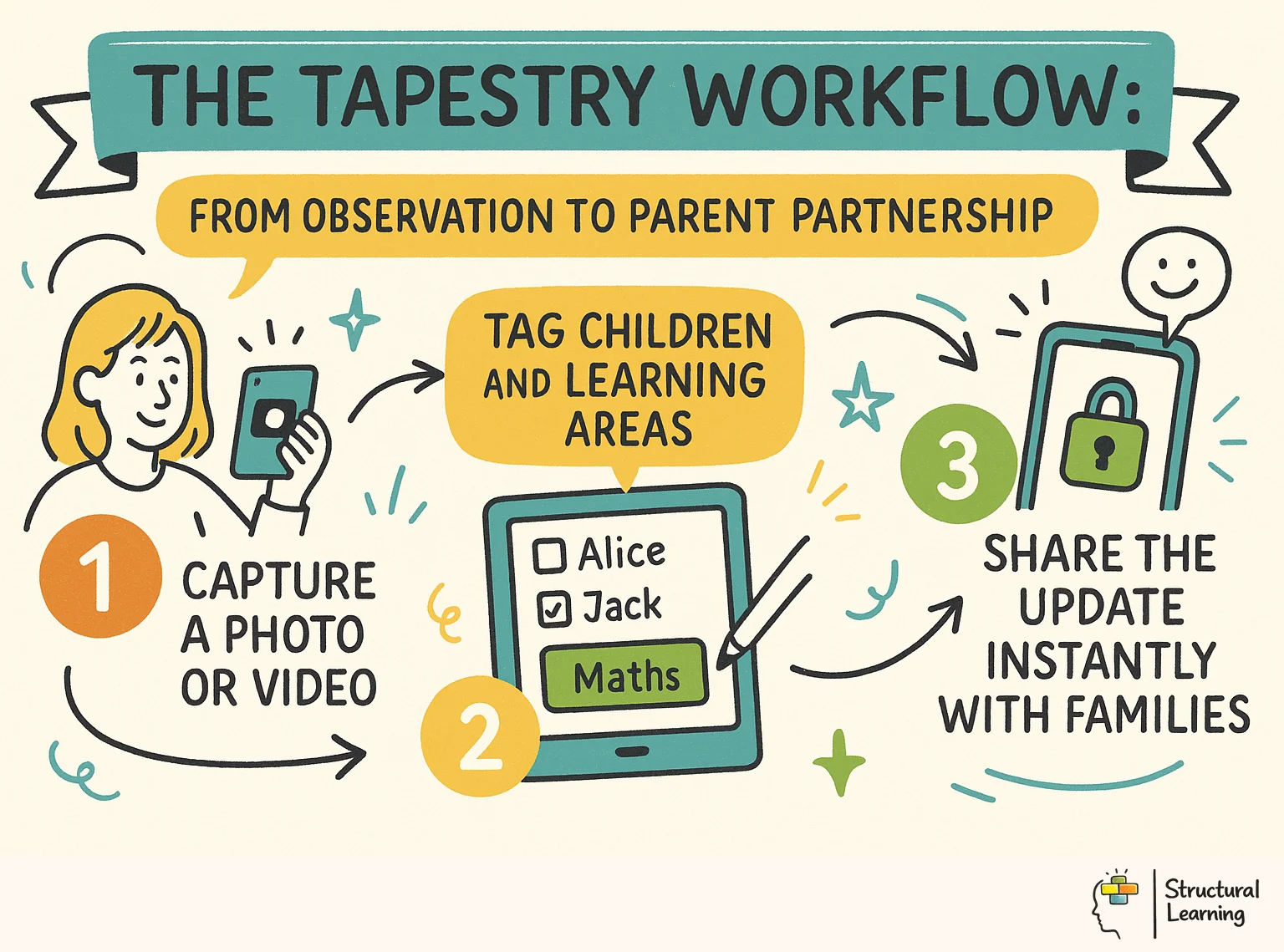
When you see something worth recording, you open the app and start a new observation. You take a photo or a short video clip, then select the child or children involved. You then add a title and a description, explaining what the child did and why it is significant for their learning.
Once the observation is saved, you can add tags or assessments based on your preferred framework. If your school uses Development Matters, you can link the observation to specific milestones or the Ten minutes later, Leo's father, who is at work, sees the video and leaves a comment saying, "Well done Leo, we will practise this at home tonight!"
Tapestry is packed with tools that go beyond simple photo sharing. One of the most important features is its flexibility with frameworks. You are not locked into one way of thinking; you can choose between Development Matters, Birth to 5 Matters, or even create your own bespoke school criteria.
The parent engagement features are equally strong. You can send Memos to the whole class for things like forest school reminders or Activities that parents can try at home. Parents can also upload their own photos and videos, which helps you see a child's learning in different contexts, such as a weekend trip to the library.
For those who still need physical records, Tapestry allows you to generate PDF versions of the learning journals. These can be printed at the end of the year as a keepsake for parents. There are also deep analysis tools that help you spot gaps in your provision, showing you which areas of the curriculum are being neglected.
Claire uses the Analysis tab and sees fewer observations for "Understanding the World". She realises outdoor learning lacked focus this term. The next week, she plans a nature treasure hunt. Claire uses Tapestry to record these new learning experiences.
Setting up the platform does not require a degree in computer science. You start by creating an account and choosing your subscription level. Most schools begin by importing their student data via a CSV file, which takes the manual work out of adding names and birth dates.
Once the children are in the system, you can set up staff accounts. You have total control over permissions; for example, you might allow a student teacher to draft observations but require a senior teacher to approve them before they go live. This ensures quality control and protects the school's professional image.
Team training matters for your learners. Tapestry University has useful tutorials. Teachers learn the basics fast, in about 30 minutes. A colleague can answer your initial questions.
A large three-form entry
Tapestry uses a straightforward pricing model that is generally based on the number of children in your setting. For many small nurseries and childminders, the entry-level plan is perfect. It costs £99 per year for up to 40 children, which works out to less than £2.50 per child per year.
When you consider the cost of physical binders, photo printing, and glue, this often pays for itself. If you have more than 40 children, the price increases in tiers. A school with 120 children might pay closer to £200 per year, which is still a tiny fraction of the overall EYFS budget.
There is also a free 2-week trial available. This is not a lite version; it gives you access to the full platform so you can test every feature. You can upload real observations and see how parents respond before committing any funds. This transparency is one reason why the platform has maintained its market share for over a decade.
A small village pre-school is struggling with its budget. The manager, Helen, calculates that they spend £150 a year on ink cartridges and special scrapbook paper for their journals. She realises that switching to the £99 Tapestry plan will actually save the setting £51 a year, while also saving her staff at least two hours of sticking time every Friday afternoon.
Tapestry is a popular choice, but Evidence Me (2Simple) is a rival. People like Evidence Me's auto-tagging feature. Some EYFS teachers, however, favour Tapestry's manual control for professional judgements.
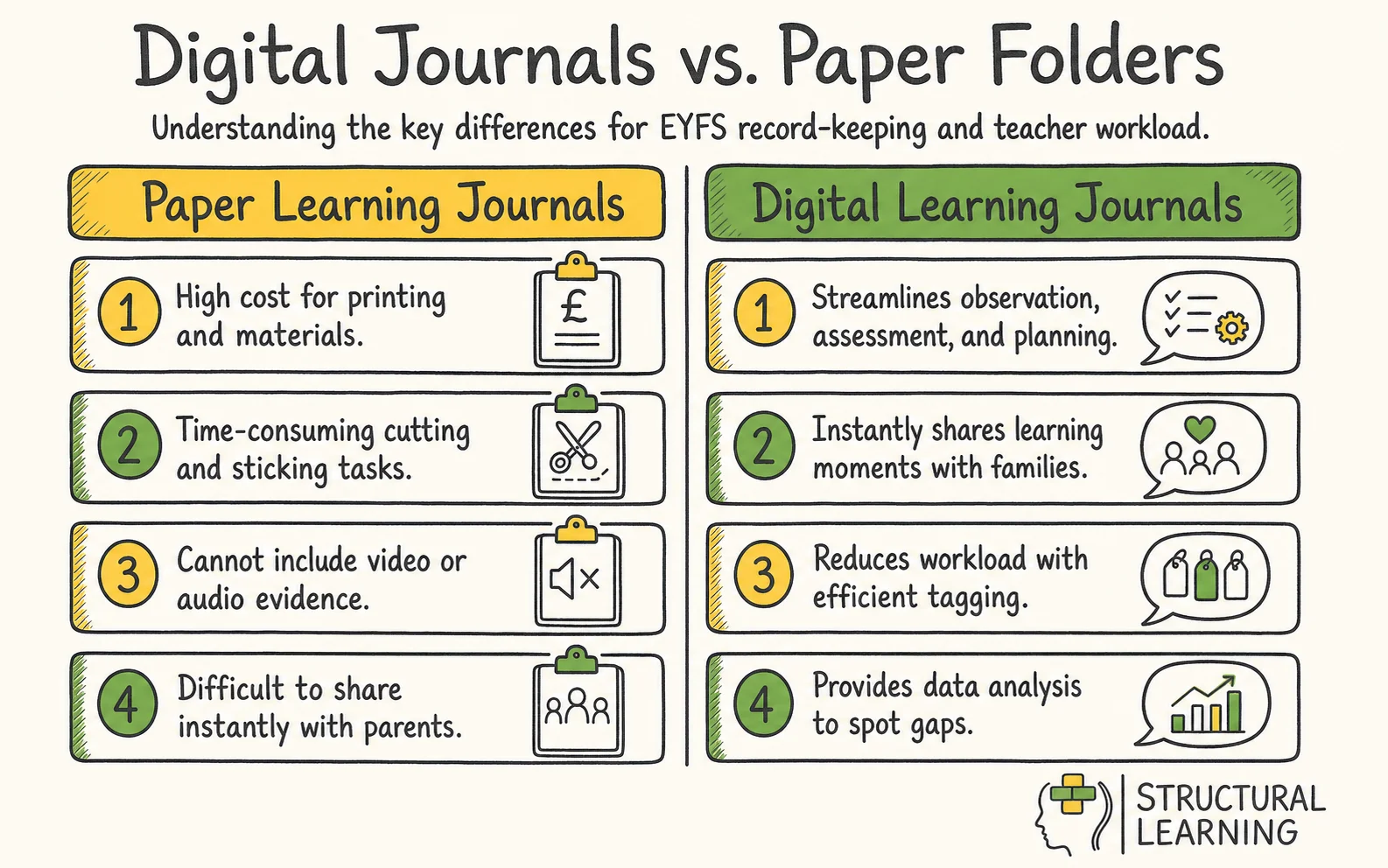
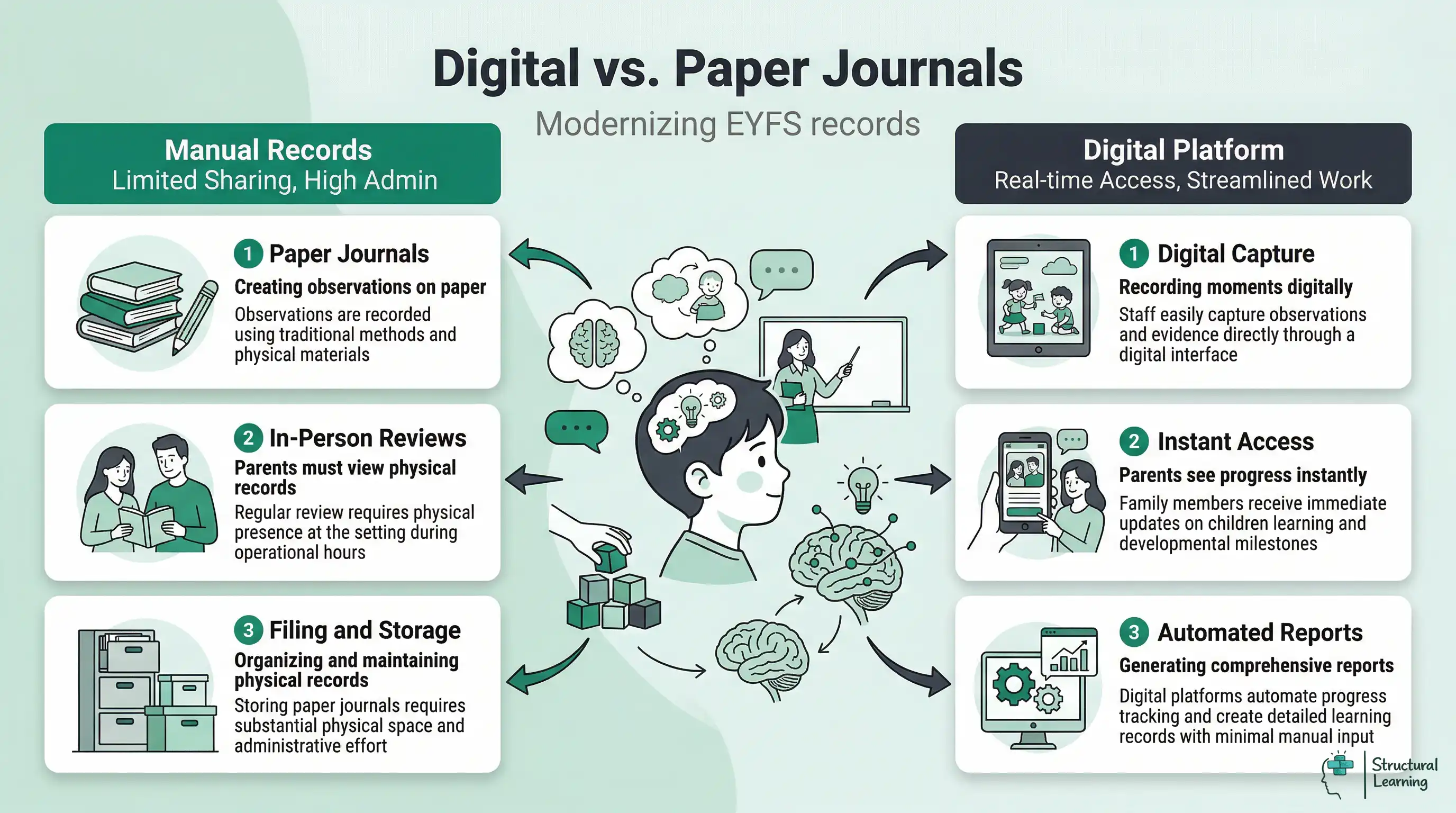
Paper journals feel good, some teachers find. Paper lacks video for learners' singing, though. Paper cannot easily reach parents far away. Yearly photo printing carries an environmental cost compared with digital archives. Schools are moving to digital forms now.
Tapestry's Flags let teachers mark observations simply. The Headteacher saw this teacher focus as crucial. He felt it better supported staff well-being. Data-heavy apps did not offer this .
To get the most out of the platform, you must avoid the quantity trap. Some teachers feel they need to upload five observations a day for every child. This is a quick way to burn out and leads to shallow records. Instead, focus on high-quality observations that tell you something new about the child's thinking.
Use the Reflections tool to link observations together. This allows you to look at a series of events and write a professional summary of a child's progress over a term. It is much more useful than a spreadsheet of tick-boxes. It allows you to demonstrate to Ofsted how you know your children and how you are planning for their individual needs.
Engaging parents is the other key to success. Don't just post photos; ask questions. If you post a photo of a child enjoying a book about dinosaurs, add a caption saying, "Leo loved this story today. Does he have a favourite dinosaur book at home?" This turns the

A Reception teacher, Tom, noticed that his class was obsessed with The Gruffalo. He used the Activities feature on Tapestry to send a Gruffalo Crumble recipe home on a Friday. On Monday morning, five different parents had uploaded photos of their children weighing ingredients and mixing the crumble. Tom was able to use these home observations as evidence for Mathematics and Understanding the World without doing any extra work in class.
No software is perfect, and you will encounter hurdles. Staff resistance is the most common issue. Some teachers feel that having a tablet in their hand makes them look like they are not with the children. The solution is to model how to use it as a tool for a few seconds, then put it down and get back into the play.
Parent engagement can also be inconsistent. You might have one parent who never logs in and another who posts twenty photos of their cat. It is important to set clear boundaries and expectations in your initial parent induction. Explain that the app is for learning moments, not a general social media feed.
Technical issues like forgotten passwords or poor Wi-Fi in the outdoor area can be frustrating. Always ensure your setting has a clear policy for offline working. Tapestry's app allows you to take observations without Wi-Fi and then sync them once you are back in range. This is essential for forest school sessions or trips to the local park.
Mrs Jenkins, a Nursery lead, finds that one father is becoming competitive. He sees another child's learning moment mentioned in a group observation and asks why his son doesn't have as many posts. Mrs Jenkins sits him down and explains that every child has their own rhythm. She shows him how the quality of the observations for his son shows deep, focussed learning that doesn't always need a daily photo update.
Is it GDPR compliant?
Yes, Tapestry is fully GDPR compliant. Data is stored on secure servers within the UK and Ireland. You have complete control over who can see which data, and you can export or delete a child's data whenever they leave your setting.
Can parents upload their own observations?
Yes, and you should encourage them to do so. Parent-led observations are a vital part of the whole child picture. You can choose whether these uploads are private to you or visible to other staff members.
Does it work offline?
The Tapestry app has an offline mode. You can capture photos, videos, and notes while you are away from the internet. Once your device connects to Wi-Fi again, the app will automatically sync your drafts to the secure server.
How many observations should I do per child?
There is no magic number. Ofsted and the 2021 EYFS reforms explicitly state that you should not spend your life tracking data. Aim for a few meaningful, high-quality observations per week that actually inform your planning, rather than dozens of meaningless snapshots.
Can I export data for children who move schools?
Yes, you can generate a full Transfer file. This allows the new school to import the child's learning process into their own Tapestry account. If the new school does not use Tapestry, you can provide them with a full PDF export of the journal.
Is it Ofsted-ready?
Ofsted knows Tapestry well. They focus on how you use data to help learners (Siraj-Blatchford, 2009). Use analysis tools to show inspectors how you support at-risk learners (Sylva et al., 2004).
Your next step is to visit the Tapestry website and sign up for the free 2-week trial using your school email address. Upload just five observations of your current focus children and see how it changes your afternoon.
Formative assessment principles (Black and Wiliam, 1998) underpin the rationale for digital learning journals, while Vygotsky (1978) provides the wider theoretical case that shared tools and dialogue mediate young learners' development. Recent systematic review evidence on digital documentation in early childhood (Knauf, 2020) helps map the practical trade-offs that practitioners then weigh in their daily work.
Digital Documentation in Early Childhood Education: A Systematic Review View study ↗
280+ citations
Knauf, H. (2020)
Knauf's systematic review found that digital documentation can increase the frequency and visibility of observations, while also flagging that quality is mediated by practitioner judgement and time. The implication for Tapestry users is to focus on fewer, more meaningful entries rather than constant uploads.
Parent Engagement Through Digital Platforms in Early Years Settings 3 citations
Arnott, L. & Yelland, N. (2020)
Arnott and Yelland argue that digital platforms reshape parent-teacher communication, with families able to see their child's learning in context. They also flag that digital sharing is most effective when it sits alongside, not in place of, face-to-face conversations with families.
Observational Assessment in EYFS: Professional Judgement and Curriculum Alignment 450+ citations
Dubiel, J. & Kilner, D. (2017)
Researchers in early years assessment have long preferred informed professional judgement over tick-box tracking (Dubiel & Kilner, 2017). Tapestry uses observations, letting educators describe learner progress in their own words. This fits the recommended approach.
Research on digital learning journals suggests they can shift, rather than simply remove, teacher workload — some administrative tasks ease while new ones emerge around uploading, tagging, and parent communication (Roberts-Holmes, 2021).
Roberts-Holmes, G. (2021)
The practical implication is to keep clear, agreed-upon rules for what and how often staff observe, so that digital journals support practice rather than introduce digital fatigue. This aligns with the Department for Education (2021) statutory framework that prioritises reducing unnecessary paperwork.
The Revised EYFS Framework aimed to cut early years assessment paperwork. (Ofsted, 2021) This change should help teachers focus on learners' needs better. (Siraj-Blatchford, 2009) Researchers like Pascal and Bertram (2009) note good observation improves learning. Effective practice is key for progress. (Sylva et al, 2010)
Department for Education (2021)
The EYFS framework (2021) highlights that assessment should support teacher interaction with learners. This guidance backs Tapestry's focus on brief, helpful observations. Schools can thus reduce their observation workload.