Updated on
September 9, 2026
AI for Teachers: A Complete Classroom Guide (2026)
Compare AI tools for teachers: lesson planning, marking, differentiation, SEND support. Honest, evidence-based evaluations for busy classrooms.


Updated on
September 9, 2026
Compare AI tools for teachers: lesson planning, marking, differentiation, SEND support. Honest, evidence-based evaluations for busy classrooms.
AI tools can save teachers up to five hours a week on planning, marking and administration, but only when used with clear purpose and professional judgement. This guide covers every major use of AI in the classroom: lesson planning, assessment, differentiation, SEND support, and building school-wide AI literacy. Each section links to deeper guides across the Structural Learning AI cluster, giving you a single starting point for the full picture. The term describes a structured process for turning evidence into a classroom decision, not a label on its own.
What does the research say? Teachers are adopting AI faster than many schools can train them. The evidence is strongest when AI is used for bounded tasks: drafting resources, generating low-stakes questions, summarising patterns and supporting feedback. The EEF caution still applies: technology has limited impact unless teachers link it to clear pedagogy, explicit instruction and careful follow-up.
A 2025 Twinkl survey of 6,500 UK teachers reported that 60% were using AI for work. The US-based Center for Democracy and Technology reported high teacher and learner use, but also a training gap. The issue is not adoption alone; it is whether schools give staff approved tools, clear data rules and shared prompt routines.
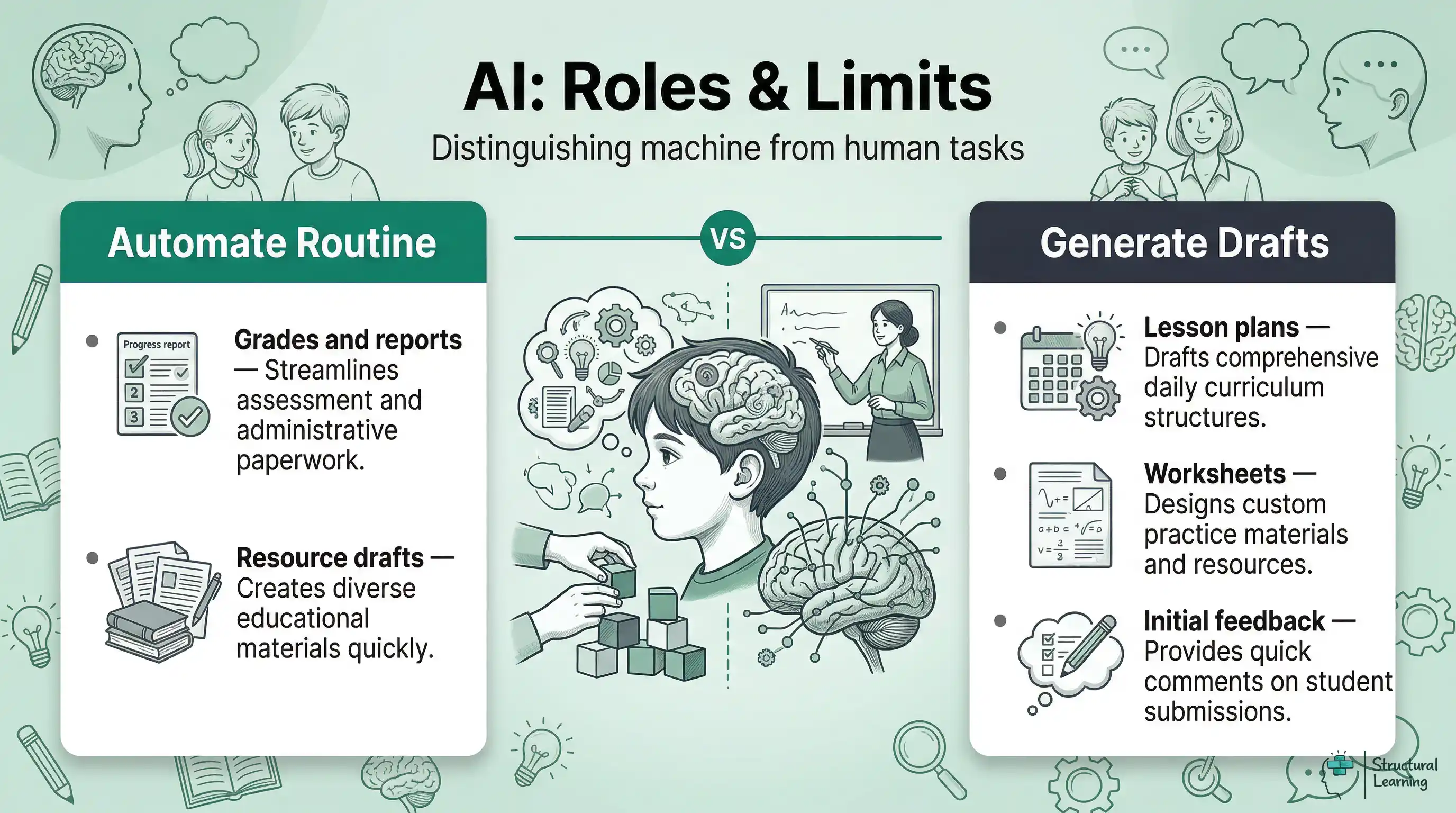
AI is good at spotting patterns, creating text and analysing data, but it cannot replace professional judgement, relationships or knowledge of individual learners. This limit matters. Teachers who understand it use AI with more confidence. Teachers who expect it to think like a colleague spend more time fixing weak outputs.
AI can help with first lesson drafts and differentiated worksheets. It can give instant feedback on factual tasks and maths tasks. It can also summarise learner data from assessments and automate reports.
Year 6 teachers could quickly generate reading tasks. Science teachers might use AI to create exam questions (Holmes & Tuomi, 2024; Luckin, 2023; Zawacki-Richter et al., 2019).
AI cannot read a learner's emotional state, judge creative growth or build the trust that helps a class take intellectual risks. Luckin's work on AI in education argues for routine task support so teachers can spend more time on relational and adaptive teaching (Luckin, 2018).
The practical rule: if a task involves pattern-matching or generation from a template, AI will probably help. If it involves judgement about a specific child in a specific context, you remain central. Keep that distinction in mind as you read through each application below.
No single AI tool does everything well, and vendor marketing rarely explains the limits. UK teachers now meet general assistants such as OpenAI ChatGPT and specialist platforms such as MagicSchool AI, Eduaide, Brisk Teaching, Diffit, SchoolAI and TeacherMatic. The table compares classroom use, checking demands, costs and data risks. Structural Learning has no commercial relationship with these providers.
The general-purpose tools (ChatGPT, Gemini, Claude) are most flexible but require you to write good prompts and verify outputs. The education-specific tools (Diffit, SchoolAI, TeacherMatic) are narrower but require less prompt skill. Most teachers benefit from starting with one general tool and one specialist tool, building confidence before expanding. For detailed prompt strategies that work across all these platforms, see our guide to AI prompts anyone teaching should know.
The most productive teachers use AI to create a first draft, not a finished product. They write clear prompts, review the results carefully, and adapt them using their knowledge of their learners. Less productive users paste vague requests, accept the results without checking, and then find the work feels generic. The tool reflects what you bring to it: strong pedagogical knowledge leads to strong AI-assisted resources; weak prompts lead to weak outputs, whatever tool you use.
1. Using AI outputs without checking facts. Large language models write text that can sound right, but it may not be true. Always fact-check dates, statistics, quotations and scientific claims before sharing AI-generated content with learners.
A secondary history teacher in Bristol found that ChatGPT confidently linked a quotation to Churchill that Churchill never said. The AI was not lying. It was matching patterns from training data that included the wrong attribution.
2. Inputting learner data into AI tools. Names, SEND profiles, EHCP details, behaviour records, assessment scores and unredacted essays must not be entered into public AI tools. Use anonymised references, approved platforms and school data rules. This is a UK GDPR and safeguarding issue, not a preference.
3. Expecting AI to understand your class. AI does not know that three learners in your Year 5 class arrived mid-year with limited English, that your school uses a specific phonics programme, or that your Year 10s have already covered cell biology but not genetics. You must provide this context in every prompt for the output to be useful.
4. Replacing thinking time with generation time. The valuable work is deciding what to teach and in what order. It also means deciding how you will know learners have understood it. AI can format, vary and draft resources after those choices.
If learners get step-by-step AI help too early, they can miss useful difficulty. That difficulty supports lasting learning. Keep some retrieval, struggle and explanation in the task.
5. Trying every tool at once. Tool fatigue is real. Schools that mandate three or four AI tools simultaneously see lower adoption than those that support mastery of one tool before introducing the next. Pick the tool that addresses your biggest time pressure and learn to use it well before expanding.
AI applications vary significantly across subjects, and the teachers getting most value match the tool to their subject's specific demands. A one-size-fits-all approach wastes time. Here is what experienced teachers report works in practice across the major subject areas.
English and Literacy. AI can create differentiated reading comprehension questions from any text in seconds. It can also write model paragraphs at different GCSE grade boundaries and make vocabulary-building activities matched to reading age. A Year 9 English teacher in Leeds uses Claude to create three model responses to a literature essay question (one at grade 4, one at grade 6, one at grade 8), then uses them for a class discussion about effective writing. The AI creates the examples; the teacher does the pedagogical thinking.
Mathematics. AI can create problem sets that move through difficulty levels. It can also generate worked examples with step-by-step solutions. It can produce diagnostic questions that target specific misconceptions.
A primary maths lead uses ChatGPT to create "What's the same? What's different?" comparison tasks for fractions. She then adapts them using her knowledge of which learners need concrete representations and which are ready for abstract notation. For guidance on managing learner AI use and assessment design, see AI and academic integrity.
AI produces exam questions for AQA, Edexcel, or OCR. It makes summaries highlighting practicals and differentiated experiment plans. AI helps learners structure science writing with scaffolds (Clark et al., 2007; Hodson, 1998; Millar, 2004).
AI can support humanities subjects. It can make source analysis guides for History and debate preparation for RE. Geography teachers can use it to summarise case studies.
One GCSE History teacher used Gemini to create historical interpretation cards. Learners then evaluate and rank the cards.
In EYFS and KS1, AI is most useful for teacher-facing preparation: phonics word lists, social story drafts, visual timetable wording, report comments and parent communication. Young learners still need adult talk, play, modelling and responsive interaction. Treat AI content as a draft for the teacher, not as direct instruction for young children.
AI can create metacognitive prompts. These prompts help learners think about how they learn. Flavell (1979) said metacognition involves understanding oneself, tasks, and strategies. AI prompts can target each part and build learner awareness.
For person knowledge, use prompts such as: "Before you start, rate your confidence with this topic from 1 to 5 and write one sentence explaining why." This asks learners to notice prior knowledge and uncertainty before the task begins.
For task knowledge, ask: "What kind of thinking does this question need: recall, explanation or evaluation?" For strategy knowledge, use: "Which revision strategy did you use this week? Write one reason it helped and one reason you might try something different." The EEF reports that metacognition and self-regulation can add an average of seven months when taught explicitly. For a detailed framework, see our full guide to developing metacognition in the classroom.
AI can reduce first-draft planning time, but it does not remove planning work. It moves work from initial writing to prompt design, checking, editing and making sure the task fits your class. Holmes, Bialik, and Fadel (2023) argue that AI works best as a complement to teacher judgement. A school-level prompt library makes that benefit more likely because teachers are not rebuilding the same prompts alone.
Plan a Year 4 fractions sequence. Learners know halves and quarters, but they struggle with equivalence. Create five lessons using concrete-pictorial-abstract methods. Include paired activities and formative assessment in lesson three.
This structure saves time.
Teachers often use AI for starters, worked examples and exam-style homework. That can save drafting time, but the hidden workload remains: checking for errors, adapting examples, removing weak tasks and matching challenge to prior knowledge. The strongest use is shared planning, where departments agree prompt templates and review outputs together.
The difference between a useful and useless AI-generated lesson plan almost always comes down to prompt structure. Compare these two approaches:
The strong prompt includes five elements that make the output immediately useful: time constraint, prior knowledge, specific misconception, activity types, and curriculum alignment. Without these, AI produces a generic plan that requires more editing time than it saved. Our detailed guide to effective AI prompts for teachers provides templates for every major subject and key stage.
DfE guidance allows schools to choose suitable generative AI use cases, provided they meet safeguarding, data protection and wider statutory duties. That makes low-stakes quiz generation, homework feedback drafts and exam-style question practice more defensible than high-stakes grading. Wiliam (2011) argues that formative assessment works when evidence changes what teachers and learners do next. For a detailed breakdown of which subjects AI can mark reliably and which still need a teacher, see our guide to AI marking and feedback.
Automated marking tools can assess factual recall quickly, but feedback on writing is less secure. Kasneci et al. (2023) warn that large language models can produce fluent feedback without understanding the learner's concept. An AI comment may reward tidy style while missing a faulty argument. Use AI feedback as a draft for low-stakes work, then compare it with teacher judgement before learners see it.
The DfE position is that AI use must sit inside school safeguarding, data protection and governance duties. AI marking should support, not replace, teacher judgement. High-stakes assessment, summative evaluation and decisions that depend on a learner's circumstances need human review.
Some pilots and teacher surveys report time savings on routine marking, but the saving is not automatic. Teachers still need to check accuracy, edit feedback, protect learner data and decide what teaching action follows. For practical strategies on integrating AI into your assessment workflow, see our guide to AI and student assessment.
Teachers should set clear boundaries for AI use in assessment. AI is useful for marking multiple-choice answers, testing recall, and checking grammar.
Avoid AI for creative work, complex arguments, or grouping learners. Do not use it for formal reports without checking.
Karpicke (2008) showed that retrieval practice can strengthen later recall more than restudying. This "testing effect" means remembering information helps learners recall it later. AI creates spaced retrieval quizzes for each learner. This applies the principle widely (Roediger & Karpicke, 2006).
A Year 8 science teacher might write: "Generate a 5-question retrieval starter about last week's electricity topic. Include 2 factual recall questions, 2 explanation questions and 1 application question for a mixed-ability class."
| Tool | Best For | Limitations | Cost | GDPR Note |
|---|---|---|---|---|
| ChatGPT (OpenAI) | General planning, resource creation, explaining concepts at different levels | Can hallucinate facts; not curriculum-aligned by default | Free tier available; ChatGPT for Teachers is free until June 2027 for verified US K-12 educators; Plus from $20/mo | Do not input learner names or data |
| Gemini (Google) | Google Workspace integration, summarising documents, research | Less strong on UK curriculum specifics; newer product | Free tier available; Advanced from $19.99/mo | Check school Google admin settings |
| Claude (Anthropic) | Long document analysis, careful writing, extended reasoning | Fewer integrations; no image generation | Free tier available; Pro from $20/mo | Do not input learner names or data |
| Diffit | Instant differentiation: creates reading materials at multiple levels from any source | focussed on reading/vocabulary; limited beyond that | Free for teachers | US-based; check data processing |
| SchoolAI | Learner-facing AI spaces with teacher controls and monitoring | Requires school-level subscription; setup time | Free tier; Pro from $15/mo per teacher | Designed for classroom use; admin dashboard |
| TeacherMatic | UK curriculum-aligned resource generation (lesson plans, quizzes, rubrics) | Template-driven; less flexible than general AI | Free tier; Premium from £5/mo | UK-based; GDPR compliant |
The teacher still checks the science, wording and difficulty. Spacing these retrieval starters across a sequence, with questions from two, four and eight lessons ago, turns AI into a retrieval planning assistant rather than a substitute for subject knowledge. For a detailed guide to retrieval practice with and without AI, see our full resource on retrieval practice for teachers.
Teachers have always aimed to adapt work for a full class of 30 learners; AI now makes this more practical. Tools like Diffit can take one source text and quickly create versions at three or four reading levels. ChatGPT and Claude can make problem sets that move from basic to extended tasks, matched to each learner's current working level.
What once took an evening of preparation can now take minutes. For prompt templates and subject-specific examples, see our full guide to AI differentiation in the classroom.
AI can help with SEND preparation when the data is protected. Teachers can ask for accessible resource formats, scaffolded sentence starters or a generic checklist for an EHCP target area. They should not paste SEND profiles, diagnostic reports or identifiable learner work into a public chatbot. Human oversight is needed because AI informs teacher judgement; it does not replace it.
Mayer's multimedia learning principles (2009) help match content to each learner's needs. AI suggests visuals, audio, or activities based on learner responses. Schools using AI grouping find it easier to target support. See our guides on AI in special education for useful differentiation strategies.
Sweller (1988) argued that cognitive load affects how learners process new information. Intrinsic load means how complex the task is. Extraneous load is wasted effort. Germane load is the work of building knowledge schemas.
AI can help by cutting extraneous load. This frees up learners' working memory. For example, teachers lose time reformatting worksheets. AI can remove this friction.
Paas, Renkl, and Sweller (2003) showed that learners with working memory issues struggle more when cognitive load is too high. AI can help by creating sentence starters, which lowers the demand on memory. It can also give step-by-step examples, which reduces the load of following a procedure. For autistic learners, AI can produce visual schedules that make environments simpler.
A teacher might ask for a 5-step checklist with starters. This supports the learner without removing the learning. See our guide for differentiation strategies to meet diverse needs.
The US-based Center for Democracy & Technology (2025) found that 85% of teachers used AI tools in the 2024 to 2025 school year. In the UK, the 2025 Twinkl survey reported that 76% of teachers had received no adequate AI training (Twinkl, 2025). This creates risks, as teachers use AI without fully grasping its limitations. Schools also lack AI policies, so learners get mixed messages.
Building school-wide AI literacy starts with three foundations. First, every teacher needs a clear working grasp of what generative AI can and cannot do. This includes knowing that it can produce information that sounds right but is wrong.
Our guide to AI literacy for teachers explains the technical foundations in accessible terms. Second, schools need a clear, practical AI policy. It should set out which tools are approved, what data can and cannot be entered, and how AI use should be acknowledged.creating your school's AI policy.
Third, teachers need practical prompt-writing skills. A useful AI output usually depends on a clear prompt. A weak prompt often produces a weak result.
Be specific about year group, prior knowledge, curriculum objectives and the format you want. This turns generic responses into resources teachers can use. Our guide to AI prompts anyone teaching should know provides subject-specific templates for ChatGPT, Gemini and Claude. For teachers ready to integrate AI into their daily workflow, teaching with an AI co-pilot shows how to use AI as a thinking partner for planning, differentiation and reflection.
The Chartered College of Teaching now offers a free certified assessment for AI literacy. It gives schools a standardised benchmark for staff development planning. Schools can use it to see which staff members are confident, which need foundational training, and which are ready to become AI champions who support colleagues. Pairing this assessment with a termly review of AI tool usage helps schools plan professional development from evidence and avoid both complacency and panic.
Learners need AI literacy. They need to know that AI uses statistics to generate text. It does not truly understand ideas (Holmes & Watson, 2023).
Using AI without credit breaks academic honesty rules. Schools that give clear AI guidance report fewer integrity issues and better use of AI for learning. Build AI into the current curriculum, such as computing, English, and PSHE.
Engagement analytics help teachers spot disengaged learners early. They give an early warning, so teachers can help before performance drops. The tools analyse participation, homework, and assessments. Schools in Manchester and Birmingham found that proactive intervention worked well.
AI helps learners engage with adaptive content. If a learner struggles, AI suggests different explanations or tasks. When learners master material, AI provides extension work. This responsiveness helps in mixed ability classes (Holmes et al., 2023).
The evidence, however, comes with a caveat. The EEF's (2024) review of technology interventions reminds us that the tool matters less than how teachers use it. AI dashboards that create data without a clear teaching response add noise, not value.
Teachers gain most from AI engagement tools when they build clear routines. They might check the dashboard at the start of each day, use it to shape that day's seating plan or questioning strategy, and review weekly trends to adjust medium-term planning. The technology can support faster and more precise decisions, but the decisions still belong to the teacher.
The teachers who integrate AI successfully share one trait: they start small and evaluate honestly before expanding. Here is a four-week roadmap based on patterns from schools that have adopted AI effectively.
| Weak Prompt | Strong Prompt |
|---|---|
| "Create a lesson plan about the water cycle for Year 5." | "Create a 60-minute lesson on the water cycle for Year 5. Learners can name evaporation and condensation but confuse precipitation with condensation. Include a concrete demonstration, paired discussion using sentence stems, and a 6-question exit ticket assessing the distinction between precipitation and condensation. Align to NC KS2 Science: states of matter." |
This graduated approach prevents the two most common failure modes: trying to do everything at once (leading to overwhelm and abandonment) and using AI for tasks where it adds no value (leading to frustration and scepticism). The teachers who become confident AI users are not the most technically skilled; they are the ones who evaluate honestly and build on what works.
Data protection must come first: never enter learner names, SEND data, behavioural records, assessment scores or identifiable work into an unapproved AI tool. This is a legal requirement under UK GDPR and a safeguarding duty. DfE data protection guidance for generative AI in schools says tools must comply with data protection law and school privacy notices.
Schools should keep an approved tools list, complete a data protection impact assessment where needed and get senior leadership sign-off before use. For a detailed treatment of the ethical dimensions, see our guide to AI ethics in education.
Beyond data protection, AI outputs can repeat bias. Marking tools often reward a narrow form of standard academic prose. They can also misread working-class dialects, Welsh English, Scottish English, Black British English or EAL phrasing as weaker writing. That makes AI marking risky for voice, oracy and creative work.
Schools should check sample outputs across learner groups, update academic integrity policies and state how learners may and may not use AI. These are reasons for governance, not reasons to ignore AI.
The best starting point is simple: choose one AI tool and one use case. Use ChatGPT to create starter activities for one subject for a half-term. Then evaluate it honestly: did it save time? Were the outputs good enough?
Ask what you needed to change, then expand gradually. Essex primary schools have found success by adopting one new AI tool per term, with careful evaluation before scaling. The Chartered College of Teaching now offers a free certified assessment for AI literacy, which gives a useful benchmark for staff development planning. For a comprehensive overview of ethical frameworks and bias considerations, see our guide to AI in modern education: challenges and opportunities.
For guidance on choosing the right AI platforms for your context, read our independent comparison of AI tools for teachers. And for a practical roadmap to building staff confidence through structured professional development, explore our guide to AI CPD for schools.
These frameworks are useful, but they should not be treated as universal laws. Vygotsky (1978) gives a strong account of guided participation, yet Rogoff (2003) and Gutiérrez and Rogoff (2003) argue that learning support looks different across cultural communities. A scaffold that works in one school may not match the talk norms, family knowledge or language practices of another.
| Week | Focus | What to Do | Evaluate |
|---|---|---|---|
| 1 | Learn the basics | Sign up for one AI tool (ChatGPT or Gemini free tier). Ask it to explain a topic you teach well. Notice where it is accurate and where it is wrong. | Can you spot inaccuracies? Do you trust it enough to adapt its outputs? |
| 2 | Planning support | Use AI to generate starter activities or homework tasks for one subject. Be specific in your prompts: include year group, topic, prior knowledge. | Did it save time? How much editing did the output need? Was it better or worse than what you would have created? |
| 3 | Assessment support | Use AI to generate quiz questions or provide first-pass feedback on a low-stakes assessment. Compare AI feedback to your own judgement on the same work. | Was the feedback accurate? Would learners find it useful? Where did it miss the mark? |
| 4 | Reflect and decide | Review your three weeks of use. Identify the one application that saved the most time with acceptable quality. Make it a regular part of your workflow. | What will you continue using? What did you try but reject? Share findings with a colleague. |
Retrieval practice also has limits. Karpicke (2008) shows strong effects for recall, but much of the evidence comes from controlled tasks, short texts and measurable memory outcomes. Dunlosky et al. (2013) warn that study strategies vary in value depending on task type, prior knowledge and timing. Retrieval can strengthen recall without guaranteeing transfer, creativity or better explanation.
Formative assessment and cognitive load theory have similar limits. Wiliam (2011) puts teacher judgement at the centre of feedback. Black and Wiliam (1998) also showed that feedback quality depends on classroom culture, not technique alone.
Sweller (1988) explains why overload blocks learning. Kalyuga (2007) notes the expertise reversal effect: support that helps novices can slow advanced learners. Bloom (1956) remains useful for planning, but teachers can misuse it as a rigid ladder. The lasting value of these theories lies in careful professional judgement, not mechanical application.
Authoritative guidance on AI in education: DfE support materials for using AI in education settings, Ofsted findings from AI early adopters in schools and FE.
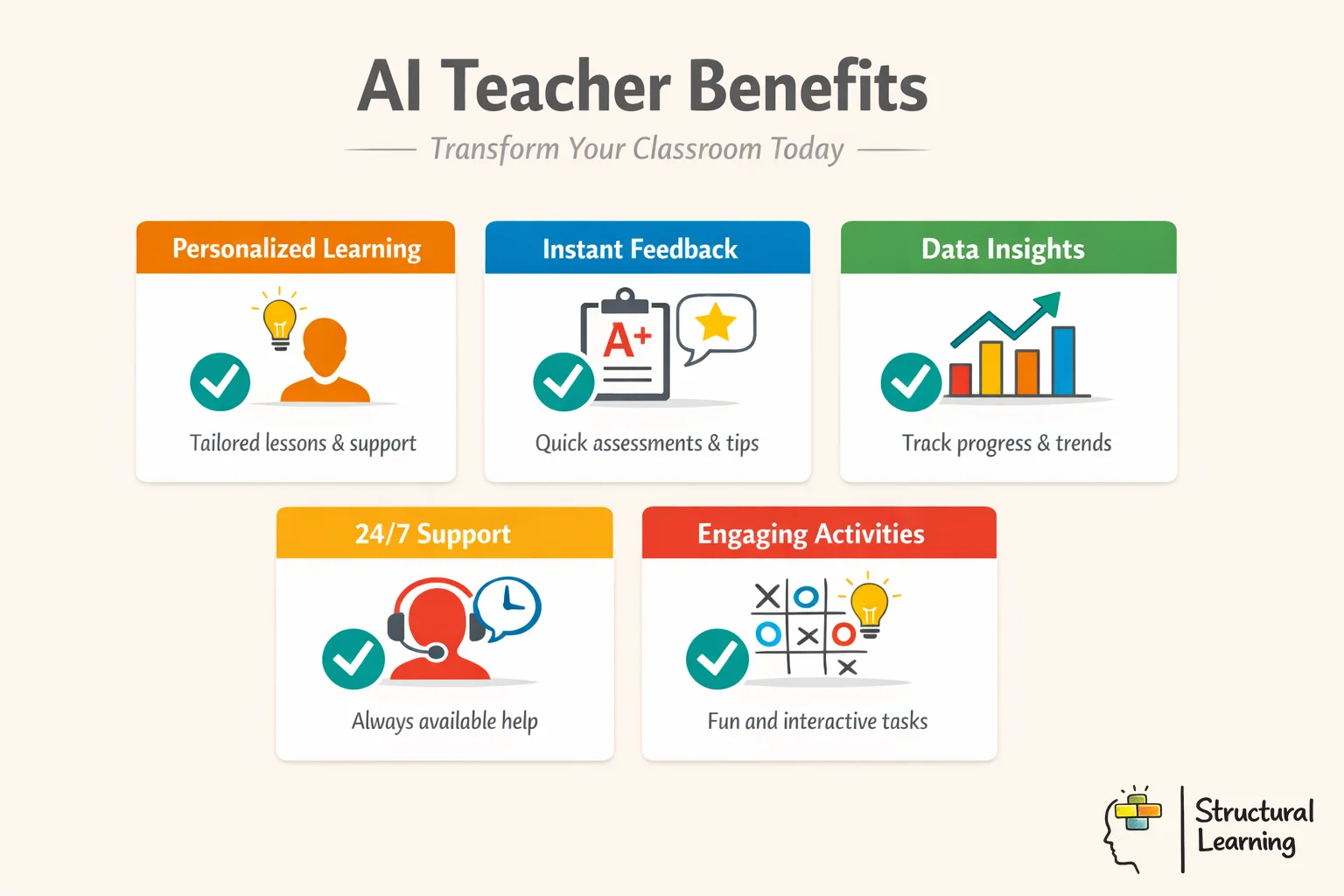
Higgins et al. (2022) state AI can plan lessons and analyse data. AI recognises patterns in datasets to create text or give feedback for learners. Teachers use these tools as assistants; Selwyn (2017) says AI does not replace their expertise.
Teachers use AI for admin, like writing emails. They also use AI to tailor work difficulty. Check AI outputs for facts and protect learner data.
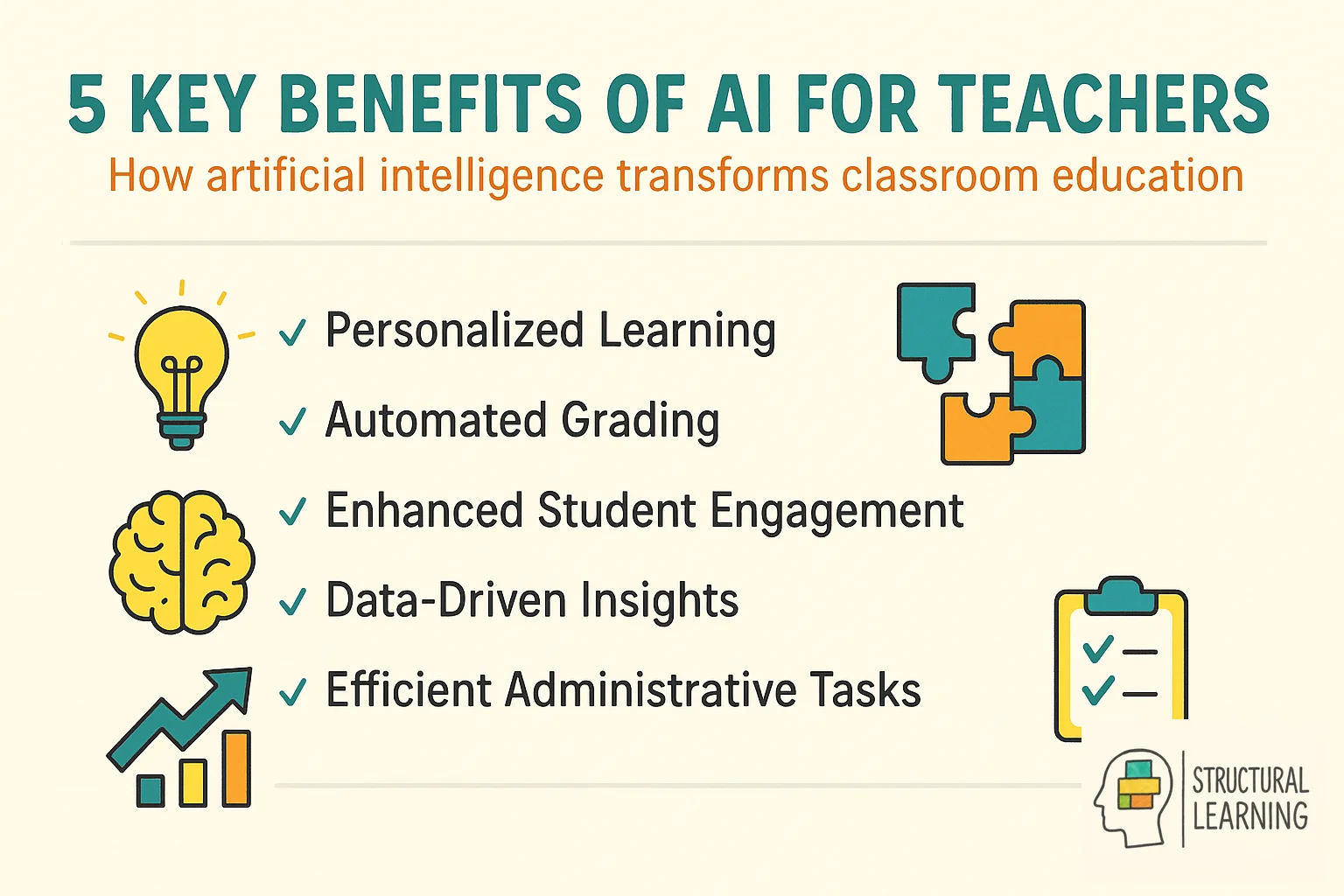
The main benefit is time saving. AI can create a full lesson sequence or resource bank in minutes. It can also make several versions of the same material for different reading levels, so differentiation is easier to manage. This lower workload gives teachers more time for individual learner support and relationship building.
Research from the Education Endowment Foundation indicates that technology has a positive impact when teachers combine it with strong pedagogy. A 2024 DfE report found that schools with clear AI policies use AI more effectively than schools without them. Meta analysis suggests that AI supported feedback can work as well as traditional formative assessment when used correctly.
A common mistake is relying too much on the software and not checking its facts. This can lead to misinformation in lesson materials. Another mistake is entering private learner names or data into general tools, which violates GDPR guidelines. Teachers should also avoid using AI for complex emotional judgements that need a deep understanding of a child's unique circumstances.
The best choice depends on the task. General tools work well for careful writing and document analysis. Specialist platforms often suit the UK curriculum better because they include templates for specific assessment points. Most educators do best with one general assistant and one tool made for classroom use.
Bloom, B. (1956). Taxonomy of educational objectives.
Karpicke, J. (2008). The critical importance of retrieval for learning.
Sweller, J. (1988). Cognitive load during problem solving.
Vygotsky, L. (1978). Mind in society: The development of higher psychological processes.
Wiliam, D. (2011). Embedded formative assessment.
For the wider picture, explore our AI and EdTech tools hub, our home for evidence-based AI guidance across policy, lesson planning, and classroom practice.
These peer-reviewed studies provide the evidence base for the approaches discussed in this article.