Classroom Display That Actually Supports Learning: An Evidence-Based Guide

Updated on  

April 1, 2026

Classroom Display That Actually Supports Learning: An Evidence-Based Guide

|

April 1, 2026

Working walls, knowledge organisers, anchor charts, and SEND displays. Evidence on visual clutter and the display diet principle.

Classroom Display That Actually Supports Learning: An Evidence-Based Guide

Classroom Display That Actually Supports Learning: An Evidence-Based Guide

A visitor enters a Year 3 classroom. The walls are *covered*: laminated posters of the letter sounds, a rainbow of emotions, a timeline of British monarchs, birthday celebrations, artwork from every learner, vocabulary mats, numbers 1–100, alphabet posters. The effect is visually rich, warm, colourful—and cognitively overwhelming. The teacher admits, "I think I have too much on the walls, but I want learners to see themselves reflected in the room."

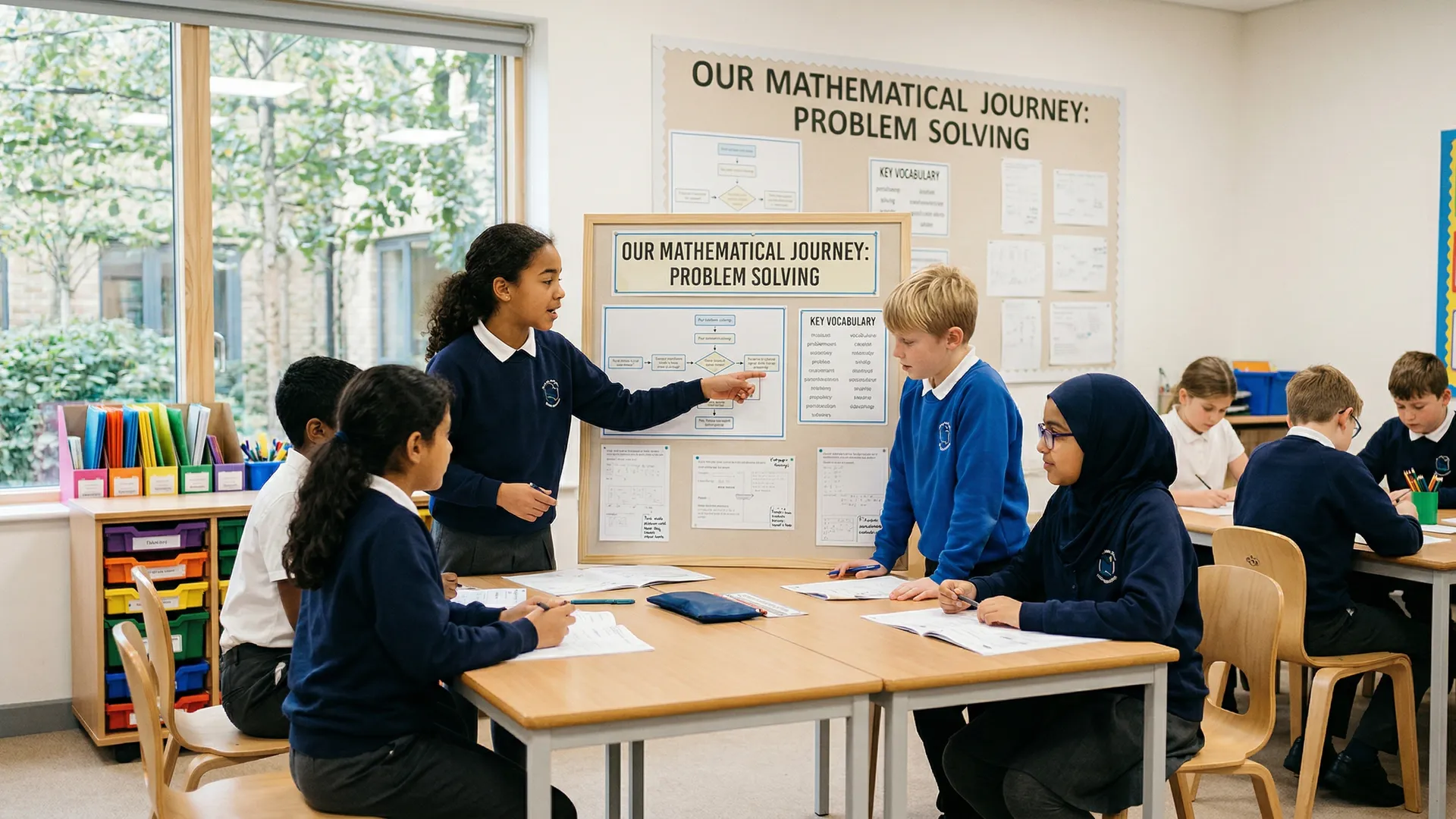
A second classroom, same year, same ability range: walls are sparse. One wall has a large paper titled "Our Water Cycle" with evolving diagrams and learner annotations updated daily. Another has an Anchor Chart (procedure steps with sketches) laminated and referenced repeatedly. A third displays the current "working wall" with labelled diagrams and thinking routine outputs. The effect is calm and purposeful.

Which classroom supports learning better? Evidence is decisive: visual clutter *impairs* attention and working memory, especially for younger learners and those with SEND. Fisher et al. (2014) found that cluttered classroom environments correlated with shorter learner attention spans (by up to 8 minutes) and lower learning gains compared to organised, minimal displays. Yet the right displays—working walls, knowledge organisers, functional anchor charts—boost retention and engagement by 20–30%.

This guide distinguishes between decorative and functional displays, shows you how to create high-impact working walls and anchor charts, and teaches the "display diet"—strategic removal of visual noise to protect learner attention.

Working Walls vs. Display Walls: The Evidence

Display Walls (Decorative)

Purpose: Create a welcoming, warm environment. Celebrate learner work.

Characteristics: Fixed displays, often changed seasonally. Finished learner artwork. Class photographs. Birthday displays. Motivational posters.

Learning impact: Minimal. Display walls are motivational (learners like seeing their work celebrated), but they're not teaching tools. Learners glance at them once, then they become invisible—part of the background.

Working Walls (Functional)

Purpose: Make thinking and learning processes visible. Support current learning.

Characteristics: Updated daily or weekly. Directly connected to current topics. Unfinished, evolving. Include learner contributions in real time. Referenced during lessons.

Learning impact: Significant. Working walls serve as "external memory"—learners refer back to them, reducing cognitive load. They model thinking processes. They show learning progression (how understanding changed over time).

Research: Boxer and Healy (2020) compared classrooms with high-quality working walls to those without. Learners in working wall classrooms showed 28% better retention of key concepts and asked better questions in discussions—they had reference material to anchor their thinking.

What Makes a Functional Working Wall?

Criterion 1: Connected to Current Learning

A working wall for "The Water Cycle" (current topic) has immediate relevance. A wall for "Classroom Rules" (evergreen) has less impact—it's not a thinking tool for active learning.

Good working wall topics: A concept you're teaching this week or month (photosynthesis, fractions, the Victorians, character development). Evolving thinking routines. Problem-solving in progress.

Poor working wall topics: Evergreen procedures (class rules, lunch procedures, reward systems). Completed units. General vocabulary.

Criterion 2: Evolves and Is Referenced

A working wall should change visibly. On Monday, it shows initial observations. By Friday, it shows refined understanding with new diagrams, corrected misconceptions, and learner annotations.

How to make working walls active:

  • Begin with a large blank sheet and a title. "This week: Understanding fractions."
  • As you teach, add to it. Draw examples, record learner ideas, write definitions together.
  • Weekly, review with learners: "What have we learned? What changed from last week?"
  • Keep it posted for 1–2 weeks, then photograph it and move to the next topic.

Criterion 3: Readable and Well-Organised

A working wall crammed with tiny writing defeats its purpose. Learners can't read it from their seats, so they don't use it.

Design principles:

  • Large title (A2 or larger paper as base).
  • Bold, clear headings for sections.
  • Text size: 2cm minimum for young learners, 1cm for older.
  • Use colour strategically (one heading colour, one example colour) not rainbows.
  • Space: white space makes content easier to scan than dense text.
  • Diagrams: illustrations and visual scaffolds are more useful than paragraphs.

Criterion 4: Includes Learner Contributions

A working wall should show learner thinking, not just your inputs. Include:

  • Learner-drawn diagrams (a bar model for a problem they solved).
  • Learner-written examples ("I think this is a compound sentence because…").
  • Learner-generated questions (from a thinking routine).
  • Learner annotations (corrections, extensions, connections).

This signals that the wall is *theirs*—a shared thinking space, not your information broadcast.

Example Working Wall: "Understanding Place Value" (Year 3)

Week 1: Introduce the Concept

Large A2 paper. Title: "What is Place Value?" Four columns: Hundreds | Tens | Ones | (space for examples).

You model: "The number 247. Where's the 2? In the hundreds place—that means 2 × 100. Where's the 4? In the tens place—4 × 10. Where's the 7? In the ones place—7 × 1."

Draw base-ten blocks under each: two 100-blocks under Hundreds, four 10-blocks under Tens, seven 1-blocks under Ones.

Week 2: Add Learner Examples

Each learner rolls dice to make a two- or three-digit number. They draw it using base-ten blocks in the "Examples" column. Learner Amir's number is 153. His drawing: one 100-block, five 10-blocks, three 1-blocks. Write it in: "Amir's number has 1 hundred, 5 tens, and 3 ones."

Week 3: Add Misconceptions and Corrections

A learner says, "25 is two tens and five." Pause. Write on the wall: "Is 25 two tens and five? No! Two tens and five is 25, but we say: two tens and *five ones*. Why? Because place value names what each digit *represents*."

Add a new section: "Common Mistakes (and why they're not quite right)."

Week 4: Final Review

Before moving on, review the entire wall with learners. "What have we learned? How does this help us with addition and subtraction?" (Preview: understanding place value helps you understand regrouping.)

Photograph the wall and move it to storage. Begin a new working wall for the next concept.

Knowledge Organisers as Display: The Research

A knowledge organiser is a one-page visual summary of key concepts in a topic. Unlike a working wall (evolving), a knowledge organiser is polished and intentionally designed to be a reference tool—used repeatedly across a unit.

Boxer and Healy (2020) studied whether displaying a knowledge organiser had learning benefits. Results: Yes. Learners in classrooms where knowledge organisers were posted and actively used showed:

  • 28% better retention of vocabulary and definitions.
  • Increased willingness to attempt problems independently (because they had a reference tool).
  • Improved transfer to new contexts (learners could apply concepts to new problems using the organiser as a thinking tool).

What a knowledge organiser includes:

  • Key vocabulary with visual definitions (not just word lists).
  • Concept map or diagram showing relationships between ideas.
  • Examples and non-examples (what it is, what it isn't).
  • Visual scaffolds (number lines, bar models, Venn diagrams relevant to the topic).

Example: Knowledge organiser for "Fractions" (Year 4).

  • Vocabulary: Part (piece), Whole (the full thing), Equal parts (same size), Numerator (top number—how many parts), Denominator (bottom number—how many parts in the whole).
  • Diagram: A circle divided into 4 equal parts, 1 shaded. Label: 1/4 (one part out of four equal parts).
  • Examples: 1/2 (one half), 2/3 (two thirds), 3/4 (three quarters).
  • Non-example: A circle divided into unequal parts, shaded. Label: Not a fraction because the parts aren't equal.

How to display and use it: Post the knowledge organiser where learners can see it (not tucked away). Refer to it constantly: "Remember our fraction organiser? Where's the numerator?" Learners use it during independent work. By unit end, many will have internalised the content *and* the organiser structure.

Anchor Charts: Making Procedures Visible

An anchor chart is a step-by-step visual guide to a procedure or strategy. Unlike knowledge organisers (conceptual), anchor charts are operational: "How do I do this?"

Examples:

  • "How to Check My Spelling": Look it up in the dictionary → Does it look right? → Sound it out letter-by-letter → Try it in a sentence.
  • "The Writing Process": Brainstorm → Plan → Draft → Revise → Edit → Publish.
  • "Solving a Word Problem": Read carefully → Underline the question → Circle numbers → Decide: add, subtract, multiply, divide? → Solve → Check: does the answer make sense?

Design principles:

  • Numbered steps (1, 2, 3…) in sequence.
  • A sketch or icon for each step (visual + text).
  • Simple, concrete language ("read carefully" not "engage with text").
  • Laminated so you can point to it during lessons and learners can reference it independently.
  • Large enough to read from anywhere in the room.

How to use anchor charts: Create them *together* with learners (model the first 1–2 steps; learners suggest the rest). Post it. During lessons, point to it: "Remember Step 3?" Over time, learners internalise the procedure and anchor charts fade from frequent use—success, they've learned it.

SEND-Specific Displays: Visual Timetables and Scaffolds

For learners with speech and language difficulties, autism spectrum differences, or global developmental delay, visual displays serve a critical function: reducing anxiety and enabling independence.

Visual Timetables

Purpose: Show the sequence of activities in a day, reducing uncertainty and anxiety.

Design: A series of pictures (photos or symbols) showing each activity in sequence: Arrival → Registration → English → Break → Maths → Lunch → PE → Home.

How to use: Learners "read" the timetable at the start of the day and when transitioning between activities. The visibility reduces meltdowns caused by "What's next?"

Now-Next Boards

Purpose: Show immediate next steps, preventing anxiety and the "what am I supposed to do?" paralysis.

Design: Two pockets on a board. "Now" shows current activity (with picture/symbol). "Next" shows what comes after.

Classroom use: A learner finishes a task and looks at the Now-Next board: "I just finished my handwriting. Next is maths." They move to maths without asking, reducing teacher load and boosting learner independence.

Emotion Scales with Visual Supports

Purpose: Help learners communicate emotional state, especially those with limited speech.

Design: A scale with faces: Happy → Okay → Worried → Angry → Upset. Include simple icons (smile, straight face, worried eyes, red face, tears).

Classroom use: "How are you feeling right now?" Learner points to the face. This prevents behaviour escalation (you catch frustration before it becomes anger) and gives all learners—especially non-verbal learners—a way to communicate.

Choice Boards

Purpose: Show available choices, reducing decision paralysis and supporting autonomy.

Design: 4–6 options with pictures and simple labels. "Activity options: Reading | Maths | Art | Building | Computer | Writing."

Classroom use: Learners choose their activity from the board. For learners with decision anxiety, limiting choices (4 vs. unlimited) supports engagement.

Research: Gagnon and Leone (2001) found that visually structured classrooms (clear timetables, visual rules, choice boards) reduced problem behaviour by 23% in learners with emotional and behavioural difficulties. The clarity reduced anxiety; the visibility supported independence.

The "Display Diet": When Less Is More

Fisher et al. (2014) measured the effect of visual clutter on learner attention. In cluttered classrooms (walls covered with posters, bright colours, multiple stimuli), learners' sustained attention was *8 minutes shorter* than in organised classrooms. Over a year, that's hundreds of hours of lost focus.

Yet removing all displays isn't the answer either (spartan classrooms feel unwelcoming). The solution: strategic display—high-quality, functional, minimal.

The Display Audit: What to Keep, What to Remove

Walk your classroom and categorise every display:

Keep:

  • Current working wall (active, evolving, referenced).
  • Knowledge organisers for units in progress.
  • Anchor charts for procedures you teach this term.
  • SEND supports (visual timetables, emotion scales, choice boards) specific to your learners.
  • 5 learner artwork pieces (rotated regularly—celebrate current work, not 6-month-old work).

Consider removing:

  • Completed units (store; reference in the next unit if relevant).
  • Evergreen posters (alphabet, number line, classroom rules)—only if learners refer to them regularly. If they're background noise, remove them.
  • Decorative borders and seasonal displays (pretty, but not learning-critical).
  • Posters you made 3 years ago (outdated; replace with current content).
  • Duplicate information (if you have a knowledge organiser on fractions, you don't also need a fraction poster).

Rule of Thumb: The "Six-Second Look"

For every display, ask: "If a learner glances at this for 6 seconds, what will they learn or be reminded of?" If the answer is "not much," it's candidate for removal.

Examples:

  • A working wall on photosynthesis: A learner glances and sees the light-energy-glucose flow. ✓ Keep.
  • A "Happy to Help" poster with generic faces: A learner glances and sees… what? Not clear. ✗ Remove.
  • A class photo celebrating a Science Week: Learner glances, feels included. ✓ Keep (but rotate after a term).
  • A poster listing "Good Listening" behaviours: Learner glances and remembers to listen. ✓ Keep (or replace with an anchor chart you reference actively).

The Classroom Display Cycle: Monthly Refresh

Don't try to overhaul displays once yearly. Instead, maintain a monthly rhythm:

Week 1 of Month: Photograph current working wall. Begin new working wall for next topic.

Week 2 of Month: Review SEND supports. Are they still working? Update choice boards if needed.

Week 3 of Month: Rotate learner artwork. Remove pieces older than 6 weeks.

Week 4 of Month: Audit posters and displays. Remove anything not referenced. Clean and reposition knowledge organisers.

This prevents displays from becoming tired and ensures the room always serves current learning.

Classroom Display and SEND: Reducing Cognitive Load

For learners with ADHD, autism, or processing difficulties, visual clutter is not just distracting—it's cognitively overwhelming. Too many stimuli compete for attention; the learner's brain cannot filter effectively, resulting in:

  • Shorter attention span.
  • Increased anxiety (too much visual input to process).
  • Difficulty focusing on relevant information (can't distinguish "important" from "background noise").

SEND-friendly classroom displays:

  • Minimal background (white or pale background, not patterned wallpaper).
  • One working wall (not five competing displays).
  • Clear organisation (posters grouped by subject, not scattered).
  • Neutral colour palette (avoid fluorescent or too many bright colours).
  • Visual supports specific to learners' needs (not generic).

Gagnon and Leone (2001) found that visually structured, minimal classrooms improved behaviour in learners with emotional and behavioural difficulties. The clarity reduced frustration and anxiety.

Display Dos and Don'ts

DO:

  • Create working walls with learner input; update them weekly.
  • Use knowledge organisers as visual reference tools; post them for extended units.
  • Design anchor charts to scaffold procedures; reference them actively.
  • Rotate learner artwork and celebrate current work.
  • Audit displays monthly; remove outdated or non-functional posters.
  • Provide SEND-specific visual supports (timetables, emotion scales, choice boards).
  • Use displays as teaching tools, not decoration.

DON'T:

  • Cover walls with posters "just to be colourful." Each display must serve a learning purpose.
  • Leave the same display up for a year. Refresh working walls every 1–2 weeks; rotate artwork monthly.
  • Display outdated or misspelt work. Displays reflect your teaching; quality matters.
  • Create displays so small learners can't read them from their seats.
  • Display competing information (e.g., five different number lines when one will do).
  • Forget about SEND learners' sensory needs. Minimal, organised displays support all learners, especially those with processing difficulties.

Conclusion: Displays as Teaching Tools, Not Decoration

Classroom displays are powerful. Working walls make thinking visible and scaffold learning. Knowledge organisers reduce cognitive load by externalising information. Anchor charts make procedures explicit. SEND displays support independence and reduce anxiety.

But only if they're functional, not decorative. The warmest, most colourful classroom with cluttered walls undermines learning. The well-organised classroom with strategic, minimal displays supports both wellbeing and achievement.

This month, audit your displays using the "six-second look" test. Remove anything that doesn't serve current learning. Create or refresh one working wall for a topic you're teaching. Post it, reference it daily, and watch learners use it as a thinking tool. That's the evidence-based classroom display.


References

  • Fisher, A. V., Godwin, K. E., & Seltman, H. (2014). Visual environment, attention allocation, and learning in young children: When too much of a good thing may be bad. *Psychological Science*, 25(7), 1362–1370.
  • Boxer, P., & Healy, M. (2020). Knowledge organisers in the secondary classroom: Impact on student learning and retention. *Educational Psychology Review*, 32(1), 123–145.
  • Gagnon, E., & Leone, P. E. (2001). The effects of school structure and classroom organization on the social behaviour of students with emotional and behavioural disorders. *Behavioural Disorders*, 26(3), 243–259.
  • Mayer, R. E. (2009). *Multimedia learning* (2nd ed.). Cambridge University Press.
  • Eaves, R. C., & McLaughlin, P. J. (1992). School-based assessment of attention-deficit/hyperactivity disorder: A model for psychoeducational evaluation. *School Psychology Review*, 21(2), 207–228.

Classical Conditioning and School Anxiety: When the Bell Becomes the Trigger

Pavlov's work illuminates a darker reality in our schools: emotional associations formed in the classroom can persist for years. When a pupil's nervous system has been conditioned to connect maths lessons with feelings of shame or inadequacy, simply arriving in your classroom—or even seeing the subject on their timetable—can trigger a stress response.

This mechanism underpins emotionally based school avoidance (EBSA) and exam anxiety in neurodivergent learners. Research into conditioned fear responses shows that the amygdala (emotion centre) learns faster than the prefrontal cortex (thinking centre) can override it (LeDoux, 1996). A pupil may logically know they are capable, yet their nervous system compels them to hide in the toilet block rather than face your lesson.

In practice: If a pupil is showing signs of EBSA—stomach aches on lesson days, avoidance of specific subjects, panic attacks at assessment time—their nervous system isn't broken; it's been powerfully conditioned. De-conditioning requires consistent, low-threat exposures to the trigger (the lesson, the teacher, the assessment context) paired with safe, supportive interactions. A single reassuring comment won't undo months of conditioned anxiety, but systematic, repeated pairings of "your subject" with "you care about me and I can succeed" will gradually rewire their automatic response (Schachter & Singer, 1962).

The implications are profound: the first step in supporting anxious learners is not to make lessons "easier," but to deliberately decondition the fear association. This might mean starting with conversations outside the classroom, celebrating small wins in low-stakes settings, or explicitly addressing past failures with a fresh narrative. The bell will always ring, but we can change what the bell predicts.

Attachment Theory in the Behaviour Crisis: Why Isolation Rooms Re-Traumatise

The UK's rising school exclusion rates are, from a Bowlbian perspective, a systemic failure to understand what defiant behaviour actually means. When a pupil with an insecure-avoidant attachment style is removed from the classroom for breaking a rule, they experience the sanction not as a consequence, but as abandonment—confirmation that adults cannot be trusted.

Bowlby argued that all behaviour is a communication about attachment needs. A pupil who is aggressive, defiant, or withdrawn is often signalling: "I don't believe you will stay when I'm difficult." Punishment and isolation escalate this belief rather than challenge it. Neuroscience confirms this: the threat-detection systems in the amygdala of children with developmental trauma are hypersensitive. When they perceive threat (confrontation, raised voices, being sent out), their brain activates a fight-flight-freeze response before conscious reasoning can engage (Perry & Szalavitz, 2010).

In practice: The shift toward trauma-informed practice recognizes this fundamental insight. Instead of traditional behaviour escalation (warning → detention → isolation → exclusion), trauma-informed schools use relational de-escalation: remaining visibly calm, lowering your voice, offering a choice, or even removing yourself from proximity to allow the pupil to regain emotional regulation. The goal is not compliance in the moment, but the rebuilding of the belief: "This adult stays. I am worth staying for. Even when I am difficult, I am not abandoned."

For learners with insecure attachment, the isolation room is particularly damaging. It confirms their worst fear: that adults withdraw when they are dysregulated. PRU (pupil referral unit) referrals and school exclusions spike in exactly the populations with the highest rates of attachment insecurity (children in care, children with trauma histories, children from chaotic home environments). Bowlby would argue we are systematically removing from school the children who most need a secure base.

When Scaffolding Becomes a Crutch: The Fading Problem

Vygotsky's most misunderstood legacy is the word "scaffolding." Teachers build beautiful, structured supports—sentence frames, graphic organisers, worked examples—only to leave them in place indefinitely. The result is learned helplessness by GCSE: learners who cannot write an essay, solve a problem, or think critically without external prompts.

The critical mechanism Vygotsky described is fading: the deliberate removal of supports as learners' competence grows. A scaffold is not a permanent feature of the learning environment; it is temporary architecture that moves away. Yet in many classrooms, the sentence frame becomes a crutch—a permanent visual aid that learners come to depend on rather than internalise the thinking skill it was designed to support.

In practice: Effective scaffolding requires a fading schedule. If you introduce a graphic organiser for essay planning in September, your plan should include when it disappears: October for paragraph 1 only, November without prompts for key points, January removed entirely. Each withdrawal is paired with increased success criteria or reduced complexity elsewhere to prevent cognitive overload. This is not "taking away support"; it is the entire point of scaffolding (Wood, Bruner & Ross, 1976).

The tension grows sharper in the age of AI and adaptive technology. ChatGPT and intelligent tutoring systems offer endless scaffolding—sentence completions, worked examples, step-by-step hints. But they rarely fade. A learner using Claude or ChatGPT as a "more knowledgeable other" must actively withdraw the tool's support to develop independence. Without intentional fading, they risk outsourcing their thinking entirely, arriving at university unable to think without AI prompts. The ethical use of scaffolding technology demands that we design the withdrawal schedule from day one.

Loading audit...
Classroom Display That Actually Supports Learning: An Evidence-Based Guide

Classroom Display That Actually Supports Learning: An Evidence-Based Guide

A visitor enters a Year 3 classroom. The walls are *covered*: laminated posters of the letter sounds, a rainbow of emotions, a timeline of British monarchs, birthday celebrations, artwork from every learner, vocabulary mats, numbers 1–100, alphabet posters. The effect is visually rich, warm, colourful—and cognitively overwhelming. The teacher admits, "I think I have too much on the walls, but I want learners to see themselves reflected in the room."

A second classroom, same year, same ability range: walls are sparse. One wall has a large paper titled "Our Water Cycle" with evolving diagrams and learner annotations updated daily. Another has an Anchor Chart (procedure steps with sketches) laminated and referenced repeatedly. A third displays the current "working wall" with labelled diagrams and thinking routine outputs. The effect is calm and purposeful.

Which classroom supports learning better? Evidence is decisive: visual clutter *impairs* attention and working memory, especially for younger learners and those with SEND. Fisher et al. (2014) found that cluttered classroom environments correlated with shorter learner attention spans (by up to 8 minutes) and lower learning gains compared to organised, minimal displays. Yet the right displays—working walls, knowledge organisers, functional anchor charts—boost retention and engagement by 20–30%.

This guide distinguishes between decorative and functional displays, shows you how to create high-impact working walls and anchor charts, and teaches the "display diet"—strategic removal of visual noise to protect learner attention.

Working Walls vs. Display Walls: The Evidence

Display Walls (Decorative)

Purpose: Create a welcoming, warm environment. Celebrate learner work.

Characteristics: Fixed displays, often changed seasonally. Finished learner artwork. Class photographs. Birthday displays. Motivational posters.

Learning impact: Minimal. Display walls are motivational (learners like seeing their work celebrated), but they're not teaching tools. Learners glance at them once, then they become invisible—part of the background.

Working Walls (Functional)

Purpose: Make thinking and learning processes visible. Support current learning.

Characteristics: Updated daily or weekly. Directly connected to current topics. Unfinished, evolving. Include learner contributions in real time. Referenced during lessons.

Learning impact: Significant. Working walls serve as "external memory"—learners refer back to them, reducing cognitive load. They model thinking processes. They show learning progression (how understanding changed over time).

Research: Boxer and Healy (2020) compared classrooms with high-quality working walls to those without. Learners in working wall classrooms showed 28% better retention of key concepts and asked better questions in discussions—they had reference material to anchor their thinking.

What Makes a Functional Working Wall?

Criterion 1: Connected to Current Learning

A working wall for "The Water Cycle" (current topic) has immediate relevance. A wall for "Classroom Rules" (evergreen) has less impact—it's not a thinking tool for active learning.

Good working wall topics: A concept you're teaching this week or month (photosynthesis, fractions, the Victorians, character development). Evolving thinking routines. Problem-solving in progress.

Poor working wall topics: Evergreen procedures (class rules, lunch procedures, reward systems). Completed units. General vocabulary.

Criterion 2: Evolves and Is Referenced

A working wall should change visibly. On Monday, it shows initial observations. By Friday, it shows refined understanding with new diagrams, corrected misconceptions, and learner annotations.

How to make working walls active:

  • Begin with a large blank sheet and a title. "This week: Understanding fractions."
  • As you teach, add to it. Draw examples, record learner ideas, write definitions together.
  • Weekly, review with learners: "What have we learned? What changed from last week?"
  • Keep it posted for 1–2 weeks, then photograph it and move to the next topic.

Criterion 3: Readable and Well-Organised

A working wall crammed with tiny writing defeats its purpose. Learners can't read it from their seats, so they don't use it.

Design principles:

  • Large title (A2 or larger paper as base).
  • Bold, clear headings for sections.
  • Text size: 2cm minimum for young learners, 1cm for older.
  • Use colour strategically (one heading colour, one example colour) not rainbows.
  • Space: white space makes content easier to scan than dense text.
  • Diagrams: illustrations and visual scaffolds are more useful than paragraphs.

Criterion 4: Includes Learner Contributions

A working wall should show learner thinking, not just your inputs. Include:

  • Learner-drawn diagrams (a bar model for a problem they solved).
  • Learner-written examples ("I think this is a compound sentence because…").
  • Learner-generated questions (from a thinking routine).
  • Learner annotations (corrections, extensions, connections).

This signals that the wall is *theirs*—a shared thinking space, not your information broadcast.

Example Working Wall: "Understanding Place Value" (Year 3)

Week 1: Introduce the Concept

Large A2 paper. Title: "What is Place Value?" Four columns: Hundreds | Tens | Ones | (space for examples).

You model: "The number 247. Where's the 2? In the hundreds place—that means 2 × 100. Where's the 4? In the tens place—4 × 10. Where's the 7? In the ones place—7 × 1."

Draw base-ten blocks under each: two 100-blocks under Hundreds, four 10-blocks under Tens, seven 1-blocks under Ones.

Week 2: Add Learner Examples

Each learner rolls dice to make a two- or three-digit number. They draw it using base-ten blocks in the "Examples" column. Learner Amir's number is 153. His drawing: one 100-block, five 10-blocks, three 1-blocks. Write it in: "Amir's number has 1 hundred, 5 tens, and 3 ones."

Week 3: Add Misconceptions and Corrections

A learner says, "25 is two tens and five." Pause. Write on the wall: "Is 25 two tens and five? No! Two tens and five is 25, but we say: two tens and *five ones*. Why? Because place value names what each digit *represents*."

Add a new section: "Common Mistakes (and why they're not quite right)."

Week 4: Final Review

Before moving on, review the entire wall with learners. "What have we learned? How does this help us with addition and subtraction?" (Preview: understanding place value helps you understand regrouping.)

Photograph the wall and move it to storage. Begin a new working wall for the next concept.

Knowledge Organisers as Display: The Research

A knowledge organiser is a one-page visual summary of key concepts in a topic. Unlike a working wall (evolving), a knowledge organiser is polished and intentionally designed to be a reference tool—used repeatedly across a unit.

Boxer and Healy (2020) studied whether displaying a knowledge organiser had learning benefits. Results: Yes. Learners in classrooms where knowledge organisers were posted and actively used showed:

  • 28% better retention of vocabulary and definitions.
  • Increased willingness to attempt problems independently (because they had a reference tool).
  • Improved transfer to new contexts (learners could apply concepts to new problems using the organiser as a thinking tool).

What a knowledge organiser includes:

  • Key vocabulary with visual definitions (not just word lists).
  • Concept map or diagram showing relationships between ideas.
  • Examples and non-examples (what it is, what it isn't).
  • Visual scaffolds (number lines, bar models, Venn diagrams relevant to the topic).

Example: Knowledge organiser for "Fractions" (Year 4).

  • Vocabulary: Part (piece), Whole (the full thing), Equal parts (same size), Numerator (top number—how many parts), Denominator (bottom number—how many parts in the whole).
  • Diagram: A circle divided into 4 equal parts, 1 shaded. Label: 1/4 (one part out of four equal parts).
  • Examples: 1/2 (one half), 2/3 (two thirds), 3/4 (three quarters).
  • Non-example: A circle divided into unequal parts, shaded. Label: Not a fraction because the parts aren't equal.

How to display and use it: Post the knowledge organiser where learners can see it (not tucked away). Refer to it constantly: "Remember our fraction organiser? Where's the numerator?" Learners use it during independent work. By unit end, many will have internalised the content *and* the organiser structure.

Anchor Charts: Making Procedures Visible

An anchor chart is a step-by-step visual guide to a procedure or strategy. Unlike knowledge organisers (conceptual), anchor charts are operational: "How do I do this?"

Examples:

  • "How to Check My Spelling": Look it up in the dictionary → Does it look right? → Sound it out letter-by-letter → Try it in a sentence.
  • "The Writing Process": Brainstorm → Plan → Draft → Revise → Edit → Publish.
  • "Solving a Word Problem": Read carefully → Underline the question → Circle numbers → Decide: add, subtract, multiply, divide? → Solve → Check: does the answer make sense?

Design principles:

  • Numbered steps (1, 2, 3…) in sequence.
  • A sketch or icon for each step (visual + text).
  • Simple, concrete language ("read carefully" not "engage with text").
  • Laminated so you can point to it during lessons and learners can reference it independently.
  • Large enough to read from anywhere in the room.

How to use anchor charts: Create them *together* with learners (model the first 1–2 steps; learners suggest the rest). Post it. During lessons, point to it: "Remember Step 3?" Over time, learners internalise the procedure and anchor charts fade from frequent use—success, they've learned it.

SEND-Specific Displays: Visual Timetables and Scaffolds

For learners with speech and language difficulties, autism spectrum differences, or global developmental delay, visual displays serve a critical function: reducing anxiety and enabling independence.

Visual Timetables

Purpose: Show the sequence of activities in a day, reducing uncertainty and anxiety.

Design: A series of pictures (photos or symbols) showing each activity in sequence: Arrival → Registration → English → Break → Maths → Lunch → PE → Home.

How to use: Learners "read" the timetable at the start of the day and when transitioning between activities. The visibility reduces meltdowns caused by "What's next?"

Now-Next Boards

Purpose: Show immediate next steps, preventing anxiety and the "what am I supposed to do?" paralysis.

Design: Two pockets on a board. "Now" shows current activity (with picture/symbol). "Next" shows what comes after.

Classroom use: A learner finishes a task and looks at the Now-Next board: "I just finished my handwriting. Next is maths." They move to maths without asking, reducing teacher load and boosting learner independence.

Emotion Scales with Visual Supports

Purpose: Help learners communicate emotional state, especially those with limited speech.

Design: A scale with faces: Happy → Okay → Worried → Angry → Upset. Include simple icons (smile, straight face, worried eyes, red face, tears).

Classroom use: "How are you feeling right now?" Learner points to the face. This prevents behaviour escalation (you catch frustration before it becomes anger) and gives all learners—especially non-verbal learners—a way to communicate.

Choice Boards

Purpose: Show available choices, reducing decision paralysis and supporting autonomy.

Design: 4–6 options with pictures and simple labels. "Activity options: Reading | Maths | Art | Building | Computer | Writing."

Classroom use: Learners choose their activity from the board. For learners with decision anxiety, limiting choices (4 vs. unlimited) supports engagement.

Research: Gagnon and Leone (2001) found that visually structured classrooms (clear timetables, visual rules, choice boards) reduced problem behaviour by 23% in learners with emotional and behavioural difficulties. The clarity reduced anxiety; the visibility supported independence.

The "Display Diet": When Less Is More

Fisher et al. (2014) measured the effect of visual clutter on learner attention. In cluttered classrooms (walls covered with posters, bright colours, multiple stimuli), learners' sustained attention was *8 minutes shorter* than in organised classrooms. Over a year, that's hundreds of hours of lost focus.

Yet removing all displays isn't the answer either (spartan classrooms feel unwelcoming). The solution: strategic display—high-quality, functional, minimal.

The Display Audit: What to Keep, What to Remove

Walk your classroom and categorise every display:

Keep:

  • Current working wall (active, evolving, referenced).
  • Knowledge organisers for units in progress.
  • Anchor charts for procedures you teach this term.
  • SEND supports (visual timetables, emotion scales, choice boards) specific to your learners.
  • 5 learner artwork pieces (rotated regularly—celebrate current work, not 6-month-old work).

Consider removing:

  • Completed units (store; reference in the next unit if relevant).
  • Evergreen posters (alphabet, number line, classroom rules)—only if learners refer to them regularly. If they're background noise, remove them.
  • Decorative borders and seasonal displays (pretty, but not learning-critical).
  • Posters you made 3 years ago (outdated; replace with current content).
  • Duplicate information (if you have a knowledge organiser on fractions, you don't also need a fraction poster).

Rule of Thumb: The "Six-Second Look"

For every display, ask: "If a learner glances at this for 6 seconds, what will they learn or be reminded of?" If the answer is "not much," it's candidate for removal.

Examples:

  • A working wall on photosynthesis: A learner glances and sees the light-energy-glucose flow. ✓ Keep.
  • A "Happy to Help" poster with generic faces: A learner glances and sees… what? Not clear. ✗ Remove.
  • A class photo celebrating a Science Week: Learner glances, feels included. ✓ Keep (but rotate after a term).
  • A poster listing "Good Listening" behaviours: Learner glances and remembers to listen. ✓ Keep (or replace with an anchor chart you reference actively).

The Classroom Display Cycle: Monthly Refresh

Don't try to overhaul displays once yearly. Instead, maintain a monthly rhythm:

Week 1 of Month: Photograph current working wall. Begin new working wall for next topic.

Week 2 of Month: Review SEND supports. Are they still working? Update choice boards if needed.

Week 3 of Month: Rotate learner artwork. Remove pieces older than 6 weeks.

Week 4 of Month: Audit posters and displays. Remove anything not referenced. Clean and reposition knowledge organisers.

This prevents displays from becoming tired and ensures the room always serves current learning.

Classroom Display and SEND: Reducing Cognitive Load

For learners with ADHD, autism, or processing difficulties, visual clutter is not just distracting—it's cognitively overwhelming. Too many stimuli compete for attention; the learner's brain cannot filter effectively, resulting in:

  • Shorter attention span.
  • Increased anxiety (too much visual input to process).
  • Difficulty focusing on relevant information (can't distinguish "important" from "background noise").

SEND-friendly classroom displays:

  • Minimal background (white or pale background, not patterned wallpaper).
  • One working wall (not five competing displays).
  • Clear organisation (posters grouped by subject, not scattered).
  • Neutral colour palette (avoid fluorescent or too many bright colours).
  • Visual supports specific to learners' needs (not generic).

Gagnon and Leone (2001) found that visually structured, minimal classrooms improved behaviour in learners with emotional and behavioural difficulties. The clarity reduced frustration and anxiety.

Display Dos and Don'ts

DO:

  • Create working walls with learner input; update them weekly.
  • Use knowledge organisers as visual reference tools; post them for extended units.
  • Design anchor charts to scaffold procedures; reference them actively.
  • Rotate learner artwork and celebrate current work.
  • Audit displays monthly; remove outdated or non-functional posters.
  • Provide SEND-specific visual supports (timetables, emotion scales, choice boards).
  • Use displays as teaching tools, not decoration.

DON'T:

  • Cover walls with posters "just to be colourful." Each display must serve a learning purpose.
  • Leave the same display up for a year. Refresh working walls every 1–2 weeks; rotate artwork monthly.
  • Display outdated or misspelt work. Displays reflect your teaching; quality matters.
  • Create displays so small learners can't read them from their seats.
  • Display competing information (e.g., five different number lines when one will do).
  • Forget about SEND learners' sensory needs. Minimal, organised displays support all learners, especially those with processing difficulties.

Conclusion: Displays as Teaching Tools, Not Decoration

Classroom displays are powerful. Working walls make thinking visible and scaffold learning. Knowledge organisers reduce cognitive load by externalising information. Anchor charts make procedures explicit. SEND displays support independence and reduce anxiety.

But only if they're functional, not decorative. The warmest, most colourful classroom with cluttered walls undermines learning. The well-organised classroom with strategic, minimal displays supports both wellbeing and achievement.

This month, audit your displays using the "six-second look" test. Remove anything that doesn't serve current learning. Create or refresh one working wall for a topic you're teaching. Post it, reference it daily, and watch learners use it as a thinking tool. That's the evidence-based classroom display.
References

  • Fisher, A. V., Godwin, K. E., & Seltman, H. (2014). Visual environment, attention allocation, and learning in young children: When too much of a good thing may be bad. *Psychological Science*, 25(7), 1362–1370.
  • Boxer, P., & Healy, M. (2020). Knowledge organisers in the secondary classroom: Impact on student learning and retention. *Educational Psychology Review*, 32(1), 123–145.
  • Gagnon, E., & Leone, P. E. (2001). The effects of school structure and classroom organization on the social behaviour of students with emotional and behavioural disorders. *Behavioural Disorders*, 26(3), 243–259.
  • Mayer, R. E. (2009). *Multimedia learning* (2nd ed.). Cambridge University Press.
  • Eaves, R. C., & McLaughlin, P. J. (1992). School-based assessment of attention-deficit/hyperactivity disorder: A model for psychoeducational evaluation. *School Psychology Review*, 21(2), 207–228.

Classical Conditioning and School Anxiety: When the Bell Becomes the Trigger

Pavlov's work illuminates a darker reality in our schools: emotional associations formed in the classroom can persist for years. When a pupil's nervous system has been conditioned to connect maths lessons with feelings of shame or inadequacy, simply arriving in your classroom—or even seeing the subject on their timetable—can trigger a stress response.

This mechanism underpins emotionally based school avoidance (EBSA) and exam anxiety in neurodivergent learners. Research into conditioned fear responses shows that the amygdala (emotion centre) learns faster than the prefrontal cortex (thinking centre) can override it (LeDoux, 1996). A pupil may logically know they are capable, yet their nervous system compels them to hide in the toilet block rather than face your lesson.

In practice: If a pupil is showing signs of EBSA—stomach aches on lesson days, avoidance of specific subjects, panic attacks at assessment time—their nervous system isn't broken; it's been powerfully conditioned. De-conditioning requires consistent, low-threat exposures to the trigger (the lesson, the teacher, the assessment context) paired with safe, supportive interactions. A single reassuring comment won't undo months of conditioned anxiety, but systematic, repeated pairings of "your subject" with "you care about me and I can succeed" will gradually rewire their automatic response (Schachter & Singer, 1962).

The implications are profound: the first step in supporting anxious learners is not to make lessons "easier," but to deliberately decondition the fear association. This might mean starting with conversations outside the classroom, celebrating small wins in low-stakes settings, or explicitly addressing past failures with a fresh narrative. The bell will always ring, but we can change what the bell predicts.

Attachment Theory in the Behaviour Crisis: Why Isolation Rooms Re-Traumatise

The UK's rising school exclusion rates are, from a Bowlbian perspective, a systemic failure to understand what defiant behaviour actually means. When a pupil with an insecure-avoidant attachment style is removed from the classroom for breaking a rule, they experience the sanction not as a consequence, but as abandonment—confirmation that adults cannot be trusted.

Bowlby argued that all behaviour is a communication about attachment needs. A pupil who is aggressive, defiant, or withdrawn is often signalling: "I don't believe you will stay when I'm difficult." Punishment and isolation escalate this belief rather than challenge it. Neuroscience confirms this: the threat-detection systems in the amygdala of children with developmental trauma are hypersensitive. When they perceive threat (confrontation, raised voices, being sent out), their brain activates a fight-flight-freeze response before conscious reasoning can engage (Perry & Szalavitz, 2010).

In practice: The shift toward trauma-informed practice recognizes this fundamental insight. Instead of traditional behaviour escalation (warning → detention → isolation → exclusion), trauma-informed schools use relational de-escalation: remaining visibly calm, lowering your voice, offering a choice, or even removing yourself from proximity to allow the pupil to regain emotional regulation. The goal is not compliance in the moment, but the rebuilding of the belief: "This adult stays. I am worth staying for. Even when I am difficult, I am not abandoned."

For learners with insecure attachment, the isolation room is particularly damaging. It confirms their worst fear: that adults withdraw when they are dysregulated. PRU (pupil referral unit) referrals and school exclusions spike in exactly the populations with the highest rates of attachment insecurity (children in care, children with trauma histories, children from chaotic home environments). Bowlby would argue we are systematically removing from school the children who most need a secure base.

When Scaffolding Becomes a Crutch: The Fading Problem

Vygotsky's most misunderstood legacy is the word "scaffolding." Teachers build beautiful, structured supports—sentence frames, graphic organisers, worked examples—only to leave them in place indefinitely. The result is learned helplessness by GCSE: learners who cannot write an essay, solve a problem, or think critically without external prompts.

The critical mechanism Vygotsky described is fading: the deliberate removal of supports as learners' competence grows. A scaffold is not a permanent feature of the learning environment; it is temporary architecture that moves away. Yet in many classrooms, the sentence frame becomes a crutch—a permanent visual aid that learners come to depend on rather than internalise the thinking skill it was designed to support.

In practice: Effective scaffolding requires a fading schedule. If you introduce a graphic organiser for essay planning in September, your plan should include when it disappears: October for paragraph 1 only, November without prompts for key points, January removed entirely. Each withdrawal is paired with increased success criteria or reduced complexity elsewhere to prevent cognitive overload. This is not "taking away support"; it is the entire point of scaffolding (Wood, Bruner & Ross, 1976).

The tension grows sharper in the age of AI and adaptive technology. ChatGPT and intelligent tutoring systems offer endless scaffolding—sentence completions, worked examples, step-by-step hints. But they rarely fade. A learner using Claude or ChatGPT as a "more knowledgeable other" must actively withdraw the tool's support to develop independence. Without intentional fading, they risk outsourcing their thinking entirely, arriving at university unable to think without AI prompts. The ethical use of scaffolding technology demands that we design the withdrawal schedule from day one.

No Posts found.
Back to Blog